AirBrush
AI-powered portrait and photo editor for effortless, natural-looking retouching
Data verified Sep 8, 2026
Score
- Try it free
- Free plan
- Best for
- Everyday Users
About AirBrush
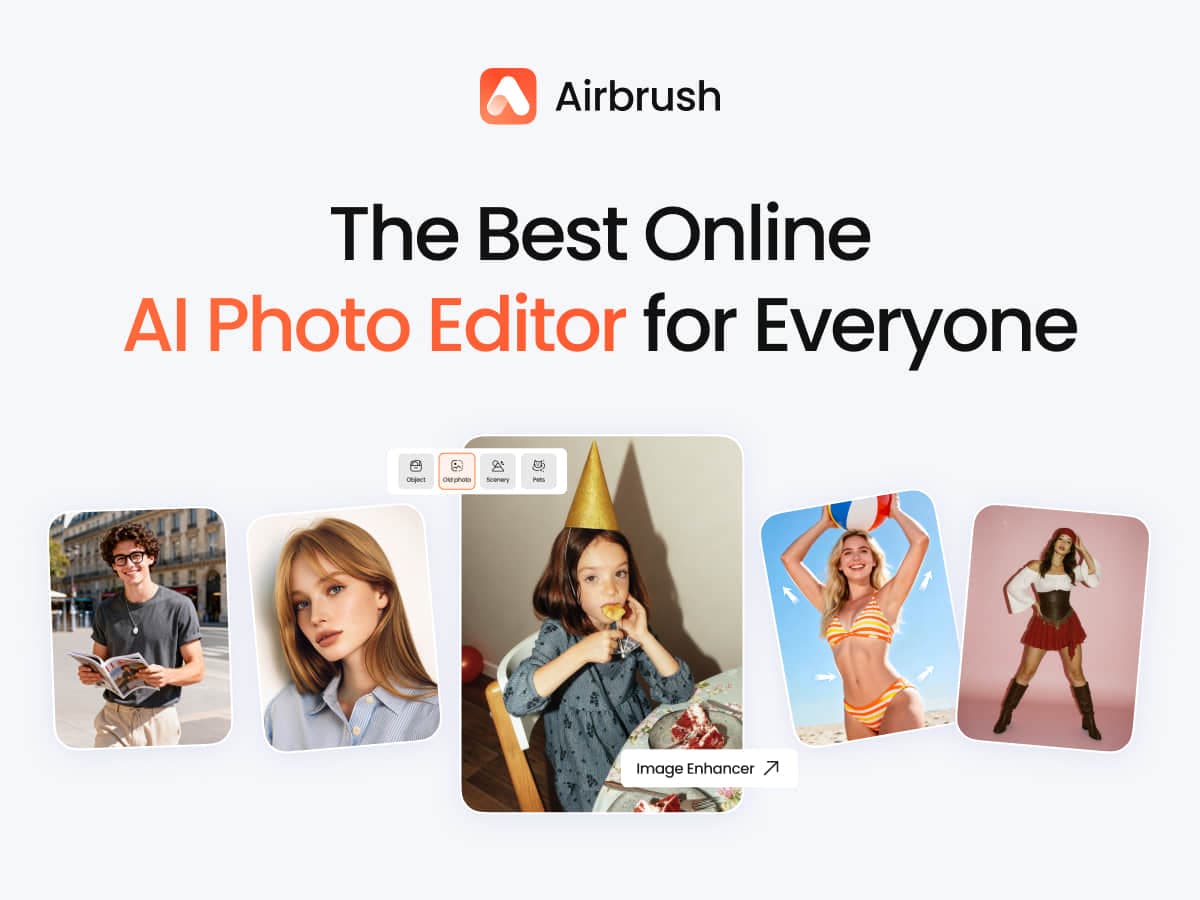
AirBrush is an AI photo (and video) editing app that turns advanced retouching into simple, one-click tools — smoothing skin, removing objects and backgrounds, applying AI filters, and reshaping features. It's built for everyday users, content creators, and professionals who want polished portraits, headshots, and social posts without studio work or a learning curve. Its differentiator is AI that automatically analyzes each photo to deliver pro-level, natural-looking results across mobile and its desktop-focused Airbrush Studio.
Screenshots
Commonly Cited Strengths & Limitations
Strengths
- Easy to use and beginner-friendly
- Fast, one-click editing results
- Natural-looking AI retouching
Limitations
- Many features and the best AI tools are locked behind a paid subscription
- Billing and free-trial complaints, including charges after cancellation
- AI use limited to a hidden number of uses per day even on top tiers
- Ads can be intrusive and cause crashes
- Previously free or standalone tools (e.g. smooth) changed and reportedly work worse
- Unresponsive customer service
- Watermark remover can fail and add its own watermark
- Occasional over-smoothing of small details
Common Use Cases
- Portrait and selfie retouching
- Skin smoothing and blemish removal
- Removing unwanted objects from photos
- Background removal and replacement
- Creating social media content and posts
- Professional headshots and LinkedIn photos
- Document photo editing
- Mobile video editing
Details
- Pricing Model
- Freemium
- Category
- Design & Creative
Who is AirBrush for?
Everyday Users
Enhance selfies and everyday photos in seconds with AI tools like Magic touch-up and Reshape for a natural, polished look.
Content Creators
Craft scroll-stopping posts and a consistent visual identity using portrait editing and bold creative AI styles.
Professionals
Get studio-quality retouching for portraits, headshots, and LinkedIn photos, refining skin and cleaning backgrounds without a studio.
Frequently Asked Questions
Is AirBrush free?
AirBrush offers a free plan.
Does AirBrush offer a free trial?
Yes, AirBrush offers a free trial of 7 days.
Does AirBrush have an API?
AirBrush does not currently offer a public API.
Is AirBrush cloud-based or self-hosted?
AirBrush is offered as both cloud and self-hosted (hybrid) deployment.
What are the downsides of AirBrush?
Many features and the best AI tools are locked behind a paid subscription Also, Billing and free-trial complaints, including charges after cancellation
Who is AirBrush best for?
AirBrush is best suited for Everyday Users, Content Creators, Professionals.
What can I use AirBrush for?
Common uses for AirBrush include portrait and selfie retouching, skin smoothing and blemish removal, removing unwanted objects from photos, background removal and replacement.
How does AirBrush compare to InfiniteArt.ai?
AirBrush and InfiniteArt.ai are both used for design & creative -- specifically photo editing tools. See the full side-by-side comparison for pricing and feature differences.
Key Features
- AI RetouchAI-powered retouching that smooths skin and refines portraits automatically.
- Image EraserRemoves unwanted objects from photos.
- Image EnhancerImproves overall image quality and detail.
- Body TunerReshapes and adjusts body features in photos.
- AI OutfitChanges or applies outfits using AI.
- Background RemoveRemoves or replaces photo backgrounds.
- Face EditorEdits and adjusts facial features.
- AI MakeupApplies makeup effects with AI.
- No Beard FilterRemoves or reduces facial hair in portraits.
- Photo FiltersApplies AI-driven and creative photo filters.
- Photo Color ChangerAdjusts and changes colors within a photo.
- Magic Touch-upOne-tap enhancement of key features.
- ReshapeAdjusts and reshapes features for a polished look.
- Airbrush StudioDesktop-focused editor that turns advanced techniques into one-click solutions.
- Video EditingEditing of videos via the mobile app, including AI filters and object removal.
Technical Details
- Deployment
- Hybrid
- Target Market
- B2C
- Free Trial
- 7 days
- Free Plan
- Available
Support
Real Pricing from Verified Users
See what people actually pay for AirBrush
Reviews
0 reviews
No reviews yet. Be the first to share your experience!
Switching Stories
Real migration experiences with AirBrush
Discussion
Ask questions, share tips, or discuss this tool with other users.
No discussion yet. Start the conversation!
Similar tools in Design & Creative
Other listed tools in Design & Creative, not reviewed as direct alternatives

AI creative studio for iOS and Mac that turns text into images and animates them into video.
Also Photo Editing Tools
- Text-to-image generation
- Generate videos
- Multiple image models
AI dubbing and localization with a full editor to transcribe, translate, caption, and dub in 50+ languages.
Also Video Editing Tools
- Automated dubbing
- Transcription
- Translation
- Seedance 2.5
- Nano Banana Pro
- Higgsfield Genjutsu

AI creative agents that turn one brief into on-brand images, video, copy, slides, and audio
Also Video Editing Tools
- AI Agent
- Brand consistency
- Smart Model Routing
- Video translation and dubbing
- Voice cloning
- Lip-sync

- ClipAnything
- ReframeAnything
- AI captioning
People Also Viewed


More in Design & Creative
Collaborative interface design tool

The world's best image editing software