
Editorial Verdict
AI-researched, not hands-on testedGitHub Copilot's productivity data is real and substantial -- developers report up to 55% more output and genuinely higher job satisfaction. The honest friction: it can hallucinate APIs that don't exist, loses context on long multi-part tasks, and some users report being unable to disable newer forced features like automatic code reviews.
Reviewed by AIToolPundit Editorial Team · last verified October 2026
About GitHub Copilot
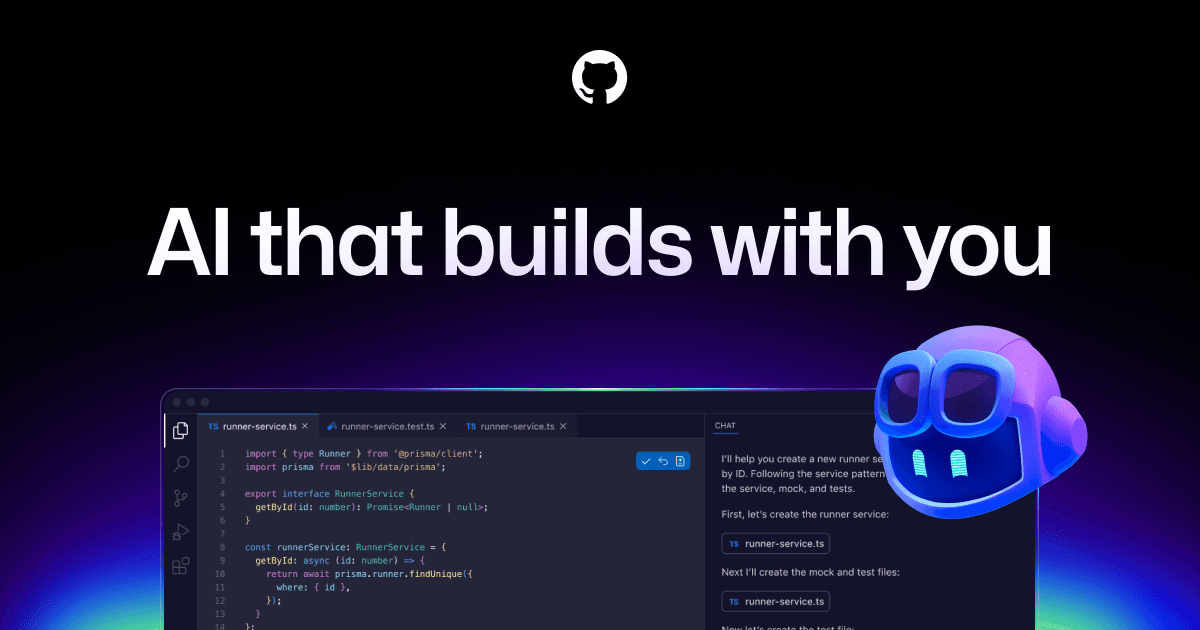
GitHub Copilot is your AI pair programmer that helps you write code faster and with less work. Powered by OpenAI Codex and integrated with your favorite editors, Copilot is used by millions of developers to ship code 55% faster.
Screenshots
Commonly Cited Strengths & Limitations
Strengths
- Developers report up to 75% higher job satisfaction and up to 55% more productivity
- Works across GitHub, IDEs, CLI, and chat apps
- Access to a broad catalog of leading LLMs
- Grupo Boticário increased developer productivity by 94% with Copilot
Limitations
- Can suggest outdated, suboptimal, or incorrect code that needs adjusting to project style
- Struggles with large monolithic codebases and can hallucinate APIs/methods that don't exist
- Loses context in long conversations and quality drops on multi-part tasks, sometimes making fixes slower than doing it manually
- Subscription pricing seen as expensive, especially for students
- Concerns about over-reliance eroding core coding skills and critical thinking
- Complaints about intrusiveness and forced features like an inability to disable Copilot code reviews
- Concerns over training on user code and potential security/bias risks in generated code
- Users want deeper IDE integration (e.g., IntelliJ Debugger)
Common Use Cases
- Inline code suggestions and completion
- Chat assistance and code explanations in the IDE
- Autonomous agent-driven task execution
- Code review
- Managing and governing agent usage across an organization
Details
- Pricing Model
- Freemium
- Starting Price
- $10/mo
- Founded
- 2021
- Team Size
- 1000+
- Headquarters
- San Francisco, CA
- Platforms
- VS CodeJetBrainsVisual StudioVim/Neovim
- Category
- Developer Tools
Who is GitHub Copilot for?
Individual developers
Use Copilot for everyday coding with agents, code completion, and next edit suggestions in their editor and CLI.
Enterprises and organizations
Roll out Copilot org-wide with pooled credits, access control, budget control, governance, and IP indemnity.
Students
Verified students get access to the GitHub Copilot Student plan.
Frequently Asked Questions
Is GitHub Copilot free?
GitHub Copilot offers a free plan, with paid plans starting at $10/mo.
Does GitHub Copilot offer a free trial?
Yes, GitHub Copilot offers a free trial of 30 days.
Does GitHub Copilot have an API?
Yes, GitHub Copilot provides an API for developers.
What platforms does GitHub Copilot support?
GitHub Copilot is available on VS Code, JetBrains, Visual Studio, Vim/Neovim.
What does GitHub Copilot integrate with?
GitHub Copilot integrates with GitHub, Visual Studio, VS Code, Xcode, JetBrains, Neovim, Eclipse IDE, Raycast, and more.
Is GitHub Copilot cloud-based or self-hosted?
GitHub Copilot is offered as a cloud-based (SaaS) deployment.
What are the downsides of GitHub Copilot?
Can suggest outdated, suboptimal, or incorrect code that needs adjusting to project style Also, Struggles with large monolithic codebases and can hallucinate APIs/methods that don't exist
Who is GitHub Copilot best for?
GitHub Copilot is best suited for Individual developers, Enterprises and organizations, Students.
What can I use GitHub Copilot for?
Common uses for GitHub Copilot include inline code suggestions and completion, chat assistance and code explanations in the ide, autonomous agent-driven task execution, code review.
How does GitHub Copilot compare to Replit?
GitHub Copilot and Replit are both used for developer tools -- specifically coding assistants. See the full side-by-side comparison for pricing and feature differences.
Key Features
- Model selectionChoose from leading LLMs optimized for speed, accuracy, or cost.
- Custom and third-party agentsUse GitHub Copilot, your own custom agents, or third-party agents you already rely on.
- Copilot cloud agentAssign tasks to agents like Copilot, Claude, and OpenAI Codex to plan, explore, and execute work autonomously in the background.
- GitHub Copilot appA desktop workspace to launch work, track progress across multiple agents, review changes, and merge completed work from one place.
- Copilot in the IDEExplains concepts, completes code, proposes edits, and validates files with agent mode.
- Copilot SpacesCreate a shared source of truth with context from your docs and repositories to make Copilot a project expert.
- Agent governanceTrack activity with audit logs and manage agents from a single control plane.
- MCP security controlsControl which MCP servers developers can access from their IDEs and use allow lists to prevent unauthorized access.
- Code completion and next edit suggestionsUnlimited code completion and next edit suggestions on paid plans.
- Copilot CLIUse Copilot from the command line.
- Code reviewAccess to cloud agent and code review on paid plans.
Integrations
Technical Details
- Deployment
- Cloud
- API
- Available
- Free Trial
- 30 days
- Free Plan
- Available
Official Pricing
GitHub Copilot's published plans · verified Sep 21, 2026
Free
$0/mo
- 2,000 completions per month
- Access to Haiku 4.5, GPT-5 mini, and more
- Copilot CLI
- Community Support
Pro
$10/mo
- Everything in Free
- Access to Cloud agent and code review
- Unlimited code completion and next edit suggestions
- Access to 3rd party agents (Claude Code and Codex)
- Model selection
- $15 monthly total credits
Pro+
$39/mo
- Everything in Pro
- Access to premium models, including Opus
- Audit logs
- 4x+ included usage than Pro
- $70 monthly total credits
Max
$100/mo
- Everything in Pro+
- Priority access to new models and features
- 2.9x+ included usage than Pro+
- $200 monthly total credits
Business
$19/mo
- Unlimited code completion and next edit
- Access to cloud agent and code review
- Access to broad model catalog
- Access to 3rd party agents
- Access control, budget control, and governance
- IP indemnity and data privacy
Enterprise
$39/mo
- Everything in Business
- Priority access to new models and features
- 2x included usage than Business
Pricing shown above is sourced from GitHub Copilot's own published plans as of Sep 21, 2026 and can change at any time -- confirm current pricing on GitHub Copilot's own site before purchasing.
Full GitHub Copilot pricing breakdown, free plan and cheaper alternatives →
Real Pricing from Verified Users
See what people actually pay for GitHub Copilot
Reviews
0 reviews
No reviews yet. Be the first to share your experience!
Switching Stories
Real migration experiences with GitHub Copilot
Discussion
Ask questions, share tips, or discuss this tool with other users.
No discussion yet. Start the conversation!
Similar tools in Developer Tools
Other listed tools in Developer Tools, not reviewed as direct alternatives

- Replit chat
- Free mode
- Infinite Canvas

- Coding agents
- Cloud agents
- CLI
- Sync with a repo
- Integrate with apps
- Deploy to Vercel

- Cascade agent
- Tab completions
- Multi-file editing

- Automatic model routing
- Error reduction
- Built-in context management

- Prompt-to-app generation
- Draw-to-build canvas
- Figma import
Also used for
More from github.com


People Also Viewed


More in Developer Tools
The platform for smart business apps


The agentic IDE powered by Codeium AI

Prompt, run, edit & deploy full-stack apps in the browser