
Drive AI
AI-native FP&A platform automating budgeting, forecasting, and financial reporting
Data verified Sep 14, 2026
Score
About Drive AI
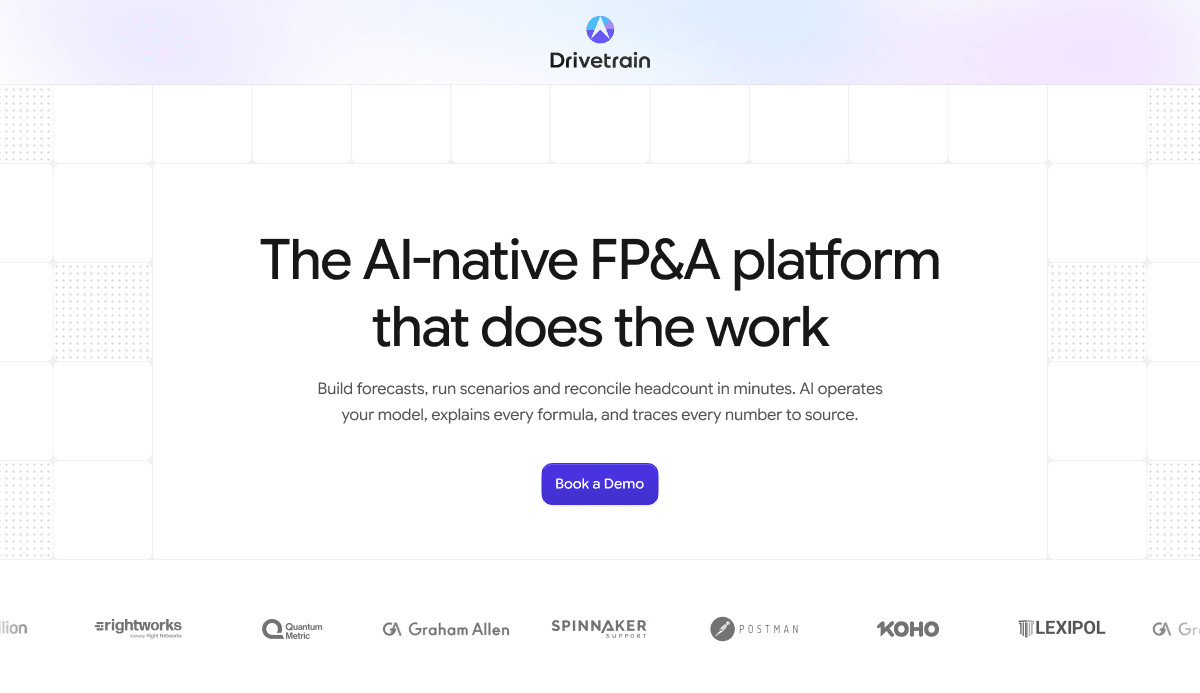
Drivetrain (Drive AI) is an AI-native FP&A and business planning platform built for finance teams to build forecasts, run scenarios, reconcile headcount, and produce reports. Its AI operates the financial model, explains every formula, and traces each number back to its source, while automating data cleaning, reconciliation, and anomaly detection across connected systems. It also exposes live, permission-controlled financial data inside AI tools like Claude and ChatGPT via MCP.
Screenshots
Commonly Cited Strengths & Limitations
Strengths
- Model at a very granular level (vendor, department) without much effort
- Faster scenario building and forecast updates than Excel
- Connects directly to source systems, reducing data-pull time
- AI features like model generation, anomaly detection, and plain-English data transformations boost productivity
- Supportive, solution-oriented team with smooth, collaborative implementation
Limitations
- UX, dashboarding, and reporting still need improvement; some model mechanics are limited by platform design
- Learning curve transitioning from Excel; DAX syntax and custom metric creation require practice
- Syncs and loads can lag on large datasets
- Certain changes still require support intervention
- No dedicated consolidation module; multi-entity and multi-currency workflows are basic
- Demand planning, inventory optimization, and complex cross-functional operational planning are limited
- Narrative and disclosure reporting is weak
Common Use Cases
- Financial Reporting
- Headcount Planning
- Scenario Modeling
- Budgeting
- Revenue Planning
- Financial Consolidation
- Cash Flow Forecasting
Details
- Pricing Model
- Contact Sales
- Team Size
- For teams who've outgrown spreadsheets and legacy tools
- Category
- Productivity & Automation
Who is Drive AI for?
FP&A Managers
Build and edit models on their own using Excel-style formulas and AI, and build scenarios and update forecasts in minutes instead of hours.
CFOs
Control AI token costs and run a planning function that scales without breaking.
Budget Owners
Get department-scoped access to the numbers they need through approval workflows.
Frequently Asked Questions
Does Drive AI have an API?
Yes, Drive AI provides an API for developers.
What does Drive AI integrate with?
Drive AI integrates with ERP, CRM, HRIS, Claude, ChatGPT, Slack, Teams, MCP.
Is Drive AI cloud-based or self-hosted?
Drive AI is offered as a cloud-based (SaaS) deployment.
What are the downsides of Drive AI?
UX, dashboarding, and reporting still need improvement; some model mechanics are limited by platform design Also, Learning curve transitioning from Excel; DAX syntax and custom metric creation require practice
Who is Drive AI best for?
Drive AI is best suited for FP&A Managers, CFOs, Budget Owners.
What can I use Drive AI for?
Common uses for Drive AI include financial reporting, headcount planning, scenario modeling, budgeting.
How does Drive AI compare to Brex?
Drive AI and Brex are both used for productivity & automation -- specifically accounting & finance tools. See the full side-by-side comparison for pricing and feature differences.
Key Features
- Scenario agentBuilds scenarios and updates models with reviewable, versioned, source-traceable changes.
- Modeling & formula agentsBuild and edit models using Excel-style formulas with AI assistance.
- Audit trailEvery change is reviewable, versioned, and traceable to its source.
- Reporting agentGenerates reports on metrics like revenue, margin, and cash.
- Plan modeLets AI build scenarios and explain variances without hallucinated numbers.
- Department-scoped viewsGive budget owners access to the numbers they need.
- Budget templates & approval workflowsSpeed planning from input to locked budget with locked versions.
- BvA agentSupports budget-versus-actuals workflows.
- Data transformation & classification agentsClean messy data, reconcile fields across systems, and flag anomalies early.
- 800+ connectorsPre-built native integrations finance can set up without IT.
- Scheduled data syncsSync data on demand or automatically on your schedule.
- Drill-downs
- MCPAccess live, permission-controlled financial data inside Claude, ChatGPT, and other AI tools.
- Slack botAccess live metrics and models via Slack.
- Anomaly detectionFlags anomalies early so finance plans from trusted numbers.
Integrations
Technical Details
- Deployment
- Cloud
- Target Market
- B2B
- API
- Available
Security & Compliance
Support
Real Pricing from Verified Users
See what people actually pay for Drive AI
Reviews
0 reviews
No reviews yet. Be the first to share your experience!
Switching Stories
Real migration experiences with Drive AI
Discussion
Ask questions, share tips, or discuss this tool with other users.
No discussion yet. Start the conversation!
Similar tools in Productivity & Automation
Other listed tools in Productivity & Automation, not reviewed as direct alternatives
- Corporate cards
- Expense management
- Travel
- Cards & Expenses
- Bill Payments
- Accounting Automation

- Invoicing
- Expense tracking
- Bill management

- Invoicing
- Payroll
- Reporting

- Invoicing
- Billing and Payments
- Expenses

- Accounting
- Invoicing
- Online payments
People Also Viewed


More in Productivity & Automation

Connect your apps and automate workflows

Customer experience automation

Automate anything without code

Digital analytics platform