
Slazzer
All-in-one AI photo editor that removes image backgrounds automatically in seconds
Data verified Sep 13, 2026
Score
Editorial Verdict
AI-researched, not hands-on testedAutomatic background removal that handles tricky edges like hair and fur in about 5 seconds is a genuine technical strength. Users report credits disappearing without explanation, support is hard to reach outside enterprise accounts, and 2026 roundups have ranked it near the bottom against Remove.bg and PhotoRoom.
Reviewed by AIToolPundit Editorial Team · last verified October 2026
About Slazzer
Slazzer is an AI-powered photo editing platform that automatically removes image backgrounds in seconds using computer vision, handling complex edges like hair and fur to produce clean cutouts. Beyond background removal, it offers AI tools to upscale, enhance, relight, and de-oldify photos, generate shadows and backgrounds, and replace skies. It provides an API, plugins for design tools and eCommerce platforms, desktop apps for bulk processing, and mobile apps for individuals, photographers, marketers, developers, and eCommerce businesses.
Screenshots
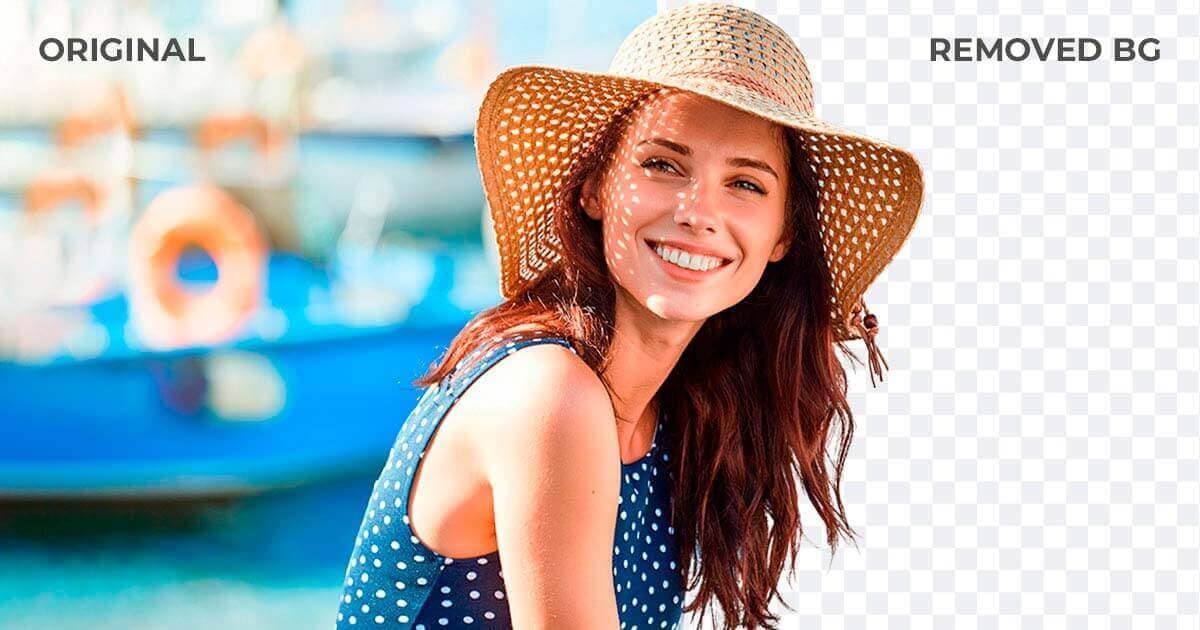
Commonly Cited Strengths & Limitations
Strengths
- Removes backgrounds 100% automatically in seconds
- Handles complex edges like hair and fur
- Fast processing (around 5 seconds)
- Supports bulk processing of thousands of images
- Available on desktop, mobile, and via API
Limitations
- Users report credits disappearing from accounts without explanation
- Slow or unresponsive customer support; hard to reach unless high-volume/enterprise
- Free plan is very limited (reportedly only 2 credits) and previews capped at low resolution
- Automatic cutouts may leave imperfect edges on intricate images, requiring manual touch-ups
- Reported billing/cancellation issues including being charged after cancellation attempts
- Ranked at or near the bottom against competitors like Remove.bg, PhotoRoom and Adobe Express in 2026 roundups
Common Use Cases
- Removing image backgrounds
- Editing product photos for ecommerce
- Enhancing and upscaling selfies
- Bulk processing images at scale
- Generating on-brand marketing visuals
Details
- Pricing Model
- Freemium
- Team Size
- Enterprise
- Category
- Design & Creative
Who is Slazzer for?
Photographers
Speeds up editing by upscaling images, fixing shadows, and refining details in seconds so they can spend more time shooting.
Marketers
Converts text into polished images, logos, and backgrounds for on-brand campaigns at scale.
Developers
Integrates the API for enterprise bulk image processing and automated editing.
Ecommerce sellers
Bulk edits product photos into crisp, trust-building visuals to boost catalog sales.
Frequently Asked Questions
Is Slazzer free?
Slazzer offers a free plan.
Does Slazzer offer a free trial?
Yes, Slazzer offers a free trial.
Does Slazzer have an API?
Yes, Slazzer provides an API for developers.
What does Slazzer integrate with?
Slazzer integrates with Design tool plugins, eCommerce platform plugins, API integration.
Is Slazzer cloud-based or self-hosted?
Slazzer is offered as both cloud and self-hosted (hybrid) deployment.
What are the downsides of Slazzer?
Users report credits disappearing from accounts without explanation Also, Slow or unresponsive customer support; hard to reach unless high-volume/enterprise
Who is Slazzer best for?
Slazzer is best suited for Photographers, Marketers, Developers.
What can I use Slazzer for?
Common uses for Slazzer include removing image backgrounds, editing product photos for ecommerce, enhancing and upscaling selfies, bulk processing images at scale.
How does Slazzer compare to InfiniteArt.ai?
Slazzer and InfiniteArt.ai are both used for design & creative -- specifically photo editing tools. See the full side-by-side comparison for pricing and feature differences.
Key Features
- Background RemoverAutomatically detects the subject and removes the image background in seconds, handling hair, fur, and complex edges.
- AI BackgroundGenerates realistic backgrounds for photos in about 5 seconds.
- AI EnhanceFixes blurry photos and dull colors with one click.
- AI ShadowAdds realistic, natural-looking shadows to products.
- AI UpscaleSharpens, brightens, and upscales images to print-ready HD in about 5 seconds.
- AI Re LightingRelights photos instantly.
- AI Sky ReplacementReplaces the sky in photos instantly.
- AI De-oldifyDeoldifies (restores/colorizes) old photos instantly.
- Desktop ApplicationWindows/Mac/Linux app to drag and drop thousands of images at once for automatic bulk cutouts.
- Mobile AppAndroid and iOS app for on-the-go AI photo editing.
- API & IntegrationsAPI and plugins for design tools and eCommerce platforms to remove backgrounds at scale.
Integrations
Technical Details
- Deployment
- Hybrid
- Target Market
- Both
- API
- Available
- Free Trial
- Yes
- Free Plan
- Available
Security & Compliance
Support
Real Pricing from Verified Users
See what people actually pay for Slazzer
Reviews
0 reviews
No reviews yet. Be the first to share your experience!
Switching Stories
Real migration experiences with Slazzer
Discussion
Ask questions, share tips, or discuss this tool with other users.
No discussion yet. Start the conversation!
Similar tools in Design & Creative
Other listed tools in Design & Creative, not reviewed as direct alternatives

AI creative studio for iOS and Mac that turns text into images and animates them into video.
Also Photo Editing Tools
- Text-to-image generation
- Generate videos
- Multiple image models

- Generative Fill
- Generative Expand
- Generative Upscale

- Personal AI Studio
- AI Image Editor
- Photo Animation / Video

AI photo restoration that brings old and blurry face photos back to life for free.
Also Photo Editing Tools
- AI photo restoration

AI photo colorizer that adds realistic, lifelike color to black-and-white images in seconds
Also Photo Editing Tools
- 21+ Color Filters
- Realistic AI Colorization
- Color Customization
AI headshot generator that turns your selfies into professional headshots in under 90 minutes.
Also Photo Editing Tools
- AI Headshot Generation
- AI Virtual Try-On
- Reprocessing
Also used for
People Also Viewed


More in Design & Creative

Collaborative interface design tool

The world's best image editing software