
Snappa
Create social media, ad, and blog graphics fast—no design experience needed.
Data verified Sep 18, 2026
Score
- Try it free
- Free plan
- Best for
- Content Marketers
About Snappa
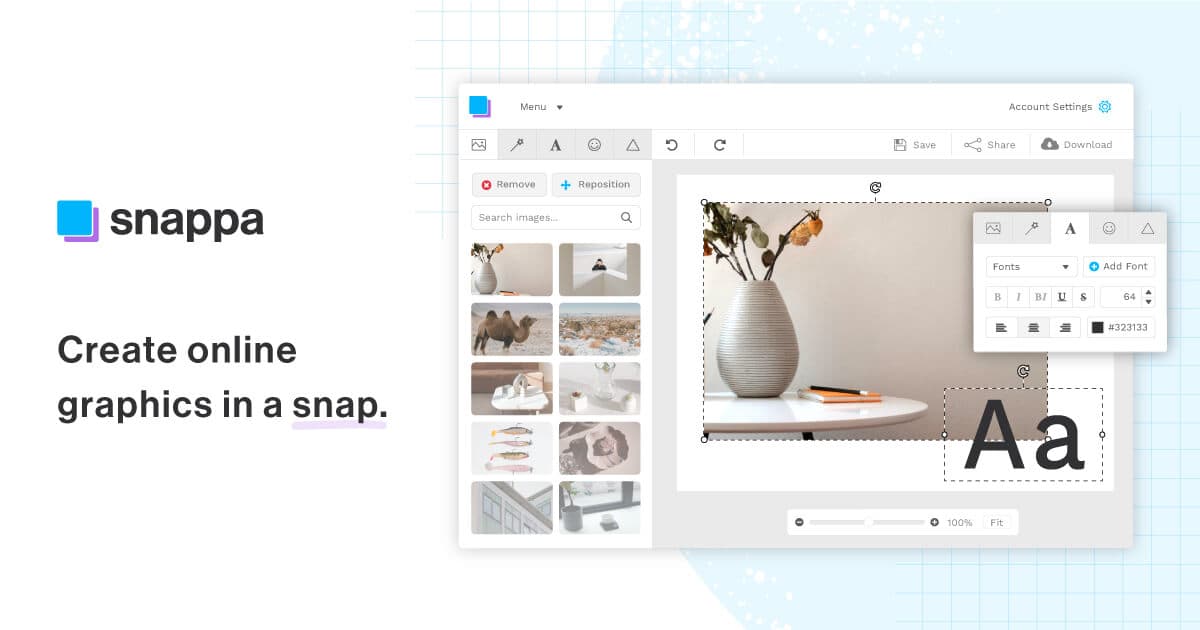
Snappa is a browser-based graphic design tool built for non-designers—marketers, bloggers, and small-business owners—to quickly create visuals for social media, ads, blogs, emails, and infographics. It combines pre-sized dimension presets, thousands of templates, millions of free royalty-free stock photos, one-click background removal, and one-click resizing, plus direct social sharing and Buffer scheduling. Its main differentiator is speed and simplicity for everyday content graphics, trading advanced capabilities (vector drawing, precision typography, offline editing) for a near-zero learning curve.
Screenshots
Commonly Cited Strengths & Limitations
Strengths
- Fast and easy to use with almost no learning curve
- Includes royalty-free photos and graphics licensed for commercial use
- Well suited for non-designers
- Good library of templates and business-focused presets
Limitations
- Limited feature set that advanced users outgrow quickly
- No vector formats or vector/custom drawing tools
- Lacks advanced typography and detailed retouching/compositing found in Photoshop
- Only static designs, with no animated design options
- The interface can feel cluttered
- Requires an internet connection—no offline editing
- Free version is limited on options
Common Use Cases
- Designing social media post graphics
- Creating Facebook and other display ads
- Making blog and article header images
- Building infographics for blogs or presentations
- Designing Instagram Stories and Pinterest pins
- Creating YouTube thumbnails and banners
- Designing Twitter headers and Facebook covers
- Making eBook covers and promotional banners
- Creating SoundCloud, Twitch, and Wattpad graphics
- Designing profile pictures
Details
- Pricing Model
- Freemium
- Founded
- 2015
- Team Size
- Small Business
- Category
- Design & Creative
Who is Snappa for?
Content Marketers
Produce blog headers, ads, and social graphics in minutes without hiring or waiting on a designer.
Social Media Managers
Create and repurpose platform-specific visuals and schedule them via a connected Buffer account.
Bloggers & Content Creators
Non-designers who regularly publish online can make professional visuals from templates without tutorials.
Frequently Asked Questions
Is Snappa free?
Snappa offers a free plan.
Does Snappa have an API?
Snappa does not currently offer a public API.
What does Snappa integrate with?
Snappa integrates with Buffer, Facebook, Twitter, Instagram, SoundCloud, Twitch, Wattpad, YouTube.
Is Snappa cloud-based or self-hosted?
Snappa is offered as a cloud-based (SaaS) deployment.
What are the downsides of Snappa?
Limited feature set that advanced users outgrow quickly Also, No vector formats or vector/custom drawing tools
Who is Snappa best for?
Snappa is best suited for Content Marketers, Social Media Managers, Bloggers & Content Creators.
What can I use Snappa for?
Common uses for Snappa include designing social media post graphics, creating facebook and other display ads, making blog and article header images, building infographics for blogs or presentations.
What is the best alternative to Snappa?
Our reviewed alternatives to Snappa are Canva.
How does Snappa compare to InfiniteArt.ai?
Snappa and InfiniteArt.ai are both used for design & creative -- specifically photo editing tools. See the full side-by-side comparison for pricing and feature differences.
Key Features
- Image dimension presetsOne-click preset sizes for social media, display ads, blogs, emails, and infographics.
- Pre-made templatesThousands of professional-looking templates to start from instead of a blank canvas.
- Free stock photosAccess to 5,000,000+ free high-resolution royalty-free stock images inside the editor.
- Fonts, vectors, and effects200+ fonts, 100,000+ vectors and shapes, and photo effects to customize designs.
- One-click background removalRemove the background from an image instantly with a single click.
- One-click resizeConvert a graphic into a different format or platform size in one click.
- Social scheduling and sharingShare graphics directly to social platforms and pre-schedule posts via a Buffer connection.
- Add text to photosOverlay and style text onto images.
- BlurBlur parts of an image to create focus.
- CropCrop images to specific dimensions.
- FlipFlip images horizontally or vertically.
- RotateRotate images to a desired angle.
- Speech bubblesAdd speech bubbles to images.
Integrations
Technical Details
- Deployment
- Cloud
- Target Market
- B2B
- Free Plan
- Available
Real Pricing from Verified Users
See what people actually pay for Snappa
Reviews
0 reviews
No reviews yet. Be the first to share your experience!
Switching Stories
Real migration experiences with Snappa
Discussion
Ask questions, share tips, or discuss this tool with other users.
No discussion yet. Start the conversation!
Snappa alternatives we reviewed
Reviewed when this listing was published; open-source options are marked.
Canva
Broader web-based design tool with templates, more features, and a free tier
Similar tools in Design & Creative
Other listed tools in Design & Creative, not reviewed as direct alternatives

AI creative studio for iOS and Mac that turns text into images and animates them into video.
Also Photo Editing Tools
- Text-to-image generation
- Generate videos
- Multiple image models
AI-first design platform with vector tools, templates, mockups and brand kits
Also graphic-design-tools
- AI generation
- Editing tools
- Infinite canvas
- Raya AI agent
- Competitor strategy extraction
- Customer review mining

AI creative agents that turn one brief into on-brand images, video, copy, slides, and audio
Also graphic-design-tools
- AI Agent
- Brand consistency
- Smart Model Routing

Turn website heatmaps into AI-generated UI redesigns and code in seconds.
Also graphic-design-tools
- Generative UI from heatmaps
- Improvement goals
- Improvement report

- Templates Library
- Magic Studio (AI)
- Magic Write
Also used for
People Also Viewed


More in Design & Creative

Collaborative interface design tool

The world's best image editing software