
Tangle
A visual drag-and-drop editor for building ML pipelines.
Data verified Sep 26, 2026
Score
Editorial Verdict
AI-researched, not hands-on testedTangle is an open source, self-hostable visual editor for assembling ML pipelines by dragging and connecting nodes instead of hand-writing orchestration code, which mainly helps ML engineers and data scientists who want to build and inspect pipelines visually and value being able to modify the tool themselves. It's a reasonable fit if you already work in ML and prefer an open, editable tool over a hosted SaaS product. The main caveat is that the available data is thin on specifics: there's no detail on which ML frameworks or execution backends it integrates with, how mature the project is, or how well the visual approach holds up for complex pipelines, so it's worth evaluating the repository directly before committing.
Reviewed by AIToolPundit Editorial Team · last verified September 2026
About Tangle
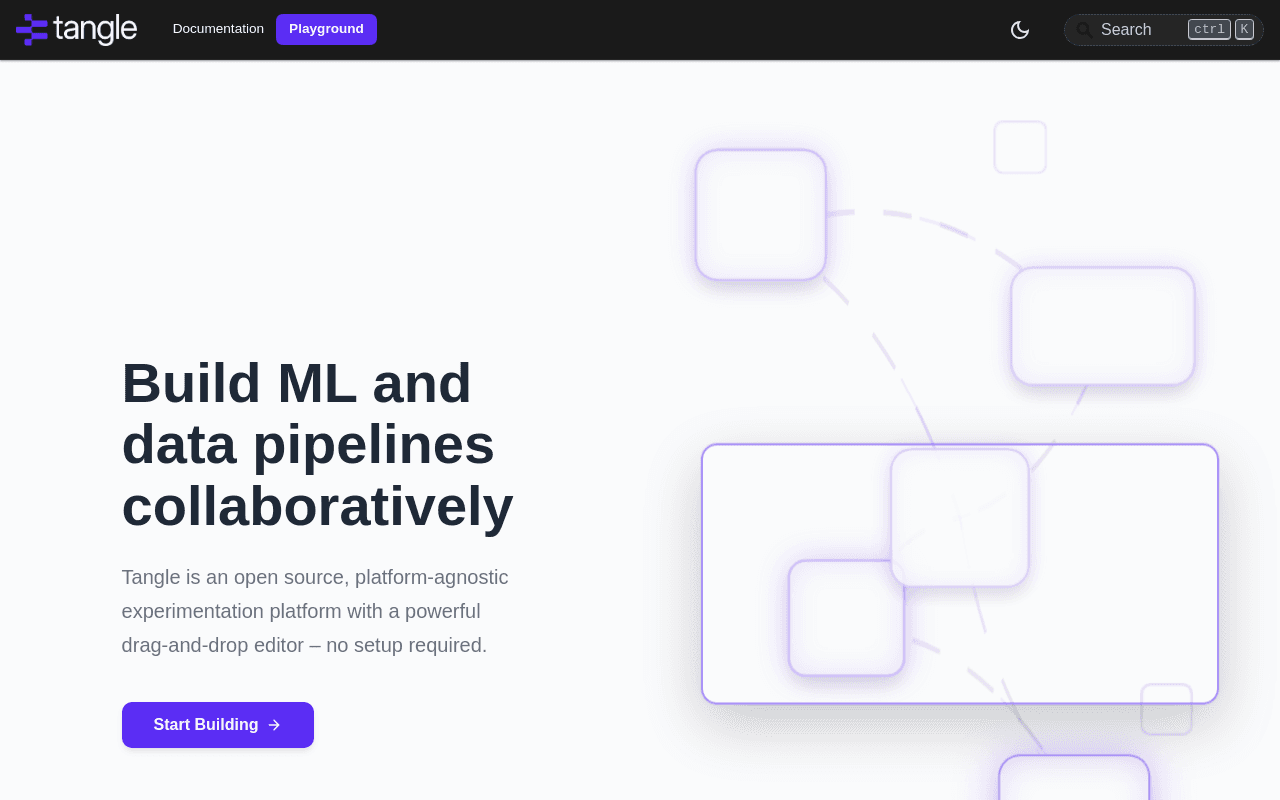
Tangle is an open source, visual drag-and-drop editor for building machine-learning pipelines, letting ML practitioners assemble a pipeline visually instead of writing all the orchestration code by hand. It is aimed at ML engineers and data scientists who want a visual, inspectable way to build and iterate on pipelines and prefer an open source tool they can self-host and modify.
Screenshots
Commonly Cited Strengths & Limitations
Strengths
- Fully open source and free, backed by Shopify's ML and engineering team rather than an unproven startup
- Visual editor lowers the barrier for building ML pipelines without requiring everyone on the team to code
- Content-based caching meaningfully cuts compute cost during iterative experimentation
Limitations
- No managed/hosted offering mentioned -- appears self-hosted, requiring the team to run its own infrastructure
- As a newer open-source tool, the component library and community size are likely smaller than established ML pipeline tools (e.g. Kubeflow, Airflow)
Details
- Pricing Model
- Free
- Starting Price
- Free
- Category
- Developer Tools
Frequently Asked Questions
Is Tangle free?
Yes, Tangle is free to use.
Does Tangle have an API?
Yes, Tangle provides an API for developers.
Is Tangle open source?
Yes, Tangle is open source.
Is Tangle cloud-based or self-hosted?
Tangle is offered as a cloud-based (SaaS) deployment.
What are the downsides of Tangle?
No managed/hosted offering mentioned -- appears self-hosted, requiring the team to run its own infrastructure Also, As a newer open-source tool, the component library and community size are likely smaller than established ML pipeline tools (e.g. Kubeflow, Airflow)
What is the best alternative to Tangle?
Trickle is the closest alternative to Tangle, followed by Supadev and Groq.
How does Tangle compare to Trickle?
Tangle and Trickle are both used for developer tools. See the full side-by-side comparison for pricing and feature differences.
Key Features
- Drag-and-drop pipeline editorBuilds ML pipelines visually by connecting components and configuring arguments, with or without writing code.
- Reusable component libraryClones, edits, and runs pipelines built from a shared library of reusable modules, or lets teams add their own custom components.
- Language & framework agnosticWraps existing code of any language or framework into a container via the in-app editor, so it isn't tied to one ML stack.
- Content-based execution cachingCaches intermediate pipeline results based on content, accelerating experimentation and cutting repeated compute costs.
- Open-source codebaseBoth backend and frontend are open source on GitHub (tangleml/tangle and tangleml/tangle-ui), open to contribution and self-hosting.
Technical Details
- Deployment
- Self-Hosted
- API
- Available
Official Pricing
Tangle's published pricing · verified Sep 26, 2026
Free
Real Pricing from Verified Users
See what people actually pay for Tangle
Reviews
0 reviews
No reviews yet. Be the first to share your experience!
Switching Stories
Real migration experiences with Tangle
Discussion
Ask questions, share tips, or discuss this tool with other users.
No discussion yet. Start the conversation!

Turn your ideas into live apps and websites using natural language with AI.
Similar tool in Developer Tools
- Natural-language app building
- Built-in database
- AI model access
AI-optimized documentation that helps AI coding assistants get your project right the first time.
Similar tool in Developer Tools
- AI-Optimized Documentation
- Project Requirements & Scope
- Tech Stack Overview

- LPU Architecture
- LPX System
- Ultra-Fast Inference

AI-powered CLI tool for precise, automated code review.
Similar tool in Developer Tools
- Line-level AI code review
- Deterministic + agent hybrid architecture
- Full-codebase scan mode
MCP server that lets AI assistants work directly with Firebase Firestore, Storage, and Auth.
Similar tool in Developer Tools
- Firestore document operations
- Storage file management
- User authentication lookup

Build production-ready web and mobile apps 10x faster from plain English—no coding required.
Similar tool in Developer Tools
- Text-to-App Generation
- AI Code Generation
- No-Code Development Interface


More in Developer Tools
The platform for smart business apps


The agentic IDE powered by Codeium AI

Prompt, run, edit & deploy full-stack apps in the browser