
Eagle
AI-powered asset manager to collect, organize, search, and browse design files in one place.
Data verified Sep 12, 2026
Score
- Try it free
- Free trial
- Best for
- Designers
About Eagle
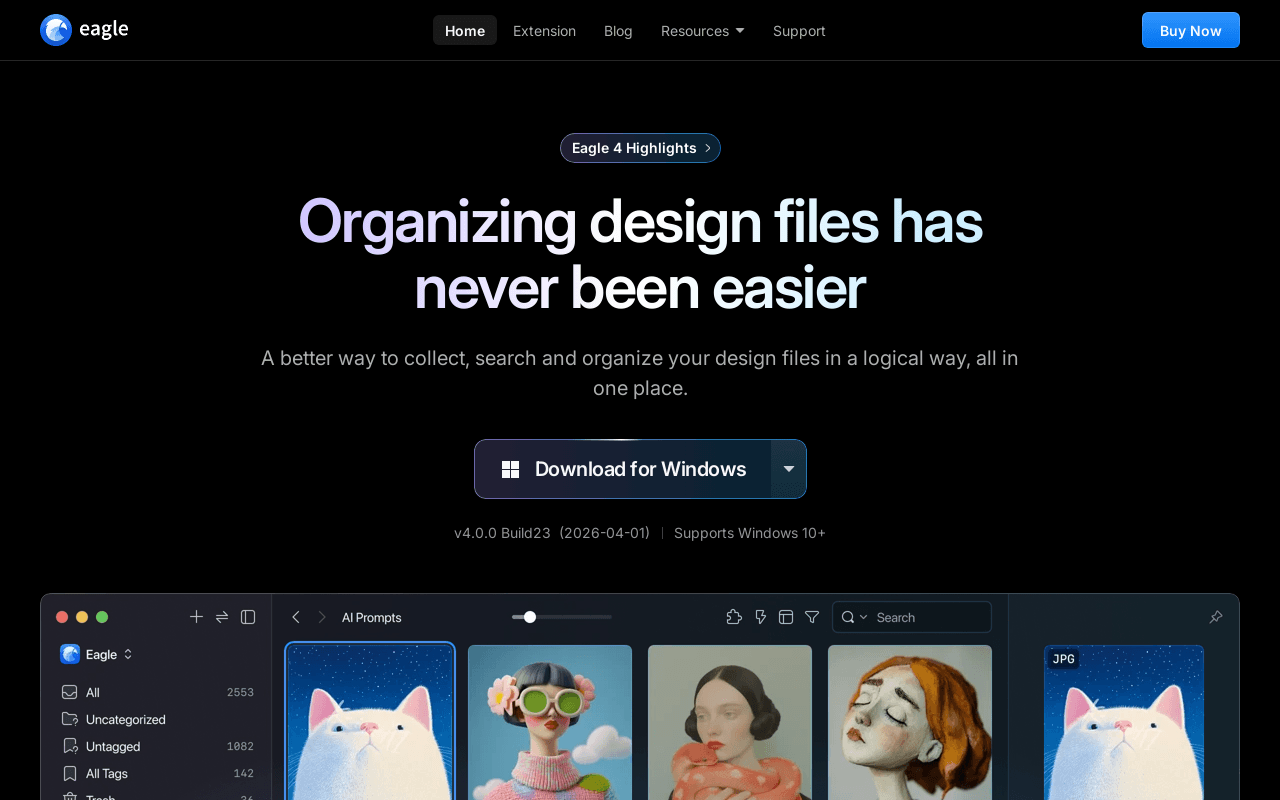
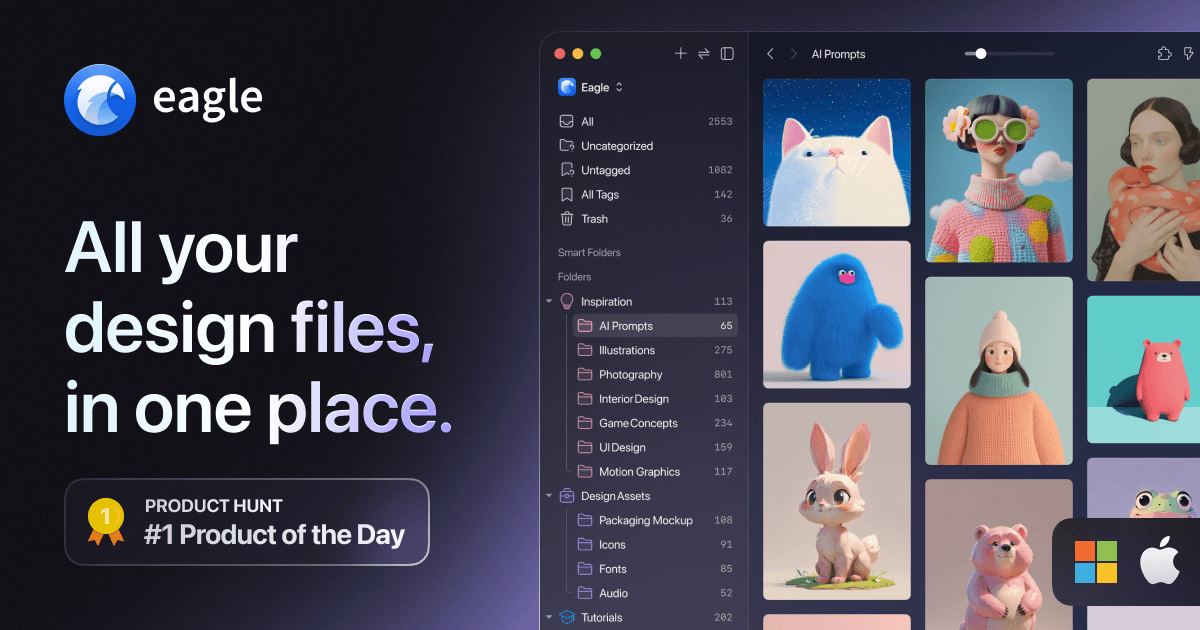
Eagle is a desktop asset manager built for designers and other creative professionals to collect, tag, organize, search, and preview large libraries of visual files such as images, screenshots, GIFs, videos, audio, and fonts. Its AI layer adds visual, semantic, and cross-source search plus automated tagging/renaming workflows, and it handles tens of thousands of assets and complex categories smoothly. What most sets it apart is combining a fast browser-extension capture workflow with a plugin system and AI actions in a single tool aimed squarely at design inspiration and reference management.
Screenshots
Commonly Cited Strengths & Limitations
Strengths
- Fast and dependable for collecting, tagging, searching, and reusing large asset libraries
- Clean, intuitive UI
- Handles very large libraries without lag
- Convenient browser extension / web clipper
- Thoughtful tagging with tag groups
- Broad format support including GIFs and videos
Limitations
- No iOS/iPad or mobile app; desktop-only
- Slow or unresponsive customer support, especially in English
- PayPal is the only accepted payment option
- Some parts of the GUI feel less fluent to navigate
- Occasionally fails to save an image
Common Use Cases
- Collecting design inspiration and screenshots
- Organizing large libraries of images and reference files
- Searching visual assets by image, color, or meaning
- Browsing and previewing images, GIFs, video, and audio
- Managing fonts and multimedia assets
- Automating tagging and file naming with AI
Details
- Pricing Model
- Free Trial
- Category
- Design & Creative
Who is Eagle for?
Designers
Use Eagle to collect, categorize, and quickly retrieve large volumes of design files and inspiration in one place.
Illustrators & Concept Artists
Gather and organize reference imagery and concept art, then search it visually or by color when creating new work.
Photographers
Store, tag, and browse large photo libraries with instant previews and color-based search.
Motion & UI Designers
Keep GIFs, videos, icons, and UI screenshots organized and preview them smoothly without opening each file.
Frequently Asked Questions
Does Eagle offer a free trial?
Yes, Eagle offers a free trial.
Does Eagle have an API?
Yes, Eagle provides an API for developers.
What does Eagle integrate with?
Eagle integrates with Browser Extension, Eagle MCP / Skill, Plugin Center, Pinterest Visual Search.
Is Eagle cloud-based or self-hosted?
Eagle is offered as an on-premise (self-hosted) deployment.
What are the downsides of Eagle?
No iOS/iPad or mobile app; desktop-only Also, Slow or unresponsive customer support, especially in English
Who is Eagle best for?
Eagle is best suited for Designers, Illustrators & Concept Artists, Photographers.
What can I use Eagle for?
Common uses for Eagle include collecting design inspiration and screenshots, organizing large libraries of images and reference files, searching visual assets by image, color, or meaning, browsing and previewing images, gifs, video, and audio.
What is the best alternative to Eagle?
Our reviewed alternatives to Eagle are PureRef and Inkscape.
How does Eagle compare to Kittl?
Eagle and Kittl are both used for design & creative -- specifically graphic-design-tools. See the full side-by-side comparison for pricing and feature differences.
Key Features
- AI SearchFind assets by image, meaning, or across platforms without recalling filenames or tags.
- Visual SearchSearch for assets using an image as the query.
- Semantic SearchSearch assets by meaning rather than exact keywords.
- Cross-Source SearchSearch across different platforms and sources at once.
- AI ActionSet naming, tagging, and workflow rules once and let AI run the process repeatedly.
- AI Models HubConfigure major AI models once and use them throughout Eagle.
- Eagle MCP / SkillConnect third-party AI agents for automated image management.
- Browser ExtensionDrag, batch save, and screenshot web visuals into Eagle.
- Drag & DropSave any image to Eagle by dragging and dropping it.
- Batch SaveOne-click collection of all assets on a webpage with size/format filters, folders, and tags.
- One-click HD DownloadAuto-detects and saves high-resolution images in a single click.
- Alt + Right-clickBypass download restrictions to save images beyond standard right-click saving.
- ScreenshotCapture on-screen inspiration directly into Eagle.
- ClipboardCopy and paste any image into Eagle.
- TagAdd tags to assets for faster organization and retrieval.
- FolderOrganize assets in a hierarchical folder structure.
- Smart FolderAutomatically organize assets by name, tag, color, or format.
- AnnotateAdd annotations and ideas directly onto images.
- Find DuplicatesScan and merge duplicate assets to save space.
- RatingRate assets to filter and organize them efficiently.
- Auto TagAutomatically tag all assets based on folder tags.
- Keyword SearchQuickly find assets with keyword-driven search.
- Color SearchFind assets within the same color palette.
- FilterSearch precisely using multi-dimensional filters.
- RandomShuffle assets to explore new ideas.
- Search by ImageIdentify an image's origin, author, and name.
- Quick SearchSwitch quickly between hundreds of categories.
- Hover PreviewPreview images, GIFs, videos, and audio by hovering without double-clicking.
- Spacebar PreviewPress spacebar for instant previews with left-right navigation.
- Open in New WindowOpen multiple assets at once or pin them to the desktop.
- LayoutsArrange assets in different layouts for easier browsing.
- Focus ZoomingZoom precisely into asset details.
- Plugin SystemBuild plugins with JavaScript and HTML to extend Eagle.
Integrations
Technical Details
- Deployment
- On-Premise
- Target Market
- B2C
- API
- Available
- Free Trial
- Yes
Support
Real Pricing from Verified Users
See what people actually pay for Eagle
Reviews
0 reviews
No reviews yet. Be the first to share your experience!
Switching Stories
Real migration experiences with Eagle
Discussion
Ask questions, share tips, or discuss this tool with other users.
No discussion yet. Start the conversation!
Eagle alternatives we reviewed
Reviewed when this listing was published; open-source options are marked.
PureRef
Lightweight reference-image board tool compared to Eagle for organizing visual references.
Inkscape
Design-focused open-source tool users compare against Eagle.
Similar tools in Design & Creative
Other listed tools in Design & Creative, not reviewed as direct alternatives
AI-first design platform with vector tools, templates, mockups and brand kits
Also graphic-design-tools
- AI generation
- Editing tools
- Infinite canvas

- AI-powered data extraction
- Website change monitoring
- Scheduled runs

- Browser extensions
- Mobile and desktop apps
- Reads AI chat answers

AI creative agents that turn one brief into on-brand images, video, copy, slides, and audio
Also graphic-design-tools
- AI Agent
- Brand consistency
- Smart Model Routing

Turn website heatmaps into AI-generated UI redesigns and code in seconds.
Also graphic-design-tools
- Generative UI from heatmaps
- Improvement goals
- Improvement report

- Templates Library
- Magic Studio (AI)
- Magic Write
People Also Viewed




More in Design & Creative

Collaborative interface design tool

The world's best image editing software