Gptexcel
AI-powered spreadsheet automation for formulas, pivot tables, charts, and data insights.
Data verified Sep 12, 2026
Score
About Gptexcel
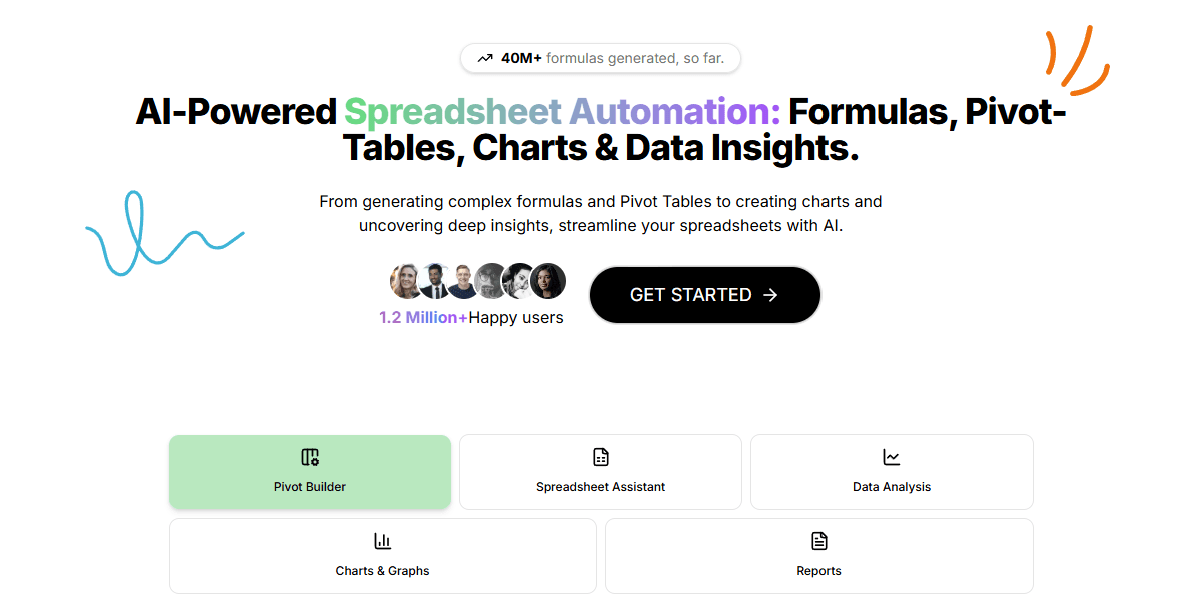
GPTExcel is an AI-powered spreadsheet assistant that generates and explains formulas for Excel, Google Sheets, LibreOffice Calc, and Airtable, and produces automation scripts (VBA, Apps Script, Airtable Script), SQL queries, regex patterns, and table templates. It also lets users chat with their Excel files, convert image-based tables into editable spreadsheets, build and modify pivot tables, generate charts and graphs, and analyze Excel/CSV data into insights and reports.
Screenshots
Commonly Cited Strengths & Limitations
Strengths
- Supports Excel, Google Sheets, LibreOffice Calc, and Airtable
- Understands over 50 languages
- Free plan available
Limitations
- Free tier is limited to only a few requests, insufficient for heavy users
- Full automation/script tools require upgrading to a paid plan
- Learning curve for new users to grasp all features
Common Use Cases
- Generating spreadsheet formulas
- Creating SQL queries
- Automating tasks with VBA/Apps Scripts
- Generating regex patterns
- Building pivot tables
- Analyzing Excel/CSV data for insights
- Converting image tables to spreadsheets
- Generating charts and graphs
Details
- Pricing Model
- Freemium
- Starting Price
- $6.30/mo
- Category
- Developer Tools
Who is Gptexcel for?
Data Analysts
Use AI to analyze Excel/CSV data, build pivot tables and charts, and produce insight reports.
Developers
Generate and debug SQL queries, VBA/Apps Scripts, and regex patterns without manual coding.
Spreadsheet Users
Generate and understand complex Excel, Google Sheets, LibreOffice Calc, and Airtable formulas.
Frequently Asked Questions
Is Gptexcel free?
Gptexcel offers a free plan, with paid plans starting at $6.30/mo.
Does Gptexcel have an API?
Gptexcel does not currently offer a public API.
What does Gptexcel integrate with?
Gptexcel integrates with Microsoft Excel, Google Sheets, LibreOffice Calc, Airtable.
Is Gptexcel cloud-based or self-hosted?
Gptexcel is offered as a cloud-based (SaaS) deployment.
What are the downsides of Gptexcel?
Free tier is limited to only a few requests, insufficient for heavy users Also, Full automation/script tools require upgrading to a paid plan
Who is Gptexcel best for?
Gptexcel is best suited for Data Analysts, Developers, Spreadsheet Users.
What can I use Gptexcel for?
Common uses for Gptexcel include generating spreadsheet formulas, creating sql queries, automating tasks with vba/apps scripts, generating regex patterns.
How does Gptexcel compare to Browse AI?
Gptexcel and Browse AI are both used for developer tools -- specifically automation & workflow tools. See the full side-by-side comparison for pricing and feature differences.
Key Features
- Excel Formula Generator AIGenerates and explains formulas for Excel, Google Sheets, and Airtable to automate complex calculations.
- Script Generator AICreates VBA scripts, Apps Scripts, and Airtable scripts to automate repetitive tasks.
- SQL Query Generator AIGenerates, debugs, and refines complex SQL queries across database systems.
- Regex Generator AIGenerates and explains regular expression patterns for data validation and filtering.
- Template Generator AIGenerates table templates for Excel and Google Sheets.
- Pivot BuilderGenerates and modifies pivot tables with AI.
- Chat with Excel fileInteract conversationally with your Excel file to ask questions and get insights on your data.
- Image-to-table conversionConverts tables in images into editable spreadsheets.
- Charts & GraphsAutomatically generates visual charts and graphs from your data.
- Data AnalysisAnalyzes Excel/CSV data to produce insights and concise reports.
Integrations
Technical Details
- Deployment
- Cloud
- Target Market
- Both
- Free Plan
- Available
Support
Official Pricing
Gptexcel's published plans · verified Sep 12, 2026
Free
$0/mo
- Up to 10 AI Chat messages (refreshed every 30 days)
- Up to 4 Tool usage (refreshed every 12 hours)
- Upload file size 5MB/file, up to 5 files per chat
- Pivot Tables with AI
- Spreadsheets Formula Assistant AI
- Spreadsheets Scripts for Automation Assistant AI
Pro
$9.00/mo
- Up to 3,000 AI Chat messages (refreshed every 30 days)
- Up to 3,000 Tool usage (refreshed every 30 days)
- Upload file size 50MB/file, up to 10 files per chat
- Pivot Tables with AI
- Spreadsheets Formula Assistant AI
- Spreadsheets Scripts for Automation Assistant AI
Pro Plus
$18.00/mo
- Up to 10,000 AI Chat messages (refreshed every 30 days)
- Up to 10,000 Tool usage (refreshed every 30 days)
- Upload file size 100MB/file, up to 15 files per chat
- Pivot Tables with AI
- Spreadsheets Formula Assistant AI
- Spreadsheets Scripts for Automation Assistant AI
Pricing shown above is sourced from Gptexcel's own published plans as of Sep 12, 2026 and can change at any time -- confirm current pricing on Gptexcel's own site before purchasing.
Full Gptexcel pricing breakdown, free plan and cheaper alternatives →
Real Pricing from Verified Users
See what people actually pay for Gptexcel
Reviews
0 reviews
No reviews yet. Be the first to share your experience!
Switching Stories
Real migration experiences with Gptexcel
Discussion
Ask questions, share tips, or discuss this tool with other users.
No discussion yet. Start the conversation!
Similar tools in Developer Tools
Other listed tools in Developer Tools, not reviewed as direct alternatives

- AI-powered data extraction
- Website change monitoring
- Scheduled runs
- Natural language task capture
- Today, Upcoming & custom filters
- Planning & scheduling

- Bank payments
- Credit scoring & underwriting
- Fraud protection

- Courses
- Coaching
- Communities

- Agreement Manager
- eSignature
- Workflow Builder

- Fits into existing workflows
- Fast setup
- Cross-department support
People Also Viewed



More in Developer Tools
The platform for smart business apps


The agentic IDE powered by Codeium AI

Prompt, run, edit & deploy full-stack apps in the browser