
Napkin AI
Turn your text into presentation-ready visuals, diagrams, and decks -- no prompting needed.
Data verified Oct 17, 2026
Score
- Price
- Free; paid from $9 per person/month
- Try it free
- Free plan
- Best for
- Content writers and bloggers
Editorial Verdict
AI-researched, not hands-on testedNapkin AI turns pasted or written text into editable diagrams, flowcharts, mind maps, infographics and data charts, and also builds slide decks with Napkin Slides. It fits writers, marketers and teams who want quick visuals for documents and presentations without drawing by hand. The free plan puts Napkin branding on visuals and limits AI credits to 500 per week, and visual generation is desktop-only for now. For code-driven or manual diagramming, look at open-source tools like Mermaid or Excalidraw.
Reviewed by AIToolPundit Editorial Team · last verified October 2026
About Napkin AI
Napkin AI is a visual communication platform that converts written text into diagrams, flowcharts, mind maps, infographics, data charts, and complete presentation decks. It's aimed at professionals who need to explain ideas visually but aren't designers -- marketers, educators, consultants, and project managers -- and its key differentiator is that it works directly from your existing text instead of requiring prompts, then lets you fully customize every element and export it anywhere.
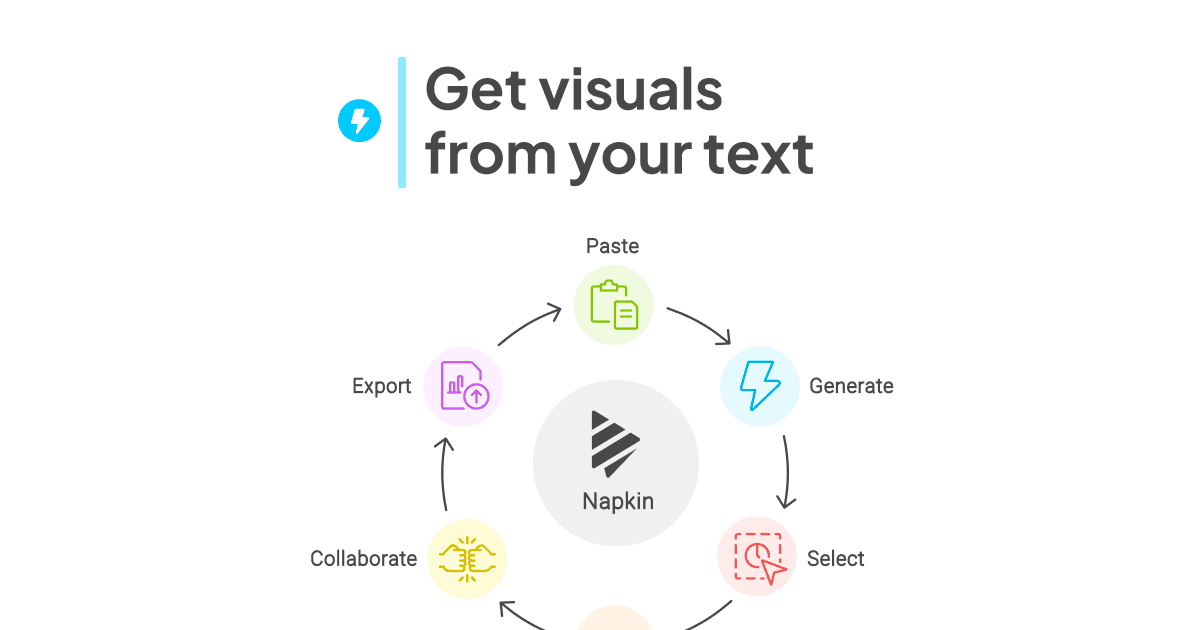
Screenshots
Commonly Cited Strengths & Limitations
Strengths
- Generates multiple visual options from text, then lets you edit colors, fonts, layouts and icons
- Free plan includes unlimited PNG and PDF exports and unlimited file imports (PPT, DOC, PDF, HTML, MD)
- Visuals and presentations in 60+ languages, with shared Teamspace, real-time editing and comments
- Paid plans add PPT and SVG export, remove the watermark and add brand styles
Limitations
- Struggles with unstructured input -- vague or unformatted text produces generic visuals
- Limited design control and customization compared to tools like Canva
- Visual style can feel repetitive with frequent use
- Creates individual visuals, not full slide decks (Slides still in beta)
- No direct integrations with Google Slides, Notion, or Figma
- Free exports carry a Napkin watermark; PPTX and SVG export require paid plans
- Struggles with detailed flowcharts, technical architecture maps, and data-heavy charts
- Confusing / limiting credit system
- Desktop-first with a weak mobile editing experience
Common Use Cases
- Creating presentation slides
- Illustrating blog posts
- Engaging social media audiences
- Making documents easier to read
- Generating infographics and diagrams
- Building mind maps and flowcharts
- Teaching and educational visuals
Details
- Pricing Model
- Freemium
- Starting Price
- Free; paid from $9 per person/month
- Team Size
- Freelancers, Small Business, Enterprise
- Category
- Design & Creative
Who is Napkin AI for?
Content writers and bloggers
Unlimited PNG export and text-to-visual generation turn article sections into infographics quickly.
Consultants and presenters
PPT export and Napkin Slides help move ideas into decks.
Small teams with brand rules
Plus and Pro add brand styles, font uploads and team management.
Frequently Asked Questions
Is Napkin AI free?
Napkin AI offers a free plan, with paid plans starting at Free; paid from $9 per person/month.
Does Napkin AI have an API?
Napkin AI does not currently offer a public API.
Is Napkin AI cloud-based or self-hosted?
Napkin AI is offered as a cloud-based (SaaS) deployment.
What are the downsides of Napkin AI?
Struggles with unstructured input -- vague or unformatted text produces generic visuals Also, Limited design control and customization compared to tools like Canva
Who is Napkin AI best for?
Napkin AI is best suited for Content writers and bloggers, Consultants and presenters, Small teams with brand rules.
What can I use Napkin AI for?
Common uses for Napkin AI include creating presentation slides, illustrating blog posts, engaging social media audiences, making documents easier to read.
What is the best alternative to Napkin AI?
Our reviewed alternatives to Napkin AI are Gamma, Beautiful.ai, Canva, Whimsical, Mermaid, Excalidraw and draw.io. Open-source options: Mermaid, Excalidraw, draw.io.
How does Napkin AI compare to PageOn.AI?
Napkin AI and PageOn.AI are both used for design & creative -- specifically graphic-design-tools. See the full side-by-side comparison for pricing and feature differences.
Key Features
- VisualsAnalyzes your text and generates relevant diagrams, flowcharts, mind maps, infographics, and data charts.
- Slides (Beta)Turns your ideas into complete, ready-to-present decks, collaborating with you before building.
- Mind MapsInstantly structures your ideas into a mind map.
- FlowchartsConverts complex processes into clear, easy-to-follow flows.
- Data ChartsTurns your data or text into editable charts.
- InfographicsAuto-generates infographics from your text content.
- Autospark generationClick the Autospark icon to generate visual options from your text, then pick the best fit.
- Full customizationChange colors, match your brand, and reshape every element freely -- nothing is fixed.
- Custom brandingApply custom brand styling to visuals (paid plans).
- Export optionsExport visuals as PPT, PNG, PDF, or SVG (PPT and SVG require paid plans).
- File importsImport content from PPT, DOC, PDF, HTML, and MD files.
Technical Details
- Deployment
- Cloud
- Target Market
- Both
- Free Plan
- Available
Official Pricing
Napkin AI's published plans · verified Oct 17, 2026
Free
$0/mo
- Weekly AI credits for visuals and presentations
- Unlimited editing
- Unlimited file imports (PPT, DOC, PDF, HTML, MD)
- Unlimited PNG and PDF exports
Plus
$9/mo
- More AI credits
- PPT and SVG export
- Custom branding
- Additional design options
Pro
$22/mo
- Higher AI credits
- PPT and SVG export
- Custom branding
- Additional design options
Pricing shown above is sourced from Napkin AI's own published plans as of Oct 17, 2026 and can change at any time -- confirm current pricing on Napkin AI's own site before purchasing.
Full Napkin AI pricing breakdown, free plan and cheaper alternatives →
Real Pricing from Verified Users
See what people actually pay for Napkin AI
Reviews
0 reviews
No reviews yet. Be the first to share your experience!
Switching Stories
Real migration experiences with Napkin AI
Discussion
Ask questions, share tips, or discuss this tool with other users.
No discussion yet. Start the conversation!
Napkin AI alternatives we reviewed
Reviewed when this listing was published; open-source options are marked.
Gamma
AI presentation builder for creating full slide decks from text.
Beautiful.ai
AI-powered presentation software for building complete decks.
Canva
Design platform with more granular control over colors, fonts, and layouts.
Whimsical
Collaborative whiteboard platform for product teams with diagrams, flowcharts, mind maps and wireframes plus AI generation features.
Mermaid
Open sourceGenerates diagrams such as flowcharts and sequence diagrams from text, similar to markdown.
- Cost:
- Free / self-host
- Licence:
- Open source
Excalidraw
Open sourceVirtual whiteboard for sketching hand-drawn-like diagrams.
- Cost:
- Free / self-host
- Licence:
- Open source
draw.io
Open sourceJavaScript, client-side editor for general diagramming.
- Cost:
- Free / self-host
- Licence:
- Open source
Similar tools in Design & Creative
Other listed tools in Design & Creative, not reviewed as direct alternatives

AI agents turn prompts, docs, or links into interactive presentations and infographics.
Also graphic-design-tools
- AI Agents
- Modular blocks
- AI blocks

AI that turns a prompt or file into polished decks, docs, and sites in minutes.
Also graphic-design-tools
- AI presentation generation
- AI documents and webpages
- AI image generation

AI-powered content platform for creating and managing branded visual content at scale.
Also graphic-design-tools
- Visme AI Designer
- Data visualization
- Templates
AI-first design platform with vector tools, templates, mockups and brand kits
Also graphic-design-tools
- AI generation
- Editing tools
- Infinite canvas

AI creative agents that turn one brief into on-brand images, video, copy, slides, and audio
Also graphic-design-tools
- AI Agent
- Brand consistency
- Smart Model Routing

Turn website heatmaps into AI-generated UI redesigns and code in seconds.
Also graphic-design-tools
- Generative UI from heatmaps
- Improvement goals
- Improvement report
People Also Viewed


More in Design & Creative
Collaborative interface design tool

The world's best image editing software