OpenClaw
Open-source personal AI agent that runs on your own machine
Data verified Nov 7, 2026
- Price
- Free (open source, no subscription or hosted tier)
- Best for
- Developers
- Platforms
- macOS, Windows, Linux
Editorial Verdict
AI-researched, not hands-on testedOpenClaw is a self-hosted, open-source personal agent that installs on macOS, Windows (beta), or Linux and is driven through chat apps such as WhatsApp or Telegram. It fits developers and privacy-focused users who want a hackable agent without a hosted service or subscription. The main limitation is operational: you install it yourself, bring your own models, and the Windows build is still beta. Open-source alternatives with overlapping scope include Open Interpreter, Khoj, and Leon.
Reviewed by AIToolPundit Editorial Team · last verified November 2026
About OpenClaw
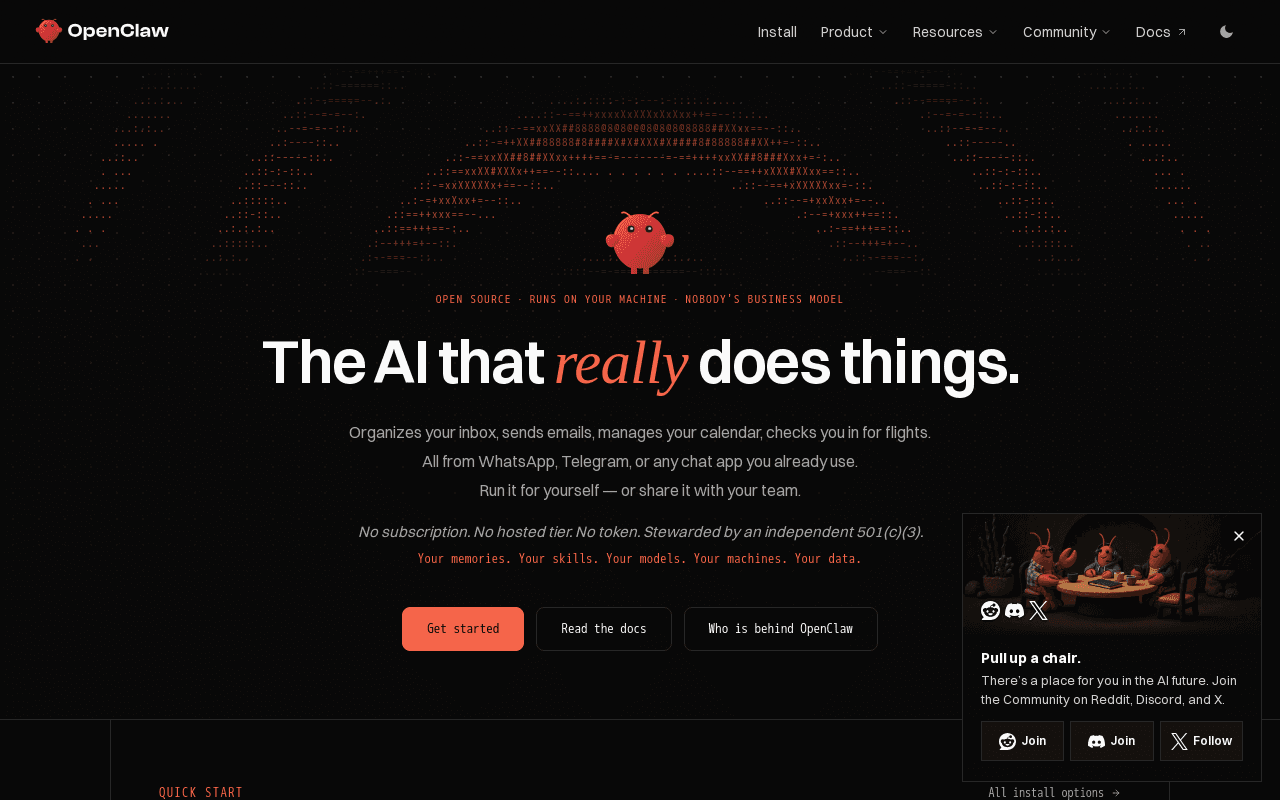
OpenClaw is an open source personal AI agent that runs on your own machine. The page states it can organize an inbox, send emails, manage a calendar, and check you in for flights, and that it is operated through chat apps you already use such as WhatsApp or Telegram. The project is stewarded by an independent 501(c)(3) and is distributed with no subscription, no hosted tier, and no required token. Users bring their own memories, skills, models, machines, and data.
Installation is offered as a shell one-liner, via npm or pnpm, from a Git source checkout, or through desktop apps for macOS 15+ (Apple Silicon or Intel), Windows 10/11 (x64 or ARM64, marked beta), and Linux (x64 AppImage or .deb). The code is published at github.com/openclaw/openclaw as pnpm workspaces, and the CLI exposes dev and stable update channels via openclaw update --channel. OpenClaw can be run for a single user or shared with a team.
Screenshots
Commonly Cited Strengths & Limitations
Strengths
- Fully open source with no subscription or hosted tier
- Runs locally so data and model choice stay on your own machine
- Desktop apps and CLI available for macOS, Windows, and Linux
Limitations
- Setup involves CLI tools such as npm, pnpm, Homebrew, or source checkouts
- Windows build is marked beta on the page
- You bring your own models and machines, so running costs and reliability depend on your setup
Common Use Cases
- Triage and reply to email from a chat app like WhatsApp or Telegram
- Manage calendar events and routine admin such as flight check-in
- Share a configured agent across a small team from a self-hosted install
Details
- Pricing Model
- Free
- Starting Price
- Free (open source, no subscription or hosted tier)
- Platforms
- macOSWindowsLinux
- Category
- AI & Machine Learning
Who is OpenClaw for?
Developers
Developers who want a hackable, self-hosted personal agent they can install from source and extend.
Privacy-focused individuals and small teams
People who want AI assistance for email, calendar, and daily tasks without a hosted service or subscription.
Frequently Asked Questions
Is OpenClaw free?
Yes, OpenClaw is free to use.
Does OpenClaw have an API?
OpenClaw does not currently offer a public API.
Is OpenClaw open source?
Yes, OpenClaw is open source.
What platforms does OpenClaw support?
OpenClaw is available on macOS, Windows, Linux.
What are the downsides of OpenClaw?
Setup involves CLI tools such as npm, pnpm, Homebrew, or source checkouts Also, Windows build is marked beta on the page
Who is OpenClaw best for?
OpenClaw is best suited for Developers, Privacy-focused individuals and small teams.
What can I use OpenClaw for?
Common uses for OpenClaw include triage and reply to email from a chat app like whatsapp or telegram, manage calendar events and routine admin such as flight check-in, share a configured agent across a small team from a self-hosted install.
What is the best alternative to OpenClaw?
Our reviewed alternatives to OpenClaw are Open Interpreter, Khoj, ChatGPT, Claude, Leon and Microsoft Copilot. Open-source options: Open Interpreter, Khoj, Leon.
How does OpenClaw compare to Keepi?
OpenClaw and Keepi are both used for ai & machine learning -- specifically chat assistants. See the full side-by-side comparison for pricing and feature differences.
Key Features
- Chat app controlOperate the agent from WhatsApp, Telegram, or other chat apps you already use.
- Email and calendar actionsOrganize an inbox, send emails, and manage a calendar.
- Travel tasksHandle actions such as checking you in for flights.
- Local-first runtimeRuns on your own machine with your memories, skills, models, and data.
- Single-user or teamRun it for yourself or share it with your team.
- Multiple install pathsInstall via one-liner script, npm, pnpm, a Git source checkout, or desktop apps for macOS, Windows (beta), and Linux.
Technical Details
Official Pricing
OpenClaw's published pricing · verified Nov 7, 2026
Free (open source, no subscription or hosted tier)
Pricing shown above is sourced from OpenClaw's own published plans as of Nov 7, 2026 and can change at any time -- confirm current pricing on OpenClaw's own site before purchasing.
Real Pricing from Verified Users
See what people actually pay for OpenClaw
Reviews
0 reviews
No reviews yet. Be the first to share your experience!
Switching Stories
Real migration experiences with OpenClaw
Discussion
Ask questions, share tips, or discuss this tool with other users.
No discussion yet. Start the conversation!
OpenClaw alternatives we reviewed
Reviewed when this listing was published; open-source options are marked.
Open Interpreter
Open sourcePartial match: local natural-language code interpreter that runs on your machine but is CLI-centric rather than chat-app driven.
- Cost:
- Free, open source
- Licence:
- Open source
Khoj
Open sourceSelf-hostable personal AI with chat, memory, and app integrations.
- Cost:
- Free self-hosted; paid cloud tiers available
- Licence:
- Open source
ChatGPT
Hosted general-purpose AI assistant with tools, memory, and connectors.
Claude
Hosted conversational AI with tools, projects, and desktop app.
Leon
Open sourceOpen-source personal assistant that lives on your server and runs skills locally.
- Cost:
- Free, open source
- Licence:
- Open source
Microsoft Copilot
Hosted personal assistant integrated with Windows and Microsoft 365.
Similar tools in AI & Machine Learning
Other listed tools in AI & Machine Learning, not reviewed as direct alternatives

- Capture by forwarding
- Voice transcription
- Article reading
Chat with AI versions of favorite fictional, anime, and historical characters.
Also Chat Assistants
- Diverse character library
- Custom character creation
- Voice chat

- AI-powered data extraction
- Website change monitoring
- Scheduled runs
- AI support
- Live chat
- AI copilot

AI creative agents that turn one brief into on-brand images, video, copy, slides, and audio
Also AI Agent Platforms
- AI Agent
- Brand consistency
- Smart Model Routing
AI suite for sales and support conversations on WhatsApp and other messaging channels
Also Automation & Workflow Tools
- Omnichannel team inbox
- AI agents
- Automation flow builder
Also used for
People Also Viewed


More in AI & Machine Learning
Curated directory of free AI tools with side-by-side comparison
Deploys a private OpenClaw AI assistant on WhatsApp or Telegram

Enterprise AI platform for SAP modernization, agentic AI, and edge vision

AI agent that finds its own work across Slack, Gmail and the browser