
PhotoCat
One-stop AI photo editor and camera-roll organizer for mobile and web.
Data verified Sep 9, 2026
Score
- Try it free
- Free plan
- Best for
- Casual Mobile Photographers
Editorial Verdict
AI-researched, not hands-on testedA broad editing toolkit with free, watermark-free daily edits and genuinely realistic face-swap results stands out from thinner competitors. Core features and storage cleanup sit behind a paid subscription, and a few users report processing that stalls partway through.
Reviewed by AIToolPundit Editorial Team · last verified October 2026
About PhotoCat
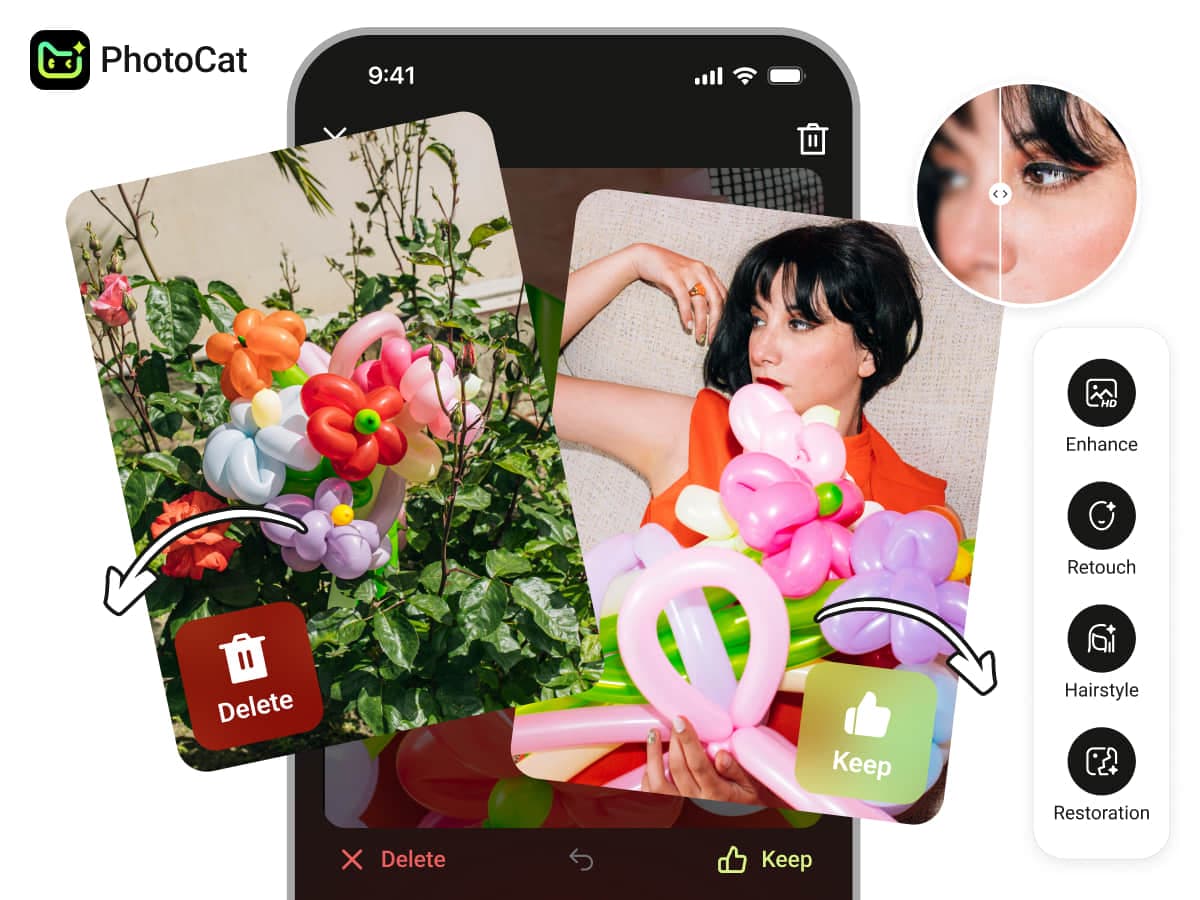
PhotoCat is an all-in-one AI photo editor and gallery organizer that lets everyday users retouch, enhance, restore, and creatively transform photos while decluttering their camera roll with a swipe-and-hold organizer. Aimed at casual mobile photographers and consumers rather than professional studios, it bundles pro-style AI tools (face swap, background changer, upscaling, old-photo restoration) with fast one-tap editing. Its main differentiator is combining a broad set of AI editing tools with a dedicated photo-organizing workflow in a single app, plus free daily edits with no watermarks.
Screenshots
Product Video
PhotoCat Review: Free AI Photo Editor — But Read the...
Commonly Cited Strengths & Limitations
Strengths
- Broad set of AI editing tools in one app
- Free daily edits with no watermarks
- Realistic AI face swap and enhancement results
- Supports 4K output and batch editing
- Combines editing with a photo-organizing workflow
Limitations
- Core/premium features and storage cleanup require a paid subscription
- Considered expensive compared to competing apps
- Some users report slow processing that can stall (e.g., stuck at 70%)
- A few reviewers described the pricing/subscription approach as scam-like
Common Use Cases
- Enhancing and sharpening blurry or low-quality photos
- Restoring old or damaged photographs
- Removing unwanted objects or people from images
- Swapping backgrounds or blurring them
- Applying creative AI filters and face swaps
- Uncropping and expanding images
- Decluttering and organizing the phone camera roll
Details
- Pricing Model
- Freemium
- Headquarters
- Singapore
- Category
- Design & Creative
Who is PhotoCat for?
Casual Mobile Photographers
Uses one-tap AI enhance, retouch, and filters to quickly improve everyday phone photos before sharing.
People Preserving Family Memories
Restores and enhances old or damaged photos back to HD quality.
Camera-Roll Declutterers
Uses the swipe-and-hold organizer to clear out duplicate and unwanted photos and free up storage.
Frequently Asked Questions
Is PhotoCat free?
PhotoCat offers a free plan.
Does PhotoCat have an API?
PhotoCat does not currently offer a public API.
Is PhotoCat cloud-based or self-hosted?
PhotoCat is offered as a cloud-based (SaaS) deployment.
What are the downsides of PhotoCat?
Core/premium features and storage cleanup require a paid subscription Also, Considered expensive compared to competing apps
Who is PhotoCat best for?
PhotoCat is best suited for Casual Mobile Photographers, People Preserving Family Memories, Camera-Roll Declutterers.
What can I use PhotoCat for?
Common uses for PhotoCat include enhancing and sharpening blurry or low-quality photos, restoring old or damaged photographs, removing unwanted objects or people from images, swapping backgrounds or blurring them.
How does PhotoCat compare to InfiniteArt.ai?
PhotoCat and InfiniteArt.ai are both used for design & creative -- specifically photo editing tools. See the full side-by-side comparison for pricing and feature differences.
Key Features
- AI Enhancer & RestoreSharpens blurry images and revives old or damaged photos to HD quality.
- AI Enhance UltraHigher-quality enhancement mode for improving image detail.
- 4K UpscalingUpscales image resolution up to 4K while removing noise.
- AI Face SwapSwaps faces in photos quickly with realistic results.
- AI RetouchSmooths skin and removes blemishes with one touch.
- AI BackgroundChanges or blurs photo backgrounds, including custom uploads.
- AI Eraser & Remove PasserbyErases unwanted objects or people from a photo.
- AI HairstylePreviews and transforms hairstyles on portraits.
- AI FiltersApplies artistic, AI-powered stylized filters to photos.
- AI Image ExtenderUncrops and expands photos without stretching or quality loss.
- Old Photo RestorationRestores old or damaged photos to preserve memories.
- Collage MakerCombines multiple photos into a collage.
- Batch EditingApplies edits to multiple photos at once.
- Photo Organizer (Swipe-and-Hold)Swipe-based tool to clean up and declutter the camera roll.
- Video ToolsAdditional AI tools for editing video content.
- Task HistoryTracks past editing tasks and outputs.
Technical Details
- Deployment
- Cloud
- Target Market
- B2C
- Free Plan
- Available
Official Pricing
PhotoCat's published plans · verified Sep 9, 2026
Free
$0
- 5 free credits on sign-up
- 5 free edits per day
- Free online tools
- No watermarks
Premium
Contact Sales
- Full access to all AI features
- Priority rendering
- Weekly coin allowance
- No watermarks
- No ads
Premium
Contact Sales
- Full access to all AI features
- Priority rendering
- Yearly coin allowance
- No watermarks
- No ads
Pricing shown above is sourced from PhotoCat's own published plans as of Sep 9, 2026 and can change at any time -- confirm current pricing on PhotoCat's own site before purchasing.
Full PhotoCat pricing breakdown, free plan and cheaper alternatives →
Real Pricing from Verified Users
See what people actually pay for PhotoCat
Reviews
0 reviews
No reviews yet. Be the first to share your experience!
Switching Stories
Real migration experiences with PhotoCat
Discussion
Ask questions, share tips, or discuss this tool with other users.
No discussion yet. Start the conversation!
Similar tools in Design & Creative
Other listed tools in Design & Creative, not reviewed as direct alternatives

AI creative studio for iOS and Mac that turns text into images and animates them into video.
Also Photo Editing Tools
- Text-to-image generation
- Generate videos
- Multiple image models

- Generative Fill
- Generative Expand
- Generative Upscale

- AI Image Editor
- Photo Restoration
- AI Photo Packs / Training

AI photo restoration that brings old and blurry face photos back to life for free.
Also Photo Editing Tools
- AI photo restoration

All-in-one AI photo editor that removes image backgrounds automatically in seconds
Also Photo Editing Tools
- Background Remover
- AI Background
- AI Enhance

AI photo colorizer that adds realistic, lifelike color to black-and-white images in seconds
Also Photo Editing Tools
- 21+ color filters
- Customize the colors
- Batch upload
Also used for
People Also Viewed


More in Design & Creative

Collaborative interface design tool

The world's best image editing software