Pixlr
Free browser-based AI photo editor, image generator, and video maker powered by top AI models
Data verified Oct 17, 2026
Score
- Price
- Free; paid from $2.49/month
- Try it free
- Free plan
- Best for
- Casual editors and social creators
Editorial Verdict
AI-researched, not hands-on testedPixlr is a browser-based photo editor from Pixlr Pte Ltd that pairs Pixlr Express and Pixlr Editor with AI tools such as background removal, generative fill, face swap and image and video generation. It fits casual and small-business users who want quick edits and AI features without installing software. The main limitation is that AI generation runs on a monthly credit system, and the free version shows ads. Photopea (a free online editor with PSD support) or open-source Krita and Pinta are other routes.
Reviewed by AIToolPundit Editorial Team · last verified October 2026
About Pixlr
Pixlr is a free, browser-based creative suite that combines an AI photo editor, text-to-image and text-to-video generators, face swap, collage maker, and 20+ editing tools without any software install. It's aimed at small businesses, marketers, graphic designers, and everyday creators who want an affordable Photoshop alternative for social graphics, product photos, and marketing visuals. Its main differentiator is bundling many leading third-party AI models — Flux, Kling, Recraft, Google Veo, Stable Diffusion, and more — into one editor so users can generate and then refine media in the same place.
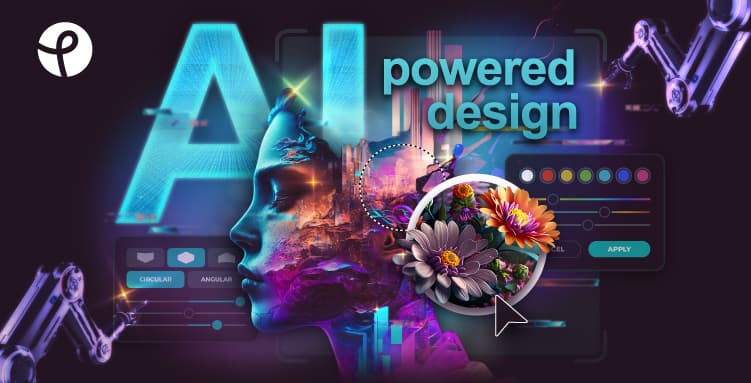
Screenshots
Commonly Cited Strengths & Limitations
Strengths
- The homepage says the editor, AI image generator and other tools run free in the browser
- Express and Editor cover quick edits and deeper editing, with AI tools like generative fill, object remover and background remover
- AI generation draws on named models including Flux, Kling, Recraft, Veo and Stable Diffusion
- One subscription works across web, desktop and mobile; cancel any time
Limitations
- Free plan limits how many images you can save/export per day
- Depends on a stable internet connection with no offline editing
- Slow loading with HD images and large files
- Cost of AI-generated images/credits can be high and top-up pricing isn't shown before checkout
- Ads in the free experience are frustrating
- Reports of billing dark patterns, e.g. charges after cancellation
- Users report AI credits disappearing or content wrongly flagged as mature
- Support is community-only with no live chat or ticketed SLA
- Lacks some tools like clone/healing and can force downsizing of large images
- Image quality can be inconsistent with complex prompts
Common Use Cases
- Editing photos in the browser without installing software
- Generating images from text prompts
- Generating and animating videos from text or images
- Removing or changing image backgrounds
- Creating social media graphics and marketing visuals
- Editing product photos
- Creating photo collages
- Bulk photo editing
- Swapping faces in photos and video
Details
- Pricing Model
- Freemium
- Starting Price
- Free; paid from $2.49/month
- Category
- Design & Creative
Who is Pixlr for?
Casual editors and social creators
Browser-based Express and AI tools handle quick edits, collages and background removal.
Small businesses
Paid plans add private mode, a library of fonts, templates and elements, and extended exports.
AI image and video experimenters
Credits cover many image, video and audio models in one place.
Frequently Asked Questions
Is Pixlr free?
Pixlr offers a free plan, with paid plans starting at Free; paid from $2.49/month.
Does Pixlr have an API?
Pixlr does not currently offer a public API.
What does Pixlr integrate with?
Pixlr integrates with Flux, Flux Pro, Kling AI, Recraft V4, Google Veo, Qwen, Stable Diffusion, SDXL, and more.
Is Pixlr cloud-based or self-hosted?
Pixlr is offered as a cloud-based (SaaS) deployment.
What are the downsides of Pixlr?
Free plan limits how many images you can save/export per day Also, Depends on a stable internet connection with no offline editing
Who is Pixlr best for?
Pixlr is best suited for Casual editors and social creators, Small businesses, AI image and video experimenters.
What can I use Pixlr for?
Common uses for Pixlr include editing photos in the browser without installing software, generating images from text prompts, generating and animating videos from text or images, removing or changing image backgrounds.
What is the best alternative to Pixlr?
Our reviewed alternatives to Pixlr are Photopea, Adobe Express, Krita, Pinta and darktable. Open-source options: Krita, Pinta, darktable.
How does Pixlr compare to InfiniteArt.ai?
Pixlr and InfiniteArt.ai are both used for design & creative -- specifically photo editing tools. See the full side-by-side comparison for pricing and feature differences.
Key Features
- AI Image GeneratorCreates high-quality images from text prompts using models like Flux and Recraft.
- AI Video GeneratorGenerates and animates video clips from text or images using Kling, Veo, and more.
- AI Face SwapSwaps faces in photos with AI precision.
- Face Swap VideoSwaps faces in video with frame-consistent AI precision.
- AI Remove BackgroundOne-click AI background removal with clean subject isolation.
- AI Background ChangerSwaps out image backgrounds easily.
- AI Remove ObjectDraw around unwanted objects to erase them instantly.
- Generative FillSelect an area and describe what to add, replace, or reimagine with AI.
- Generative ExpandExtends image boundaries in any direction with coherent AI outpainting.
- Generative TransformMove, resize, and rotate objects while AI fills the gap seamlessly.
- AI Assistant / Instruct EditorEdit images with natural language by describing the change.
- Super ScaleAI upscaling that preserves detail up to 25 megapixels.
- Remove NoiseReduces grain and background noise for cleaner, sharper images.
- Image to ImageTransforms existing images with text-guided editing and style control.
- Sticker MakerCreates custom stickers from text prompts with transparent backgrounds.
- Extract LayersDecomposes an image into separate layers using AI segmentation.
- Photo Collage MakerArranges photos into professionally designed grid layouts.
- Text to SpeechConverts text into natural-sounding speech with configurable voice and tone.
- Speech to TextTranscribes spoken audio to text with high accuracy.
- Text to MusicGenerates music tracks from text with control over genre and mood.
- Smart ResizeAdjusts image dimensions without losing quality.
- Heal Tool & Image EraserCorrects imperfections in photos.
- Batch EditorEdits and manages photos in bulk.
Integrations
Technical Details
- Deployment
- Cloud
- Target Market
- Both
- Free Plan
- Available
Support
Official Pricing
Pixlr's published plans · verified Oct 17, 2026
Free
Contact Sales
- Basic editing tools and features
- Limited daily image saves/exports
Premium Subscription
Contact Sales
- Advanced features and tools
Pricing shown above is sourced from Pixlr's own published plans as of Oct 17, 2026 and can change at any time -- confirm current pricing on Pixlr's own site before purchasing.
Full Pixlr pricing breakdown, free plan and cheaper alternatives →
Real Pricing from Verified Users
See what people actually pay for Pixlr
Reviews
0 reviews
No reviews yet. Be the first to share your experience!
Switching Stories
Real migration experiences with Pixlr
Discussion
Ask questions, share tips, or discuss this tool with other users.
No discussion yet. Start the conversation!
Pixlr alternatives we reviewed
Reviewed when this listing was published; open-source options are marked.
Photopea
A free online photo editor that runs in the browser, opens and saves PSD and many other formats, and offers layers, masking, vector tools and one-click background removal.
Adobe Express
App for making social posts, images, videos and flyers, with a free plan that includes limited generative AI credits.
Krita
Open sourceFree and open source cross-platform application for digital painting and illustration.
- Cost:
- Free / self-host
- Licence:
- Open source
Pinta
Open sourceSimple GTK paint and image editing program.
- Cost:
- Free / self-host
- Licence:
- Open source
darktable
Open sourceOpen source photography workflow application and raw developer.
- Cost:
- Free / self-host
- Licence:
- Open source
Similar tools in Design & Creative
Other listed tools in Design & Creative, not reviewed as direct alternatives

AI creative studio for iOS and Mac that turns text into images and animates them into video.
Also Photo Editing Tools
- Text-to-image generation
- Generate videos
- Multiple image models

Adobe's all-in-one generative AI creative studio for commercial-safe content
Also Image Generators
- Image Generation
- Video Generation
- Audio Generation
AI dubbing and localization with a full editor to transcribe, translate, caption, and dub in 50+ languages.
Also Video Editing Tools
- Automated dubbing
- Transcription
- Translation
- Seedance 2.5
- Nano Banana Pro
- Higgsfield Genjutsu

AI creative agents that turn one brief into on-brand images, video, copy, slides, and audio
Also Video Editing Tools
- AI Agent
- Brand consistency
- Smart Model Routing

- Video translation and dubbing
- Voice cloning
- Lip-sync
Also used for
People Also Viewed



More in Design & Creative
Collaborative interface design tool

The world's best image editing software