
Descript
VerifiedAll-in-one audio & video editing
Data verified Sep 22, 2026
Editorial Verdict
AI-researched, not hands-on testedDescript's text-based editing genuinely changes the workflow -- cutting video feels like editing a doc rather than wrestling a timeline, and recording plus editing live in one place. The real limits: multi-clip editing and effects are weak, exports can have compression issues, and AI transcripts still need a manual review pass before publishing.
Reviewed by AIToolPundit Editorial Team · last verified October 2026
About Descript
Descript is the podcast and video editor that thinks like a word processor. Edit by editing text, remove filler words automatically, clone your voice with Overdub, and collaborate with your team — all in one tool.
Screenshots
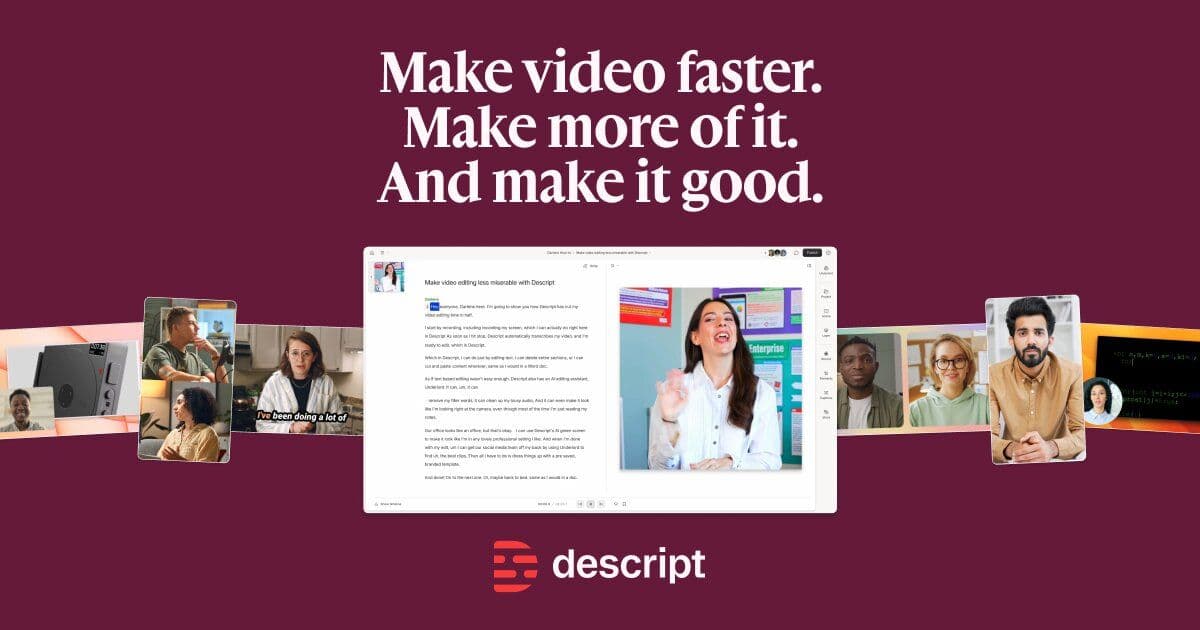
Commonly Cited Strengths & Limitations
Strengths
- Text-based editing makes the process feel like working in a Google Doc rather than a complex timeline
- Fast and intuitive compared to other editing software
- AI features are smooth and fairly easy to use
- Combines recording and editing in the same platform
Limitations
- Poor for multi-clip editing, speed ramping, and effects; multi-track audio management is clunky and there's no native speed ramping
- App can be slow, laggy, and crash-prone, especially with longer videos
- Export/compression issues and limited control over export settings can hurt final video quality
- Monthly AI credits can be used up quickly by frequent users
- Slow or unhelpful customer support, including reported unresolved refunds
- Underlord AI can give contradictory guidance where fixes break other things
- Still need to review and correct AI transcripts before publishing
- Cost is high for tight/nonprofit budgets
Common Use Cases
- Video podcasts
- Creating social media clips
- Video transcription
- Audio cleanup
- Making video with AI
- Screen recording
- Translating video into multiple languages
Details
- Pricing Model
- Freemium
- Starting Price
- Free
- Founded
- 2017
- Team Size
- 51-200
- Headquarters
- San Francisco, CA
- Platforms
- MacWindowsWeb
- Category
- AI Image & Video Generation
Who is Descript for?
Podcasters
Record, transcribe, edit, make clips, and publish podcasts all in one place, with Underlord handling the hard parts.
Video Editors
Professional editors use its fast, intuitive text-based editing to work faster than traditional timeline software.
Marketing Teams
Content and product marketers use its AI features to scale content creation and repurpose video into clips.
Enterprise Teams
Sales engineers, support reps, and CEOs use a single tool for video with enterprise-grade security and brand controls.
Frequently Asked Questions
Is Descript free?
Descript offers a free plan, with paid plans starting at Free.
Does Descript have an API?
Yes, Descript provides an API for developers.
What platforms does Descript support?
Descript is available on Mac, Windows, Web.
What does Descript integrate with?
Descript integrates with YouTube, TikTok, LinkedIn, Zoom.
Is Descript cloud-based or self-hosted?
Descript is offered as a cloud-based (SaaS) deployment.
What are the downsides of Descript?
Poor for multi-clip editing, speed ramping, and effects; multi-track audio management is clunky and there's no native speed ramping Also, App can be slow, laggy, and crash-prone, especially with longer videos
Who is Descript best for?
Descript is best suited for Podcasters, Video Editors, Marketing Teams.
What can I use Descript for?
Common uses for Descript include video podcasts, creating social media clips, video transcription, audio cleanup.
How does Descript compare to SpeechLab?
Descript and SpeechLab are both used for ai image & video generation -- specifically video editing tools. See the full side-by-side comparison for pricing and feature differences.
Key Features
- Text-based video editingEdit your video by editing the transcript text, with copy-paste and drag-and-drop.
- Video transcriptionInstantly transcribes recordings or uploaded media in seconds.
- Remove filler wordsCut filler words and retakes in a click.
- Studio SoundAI-powered background-noise removal and voice enhancement for crisp audio.
- Underlord AI editorAn AI video agent that turns a raw recording into a tight cut and does the heavy lifting.
- Regenerate audio & videoCorrect eye contact, fix lighting, and smooth jump cuts in one click each.
- Add captionsInstantly add captions to your video.
- Generate YouTube thumbnailsGenerate a thumbnail and YouTube description for your video.
- Create video clipsTurn long-form video or podcasts into short clips for social platforms.
- Translate videoTranslate your video into dozens of languages.
- Generate B-rollFill gaps with generated video, voice audio, music, and images using your choice of models.
- Remote recordingRecord video and audio remotely within the platform.
- Screen recordingRecord your screen for video content.
- CollaborationShare a link and get comments directly on the video.
Integrations
Technical Details
- Deployment
- Cloud
- API
- Available
- Free Plan
- Available
Official Pricing
Descript's published pricing · verified Sep 22, 2026
Free
Pricing shown above is sourced from Descript's own published plans as of Sep 22, 2026 and can change at any time -- confirm current pricing on Descript's own site before purchasing.
Real Pricing from Verified Users
See what people actually pay for Descript
Reviews
0 reviews
No reviews yet. Be the first to share your experience!
Switching Stories
Real migration experiences with Descript
Discussion
Ask questions, share tips, or discuss this tool with other users.
No discussion yet. Start the conversation!
Similar tools in AI Image & Video Generation
Other listed tools in AI Image & Video Generation, not reviewed as direct alternatives
AI dubbing and localization with a full editor to transcribe, translate, caption, and dub in 50+ languages.
Also Video Editing Tools
- Automated dubbing
- Transcription
- Translation

AI video platform for creating lifelike talking-avatar videos from text, audio, or images
Also Video Editing Tools
- AI Avatar Generator (Avatar V)
- Multiple angles
- Accurate lip-sync

AI creative studio for iOS and Mac that turns text into images and animates them into video.
Also Video Editing Tools
- Text-to-image generation
- Generate videos
- Multiple image models

- Free AI music generator
- 10 free songs daily
- Granular creation controls

- Seedance 2.5
- Nano Banana Pro
- Higgsfield Genjutsu

AI creative agents that turn one brief into on-brand images, video, copy, slides, and audio
Also Video Editing Tools
- AI Agent
- Brand consistency
- Smart Model Routing
Also used for
People Also Viewed


More in AI Image & Video Generation


Open-source image generation AI


All-in-one free AI platform to turn text and images into cinematic videos in seconds.