
Sentry
VerifiedDealApplication monitoring & error tracking
Data verified Sep 6, 2026
Score
Editorial Verdict
AI-researched, not hands-on testedSentry's setup is genuinely lightweight -- five lines of code with no measurable performance hit, and it connects errors, logs, and traces in one view. The real tradeoff: pricing is volume-based and can spike unpredictably from deployment bugs or replay-session counts, and alert tuning takes real, ongoing time to get right.
Reviewed by AIToolPundit Editorial Team · last verified October 2026
About Sentry
Sentry is the application monitoring platform loved by over 4 million developers and 100,000 organizations. From error tracking to performance monitoring and session replay, Sentry helps teams resolve issues faster and improve code quality.
Screenshots
Commonly Cited Strengths & Limitations
Strengths
- Simple setup with five lines of code and no performance hits
- Connects errors, logs, replays, spans, profiles, and metrics by the same trace
- Broad language and framework SDK support
Limitations
- Pricing considered too expensive, especially for small projects, and can escalate as usage increases
- Volume/event-based pricing is unpredictable; deployment bugs or replay session counting can cause large bill spikes
- SDK-level rate limiting and sampling reported as ineffective at controlling event volume
- Steep learning curve; UI and advanced features (performance monitoring, dashboards, alert config) can feel complex and disorganized for new users
- Alert volume can be overwhelming and requires time-consuming tuning of rules and issue grouping
- No fully automated issue-ownership assignment; mapping requires manual setup
- Occasionally misses alerts for batches of events, delaying debugging
- Documentation needs improvement in some areas (e.g. WordPress)
- Auto-renewal charges reported without adequate notice
Common Use Cases
- Debug 500 errors and trace slow requests
- Root-cause and fix production issues
- Catch regressions before they ship
- Monitor and trace AI agents
- Map incidents to releases, PRs, and owners
Details
- Pricing Model
- Freemium
- Starting Price
- Free
- Founded
- 2012
- Team Size
- 201-500
- Headquarters
- San Francisco, CA
- Platforms
- WebSelf-hosted
- Category
- Developer Tools
Who is Sentry for?
Backend / infrastructure engineers
Debug hardware and software incidents by analyzing traces, logs, and stack traces inside Sentry.
AI agent developers
Use agent tracing to catch bad tool calls and unexpected output and visualize agent spend and performance.
Streaming / large-scale service teams
Rely on Sentry as a reliable indicator of software issues across many languages and frameworks at scale.
Frequently Asked Questions
Is Sentry free?
Sentry offers a free plan, with paid plans starting at Free.
Does Sentry have an API?
Yes, Sentry provides an API for developers.
What platforms does Sentry support?
Sentry is available on Web, Self-hosted.
What does Sentry integrate with?
Sentry integrates with GitHub, Slack, Jira, Linear.
Is Sentry cloud-based or self-hosted?
Sentry is offered as a cloud-based (SaaS) deployment.
What are the downsides of Sentry?
Pricing considered too expensive, especially for small projects, and can escalate as usage increases Also, Volume/event-based pricing is unpredictable; deployment bugs or replay session counting can cause large bill spikes
Who is Sentry best for?
Sentry is best suited for Backend / infrastructure engineers, AI agent developers, Streaming / large-scale service teams.
What can I use Sentry for?
Common uses for Sentry include debug 500 errors and trace slow requests, root-cause and fix production issues, catch regressions before they ship, monitor and trace ai agents.
How does Sentry compare to IBM API Connect?
Sentry and IBM API Connect are both used for developer tools -- specifically dev infrastructure tools. See the full side-by-side comparison for pricing and feature differences.
Key Features
- Monitor in five linesDrop in the SDK with no agents to install and no performance surprises.
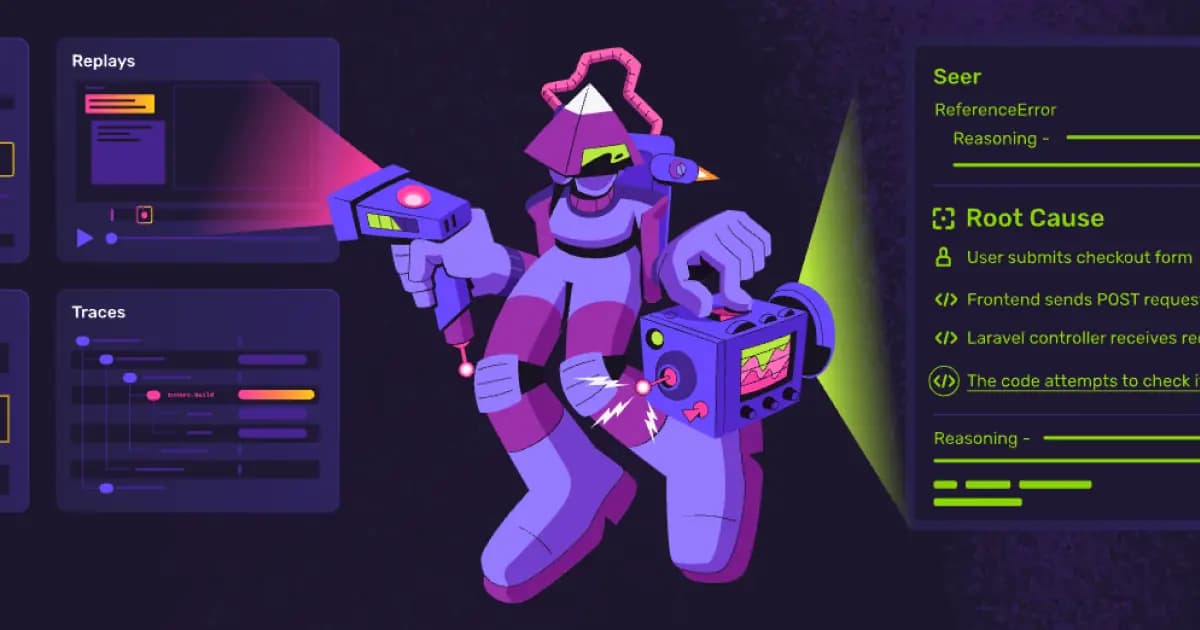
- Seer AI debuggerUses Sentry context — logs, commits, traces, stack trace — to explain why code failed and generate merge-ready patches.
- Agent tracingCatches unexpected output issues and bad tool calls, and visualizes spend and performance across all your agents.
- Sentry MCP serverBrings full context to every fix from dev to prod across coding agents and integrations.
- Connected telemetryConnects errors, logs, replays, spans, profiles, and metrics by the same trace to go from issue to context to fix.
- Performance monitoringCatches slow queries, N+1s, and request timeouts before they impact users.
- Release and incident mappingMaps every incident to the release, PR, and owner automatically.
- Code review / regression detectionCorrelates PRs against real error and performance history to catch regressions before they ship.
- Session ReplayReplay fetch() failures and trace slow requests to fix the broken code that caused them.
Integrations
Technical Details
- Deployment
- Cloud
- API
- Available
- Free Plan
- Available
Official Pricing
Sentry's published pricing · verified Sep 6, 2026
Free
Pricing shown above is sourced from Sentry's own published plans as of Sep 6, 2026 and can change at any time -- confirm current pricing on Sentry's own site before purchasing.
Real Pricing from Verified Users
See what people actually pay for Sentry
Reviews
0 reviews
No reviews yet. Be the first to share your experience!
Switching Stories
Real migration experiences with Sentry
Discussion
Ask questions, share tips, or discuss this tool with other users.
No discussion yet. Start the conversation!
Similar tools in Developer Tools
Other listed tools in Developer Tools, not reviewed as direct alternatives

Full lifecycle API management to create, secure, manage, and socialize APIs across clouds.
Also Dev Infrastructure Tools
- API Design
- API Lifecycle Management
- API Gateway

- Payment Gateway
- Payment Button
- Payment Links

- GitHub Copilot
- GitHub Actions
- GitHub Codespaces

- Durable Orchestration
- Sandboxed Environments
- AI Model Gateway
- AI orchestration
- Platform
- Security

- AI throughout the SDLC
- Extensible all-in-one platform
- Platform-wide standards
Also used for
People Also Viewed



More in Developer Tools
The platform for smart business apps


The agentic IDE powered by Codeium AI

Prompt, run, edit & deploy full-stack apps in the browser