FocuSee
Auto screen recorder that turns raw captures into polished, zoomed videos automatically.
Data verified Sep 9, 2026
Score
- Best for
- Product & Demo Creators
About FocuSee
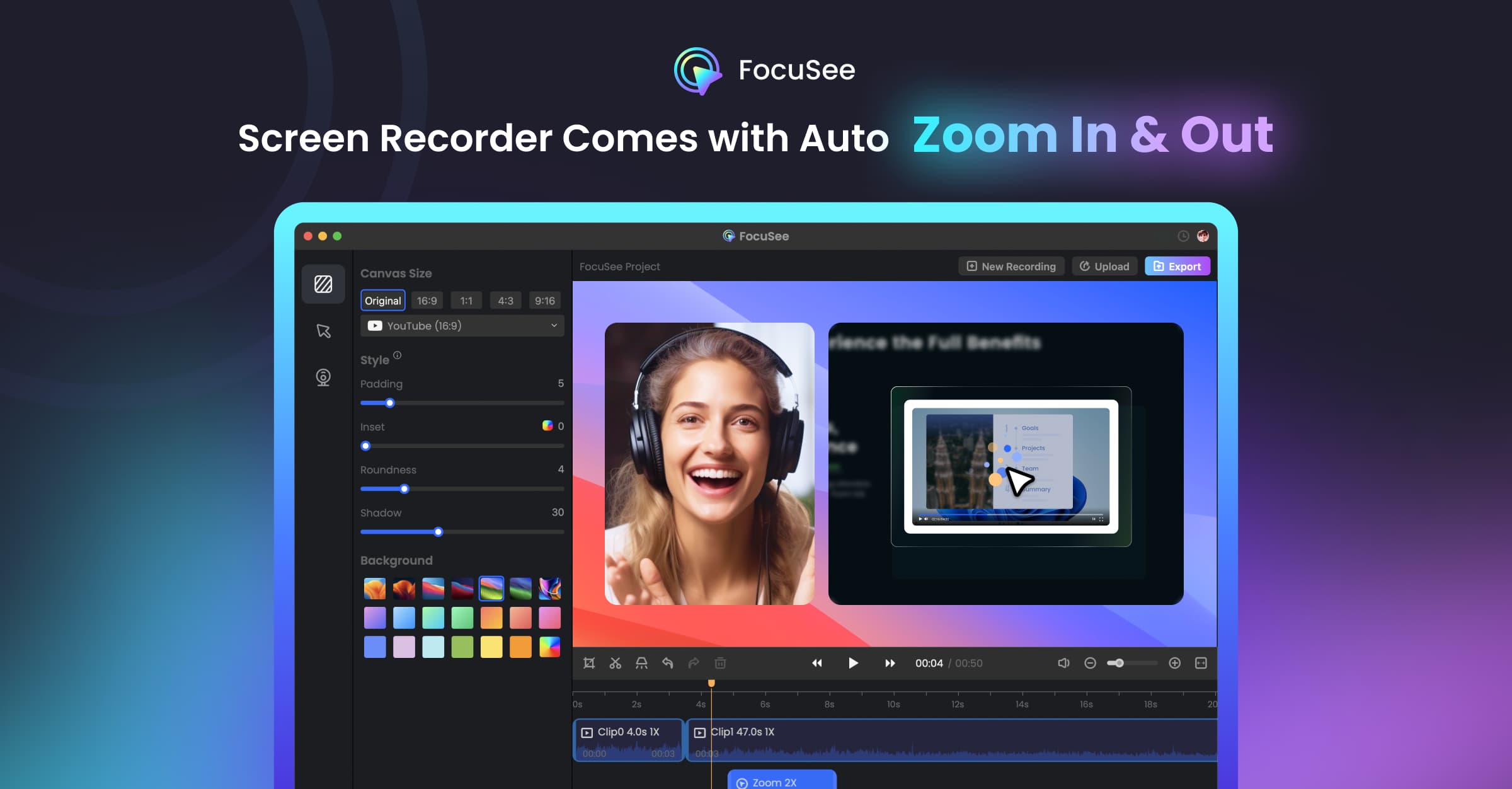
FocuSee is an AI screen recorder and automatic video editor from iMobie that records your screen and instantly applies auto pan-and-zoom, cursor effects, dynamic backgrounds, and audio cleanup so you get a share-ready video the moment you hit stop. It's built for creators, marketers, educators, and product teams who make demos, tutorials, and marketing videos but don't want to spend hours keyframing or editing. Its core differentiator is automation-first output: AI tracking follows clicks and typing to zoom on key actions with no manual keyframing, plus extras like AI subtitles, virtual avatars, and background removal.
Screenshots
Commonly Cited Strengths & Limitations
Strengths
- Automatically handles zoom, framing, and camera movement so users don't have to
- Clean cursor effects that help viewers follow clicks in tutorials
- Produces professional-looking videos with little manual editing
Limitations
- Reports of crashes, failed or incomplete exports, and slow export times
- Demanding on hardware; crashes reported on lower-spec computers
- AI edits can go out of sync after cutting and can't always be fully customized
- Difficult subscription cancellation and loss of access before the paid period ends
- Some sharing features removed since iMobie took over
- Many tools and options can feel overwhelming for new users
Common Use Cases
- Demo videos
- Tutorial videos
- Marketing videos
- Reaction videos
- Promo videos
- Pitch videos
- Presentation videos
- Zoom-in videos
- Product showcase
Details
- Pricing Model
- Freemium
- Category
- AI Image & Video Generation
Who is FocuSee for?
Product & Demo Creators
Record software walkthroughs where auto-zoom and cursor effects highlight each click and typing action for clear product demos.
Marketers
Produce promo, pitch, and marketing videos quickly with polished motion, avatars, and subtitles without a video team.
Educators & Tutorial Makers
Create tutorial videos with annotations, auto-generated subtitles, and smart cuts to keep lessons clear and accessible.
Frequently Asked Questions
Does FocuSee have an API?
FocuSee does not currently offer a public API.
What are the downsides of FocuSee?
Reports of crashes, failed or incomplete exports, and slow export times Also, Demanding on hardware; crashes reported on lower-spec computers
Who is FocuSee best for?
FocuSee is best suited for Product & Demo Creators, Marketers, Educators & Tutorial Makers.
What can I use FocuSee for?
Common uses for FocuSee include demo videos, tutorial videos, marketing videos, reaction videos.
What is the best alternative to FocuSee?
Our reviewed alternatives to FocuSee are OBS Studio.
How does FocuSee compare to InfiniteArt.ai?
FocuSee and InfiniteArt.ai are both used for ai image & video generation -- specifically video editing tools. See the full side-by-side comparison for pricing and feature differences.
Key Features
- Automatic Pan & ZoomAuto zoom follows clicks and typing to emphasize key actions with smooth transitions and no manual keyframing.
- Intelligent Cursor & Cursor EffectsSmart cursor appears when guidance is needed and fades during focus, with customizable appearances, click animations, and sounds.
- 3D MotionAdds tilt and perspective for cinematic 3D motion that follows the cursor in one click.
- Annotation SuiteText, shapes, arrows, callouts, spotlights, and blur effects to explain steps, guide attention, and hide sensitive info.
- AI Virtual AvatarCreates a digital presenter so you can maintain video interactivity without appearing on camera.
- AI Subtitle GenerationAuto-generates subtitles with 98%+ accuracy across speech recognition in 50+ languages.
- AI Background RemovalBlurs or replaces your webcam background in post-production without a green screen.
- AI Voice/Audio EnhancementCleans up breathing, mouth noises, and distractions for studio-quality voice.
- AI Smart CutAutomatically detects and removes filler words and awkward pauses with one click.
- Dynamic Layout & Camera LayoutApplies dynamic backgrounds and camera layouts for a polished look.
- AI Screen RecorderRecords your screen as the basis for automatic editing and effects.
- Teleprompter
- Add Watermark
- Online ToolsFree online screen recorder, camera recorder, microphone recorder, and product showcase.
Technical Details
- Target Market
- B2B
Support
Real Pricing from Verified Users
See what people actually pay for FocuSee
Reviews
0 reviews
No reviews yet. Be the first to share your experience!
Switching Stories
Real migration experiences with FocuSee
Discussion
Ask questions, share tips, or discuss this tool with other users.
No discussion yet. Start the conversation!
FocuSee alternatives we reviewed
Reviewed when this listing was published; open-source options are marked.
OBS Studio
Free, open-source screen recorder frequently cited as the top FocuSee alternative.
Similar tools in AI Image & Video Generation
Other listed tools in AI Image & Video Generation, not reviewed as direct alternatives

AI creative studio for iOS and Mac that turns text into images and animates them into video.
Also Video Editing Tools
- Text-to-image generation
- Generate videos
- Multiple image models
AI dubbing and localization with a full editor to transcribe, translate, caption, and dub in 50+ languages.
Also Video Editing Tools
- Automated dubbing
- Transcription
- Translation

- Seedance 2.5
- Nano Banana Pro
- Higgsfield Genjutsu

AI creative agents that turn one brief into on-brand images, video, copy, slides, and audio
Also Video Editing Tools
- AI Agent
- Brand consistency
- Smart Model Routing

- Video translation and dubbing
- Voice cloning
- Lip-sync

- ClipAnything
- ReframeAnything
- AI captioning
Also used for
People Also Viewed


More in AI Image & Video Generation

All-in-one audio & video editing


Open-source image generation AI