Gemini CLI
Open-source AI agent that brings Gemini directly into your terminal
Data verified Sep 14, 2026
Score
- Try it free
- Free plan
- Best for
- Individual Developers
About Gemini CLI
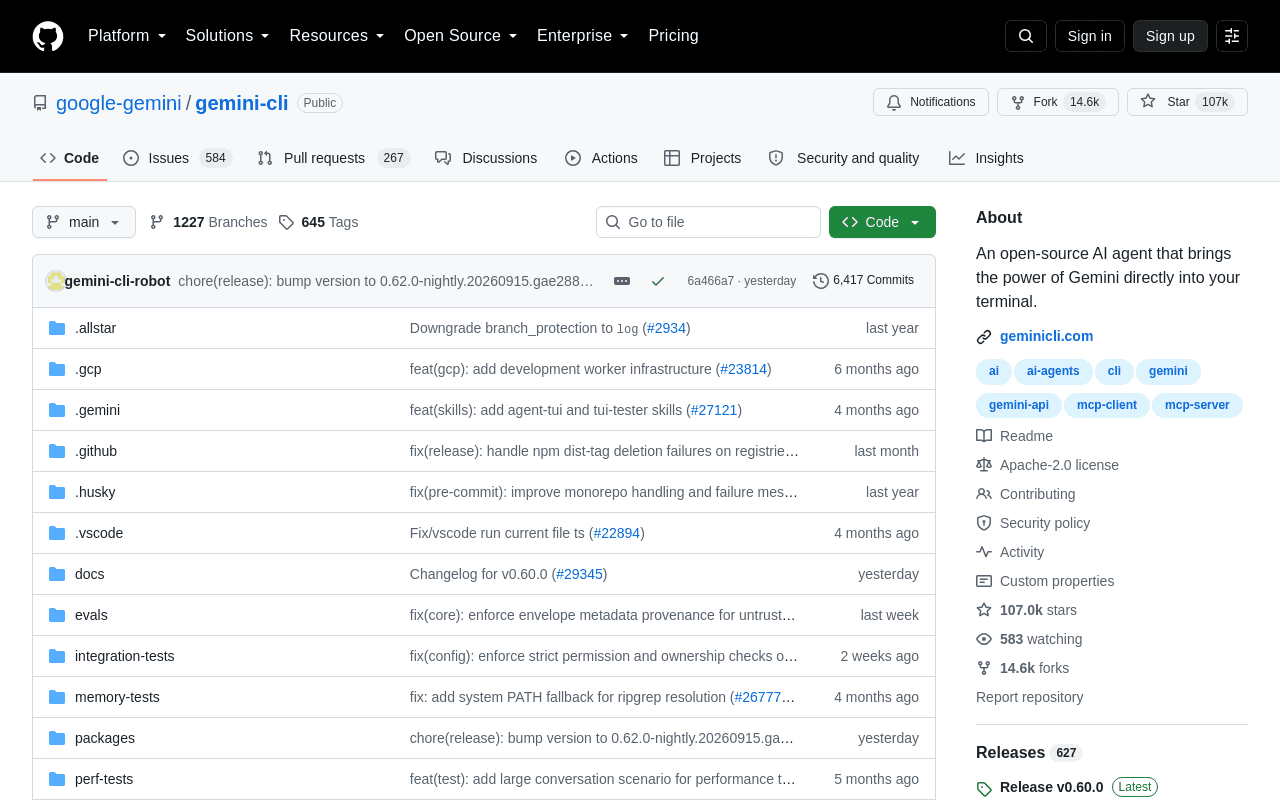
Gemini CLI is Google's open-source, Apache 2.0-licensed command-line AI agent that connects Gemini models (with a 1M-token context window) directly to your terminal for coding, debugging, automation, and research. It's built for developers who work in the command line, offering a free tier with a personal Google account plus built-in Google Search grounding, file and shell operations, and multimodal generation. Its main differentiator is the direct, lightweight path from prompt to Gemini combined with extensibility via Model Context Protocol and native GitHub Action workflows.
Screenshots
Commonly Cited Strengths & Limitations
Strengths
- Open-source (Apache 2.0)
- Generous free tier (60 requests/min, 1,000/day)
- Large 1M-token context window
- High autonomy via ReAct loop architecture
- Extensible through MCP
Limitations
- Frequent 429 rate-limiting and quota errors reported, including by paying users
- Reports of silently downgrading from Gemini Pro to Flash without warning
- Responses can be truncated or terminate early during large codebase analysis
Common Use Cases
- Querying, editing, and refactoring large codebases in the terminal
- Debugging and troubleshooting with natural language
- Automating operational tasks like PR queries and complex rebases
- Running non-interactively in scripts and CI/CD workflows
- Grounding queries with real-time Google Search
- Generating multimodal content, images, or video via MCP
- Automating GitHub PR reviews and issue triage
Details
- Pricing Model
- Freemium
- Category
- Developer Tools
Who is Gemini CLI for?
Individual Developers
Use the free-tier OAuth Google sign-in to access Gemini models in the terminal for coding, debugging, and research without managing API keys.
DevOps & Automation Engineers
Run Gemini CLI non-interactively in scripts and CI/CD pipelines to automate operational tasks like rebases and PR handling.
Engineering Teams on GitHub
Wire the Gemini CLI GitHub Action into workflows for automated code reviews, issue triage, and on-demand @gemini-cli assistance.
Frequently Asked Questions
Is Gemini CLI free?
Gemini CLI offers a free plan.
Does Gemini CLI have an API?
Yes, Gemini CLI provides an API for developers.
Is Gemini CLI open source?
Yes, Gemini CLI is open source.
What does Gemini CLI integrate with?
Gemini CLI integrates with Google Search, Model Context Protocol (MCP), Gemini Code Assist, GitHub (Gemini CLI GitHub Action), Google Cloud, Imagen, Veo, Lyria, and more.
Is Gemini CLI cloud-based or self-hosted?
Gemini CLI is offered as a cloud-based (SaaS) deployment.
What are the downsides of Gemini CLI?
Frequent 429 rate-limiting and quota errors reported, including by paying users Also, Reports of silently downgrading from Gemini Pro to Flash without warning
Who is Gemini CLI best for?
Gemini CLI is best suited for Individual Developers, DevOps & Automation Engineers, Engineering Teams on GitHub.
What can I use Gemini CLI for?
Common uses for Gemini CLI include querying, editing, and refactoring large codebases in the terminal, debugging and troubleshooting with natural language, automating operational tasks like pr queries and complex rebases, running non-interactively in scripts and ci/cd workflows.
How does Gemini CLI compare to Browse AI?
Gemini CLI and Browse AI are both used for developer tools -- specifically automation & workflow tools. See the full side-by-side comparison for pricing and feature differences.
Key Features
- Large context windowProvides a 1 million-token context window for handling very large codebases and inputs.
- Code understanding & generationQueries and edits large codebases and generates new apps from PDFs, images, or sketches.
- Google Search groundingGrounds queries with real-time web information via built-in Google Search.
- Shell command executionRuns terminal commands from natural language instructions.
- File operationsReads and edits files on the local filesystem.
- Web fetchingRetrieves content from the web to inform responses.
- MCP supportConnects new capabilities through Model Context Protocol servers for custom integrations.
- Multimodal capabilitiesWorks across code, content, images, and video, including media generation.
- ReAct loopUses a reasoning-and-act loop to autonomously execute multi-step tasks.
- Conversation checkpointingSaves and resumes complex sessions.
- Custom context files (GEMINI.md)Tailors the agent's behavior for specific projects.
- Non-interactive modeRuns in scripts for workflow automation.
- GitHub Action integrationAutomates PR reviews, issue triage, and on-demand assistance in GitHub workflows.
- Cross-platform supportRuns on Windows, macOS, and Linux.
Integrations
Technical Details
- Deployment
- Cloud
- Target Market
- B2B
- API
- Available
- Free Plan
- Available
Real Pricing from Verified Users
See what people actually pay for Gemini CLI
Reviews
0 reviews
No reviews yet. Be the first to share your experience!
Switching Stories
Real migration experiences with Gemini CLI
Discussion
Ask questions, share tips, or discuss this tool with other users.
No discussion yet. Start the conversation!
Similar tools in Developer Tools
Other listed tools in Developer Tools, not reviewed as direct alternatives

- AI-powered data extraction
- Website change monitoring
- Scheduled runs

AI creative agents that turn one brief into on-brand images, video, copy, slides, and audio
Also AI Agent Platforms
- AI Agent
- Brand consistency
- Smart Model Routing
AI suite for sales and support conversations on WhatsApp and other messaging channels
Also Automation & Workflow Tools
- Omnichannel team inbox
- AI agents
- Automation flow builder
- Natural language task capture
- Today, Upcoming & custom filters
- Planning & scheduling

- Replit chat
- Free mode
- Infinite Canvas

- Coding agents
- Cloud agents
- CLI
Also used for
More from github.com


People Also Viewed




More in Developer Tools
The platform for smart business apps


The agentic IDE powered by Codeium AI

Prompt, run, edit & deploy full-stack apps in the browser