Kapwing
Browser-based AI video editor that generates, trims, subtitles, and enhances video from a prompt
Data verified Oct 17, 2026
Score
- Price
- $24/mo
- Try it free
- Free plan
- Best for
- Social media and marketing teams
Editorial Verdict
AI-researched, not hands-on testedKapwing is an online video creation platform with a drag-and-drop timeline editor plus AI tools for video generation, subtitles, dubbing, silence removal and repurposing long videos into social clips. It suits creators and marketing teams that want to edit in the browser without installing software. The free plan is limited (720p, watermark on all exports, 4-minute export cap), so most real use needs a paid plan, and AI features run on credits. For a desktop tool with no watermark or caps, look at open-source editors like Kdenlive or Shotcut.
Reviewed by AIToolPundit Editorial Team · last verified October 2026
About Kapwing
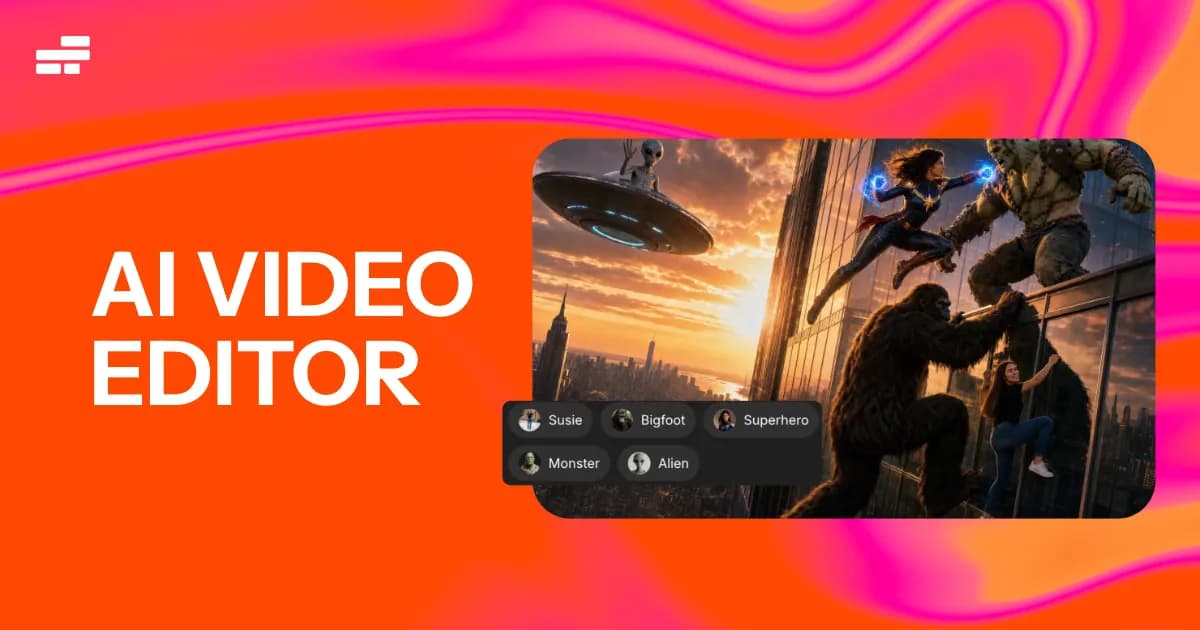
Kapwing is a fully browser-based AI video editor that combines AI video generation with a complete editing studio, letting users create a polished first draft from a text prompt, script, PDF, or existing footage and then refine it with one-click AI tools. It's built for social media creators, marketers, agencies, and content teams who need to produce and collaborate on video fast without downloading software. Its main differentiator is uniting AI generation (via models like Veo, Kling, Seedance, MiniMax, and ElevenLabs voices) and a full editing suite — including transcript-based trimming and auto-subtitles — in one online workspace.
Screenshots
Commonly Cited Strengths & Limitations
Strengths
- Drag-and-drop timeline editor with team collaboration
- AI toolkit including text-to-video, auto subtitles, text to speech and dubbing, Smart Cut and Repurpose Studio
- Paid plans export up to 4K with no watermark
- Pro adds Brand Kit and custom fonts; Business adds voice clones and lip sync
Limitations
- Exports can fail, freeze, or lag on longer and more complex projects
- Free plan is heavily limited (short/1-minute exports, 720p SD, watermark, and projects deleted after 3 days)
- Per-member pricing makes team plans expensive quickly
- Automatic subtitle accuracy has been criticized by some users
- Limited advanced editing (thin color correction, no keyframe animation)
- Requires a constant internet connection and performance slows as projects get longer
- Complaints about billing disputes and a rigid no-refund policy
Common Use Cases
- Generating videos from a text prompt, script, or PDF
- Creating and repurposing clips for social media
- Automatically adding and animating subtitles
- Removing silences and unwanted pauses from footage
- Generating AI voiceovers and translating videos
- Removing video backgrounds without a green screen
- Collaborative video editing and review for teams
Details
- Pricing Model
- Freemium
- Starting Price
- $24/mo
- Team Size
- Small Business, Enterprise
- Category
- AI Image & Video Generation
Who is Kapwing for?
Social media and marketing teams
Repurpose Studio, auto subtitles and Brand Kit speed up turning long videos into on-brand clips.
Solo creators and podcasters
Subtitler, Smart Cut and the audio editor handle captions and silence removal.
Teams that localise video
Dubbing and text-to-speech, with higher limits on Business, support multi-language versions.
Frequently Asked Questions
Is Kapwing free?
Kapwing offers a free plan, with paid plans starting at $24/mo.
Does Kapwing have an API?
Kapwing does not currently offer a public API.
What does Kapwing integrate with?
Kapwing integrates with ElevenLabs, Veo, Seedance, Kling, MiniMax, OpenAI DALL-E.
Is Kapwing cloud-based or self-hosted?
Kapwing is offered as a cloud-based (SaaS) deployment.
What are the downsides of Kapwing?
Exports can fail, freeze, or lag on longer and more complex projects Also, Free plan is heavily limited (short/1-minute exports, 720p SD, watermark, and projects deleted after 3 days)
Who is Kapwing best for?
Kapwing is best suited for Social media and marketing teams, Solo creators and podcasters, Teams that localise video.
What can I use Kapwing for?
Common uses for Kapwing include generating videos from a text prompt, script, or pdf, creating and repurposing clips for social media, automatically adding and animating subtitles, removing silences and unwanted pauses from footage.
What is the best alternative to Kapwing?
Our reviewed alternatives to Kapwing are VEED, Clipchamp, Kdenlive and Shotcut. Open-source options: Kdenlive, Shotcut.
How does Kapwing compare to InfiniteArt.ai?
Kapwing and InfiniteArt.ai are both used for ai image & video generation -- specifically video editing tools. See the full side-by-side comparison for pricing and feature differences.
Key Features
- AI Video GeneratorCreates a polished first-draft video from a text prompt, script, or PDF.
- Trim with TranscriptEdits video by deleting words in the auto-generated transcript to remove those sections.
- B-roll GeneratorAutomatically generates relevant B-roll footage for videos.
- Text to SpeechGenerates AI voiceovers using ElevenLabs voice technology.
- Auto-subtitles (Magic Subtitles)Automatically adds and animates accurate subtitles.
- Smart CutAutomatically detects and removes silences and pauses from footage.
- ResizerResizes and reformats videos for different aspect ratios and social platforms.
- Background RemoverRemoves video backgrounds without a green screen.
- Lip SyncSyncs mouth movements to audio using AI.
- AvatarsCreates AI avatars for video content.
- UpscaleEnhances video resolution up to 1080p or 4K.
- Clip GeneratorAutomatically produces short clips from longer videos.
- AI Image GeneratorGenerates images from text prompts using OpenAI's DALL-E.
- TranslationTranslates video content into other languages.
- Clean AudioRemoves background noise and corrects loudness in audio.
- AI Video AssistantA chatbot that guides inputs and enhances prompts during editing.
- Collaborative EditingLets teams collaborate and leave feedback directly on videos.
- TrimmerCuts and rearranges video clips on a timeline.
- Templates and Stock AssetsOffers video templates and royalty-free assets.
- Additional AI toolsIncludes article-to-video, script generation, photo editing, meme generation, and document-to-video conversion.
Integrations
Technical Details
- Deployment
- Cloud
- Target Market
- Both
- Free Plan
- Available
Official Pricing
Kapwing's published plans · verified Oct 17, 2026
Free
$0/mo
- Browser-based editing
- Watermarked exports
- 720p SD export
- Limited projects and AI access
Pro
$24/mo
- No watermark
- 1080p HD export
- Full commercial rights
Team
$64/mo
- 4K export
- Team collaboration
- Per-member pricing
Pricing shown above is sourced from Kapwing's own published plans as of Oct 17, 2026 and can change at any time -- confirm current pricing on Kapwing's own site before purchasing.
Full Kapwing pricing breakdown, free plan and cheaper alternatives →
Real Pricing from Verified Users
See what people actually pay for Kapwing
Reviews
0 reviews
No reviews yet. Be the first to share your experience!
Switching Stories
Real migration experiences with Kapwing
Discussion
Ask questions, share tips, or discuss this tool with other users.
No discussion yet. Start the conversation!
Kapwing alternatives we reviewed
Reviewed when this listing was published; open-source options are marked.
VEED
Browser-based platform that uses AI to generate videos, avatars, voiceovers and images, with editing, subtitling and branding tools.
Clipchamp
Microsoft's browser-based video editor with AI-powered tools for capturing, refining and publishing video.
Kdenlive
Open sourceFree and open source video editor based on the MLT Framework and KDE Frameworks.
- Cost:
- Free / self-host
- Licence:
- Open source
Shotcut
Open sourceCross-platform, Qt-based open-source video editor under GPLv3.
- Cost:
- Free / self-host
- Licence:
- Open source
Similar tools in AI Image & Video Generation
Other listed tools in AI Image & Video Generation, not reviewed as direct alternatives

AI creative studio for iOS and Mac that turns text into images and animates them into video.
Also Video Editing Tools
- Text-to-image generation
- Generate videos
- Multiple image models

Adobe's all-in-one generative AI creative studio for commercial-safe content
Also Video Editing Tools
- Image Generation
- Video Generation
- Audio Generation
AI dubbing and localization with a full editor to transcribe, translate, caption, and dub in 50+ languages.
Also Video Editing Tools
- Automated dubbing
- Transcription
- Translation

- Seedance 2.5
- Nano Banana Pro
- Higgsfield Genjutsu
- Raya AI agent
- Competitor strategy extraction
- Customer review mining

AI creative agents that turn one brief into on-brand images, video, copy, slides, and audio
Also Video Editing Tools
- AI Agent
- Brand consistency
- Smart Model Routing
Also used for
People Also Viewed


More in AI Image & Video Generation

All-in-one audio & video editing


Open-source image generation AI