PDF.ai
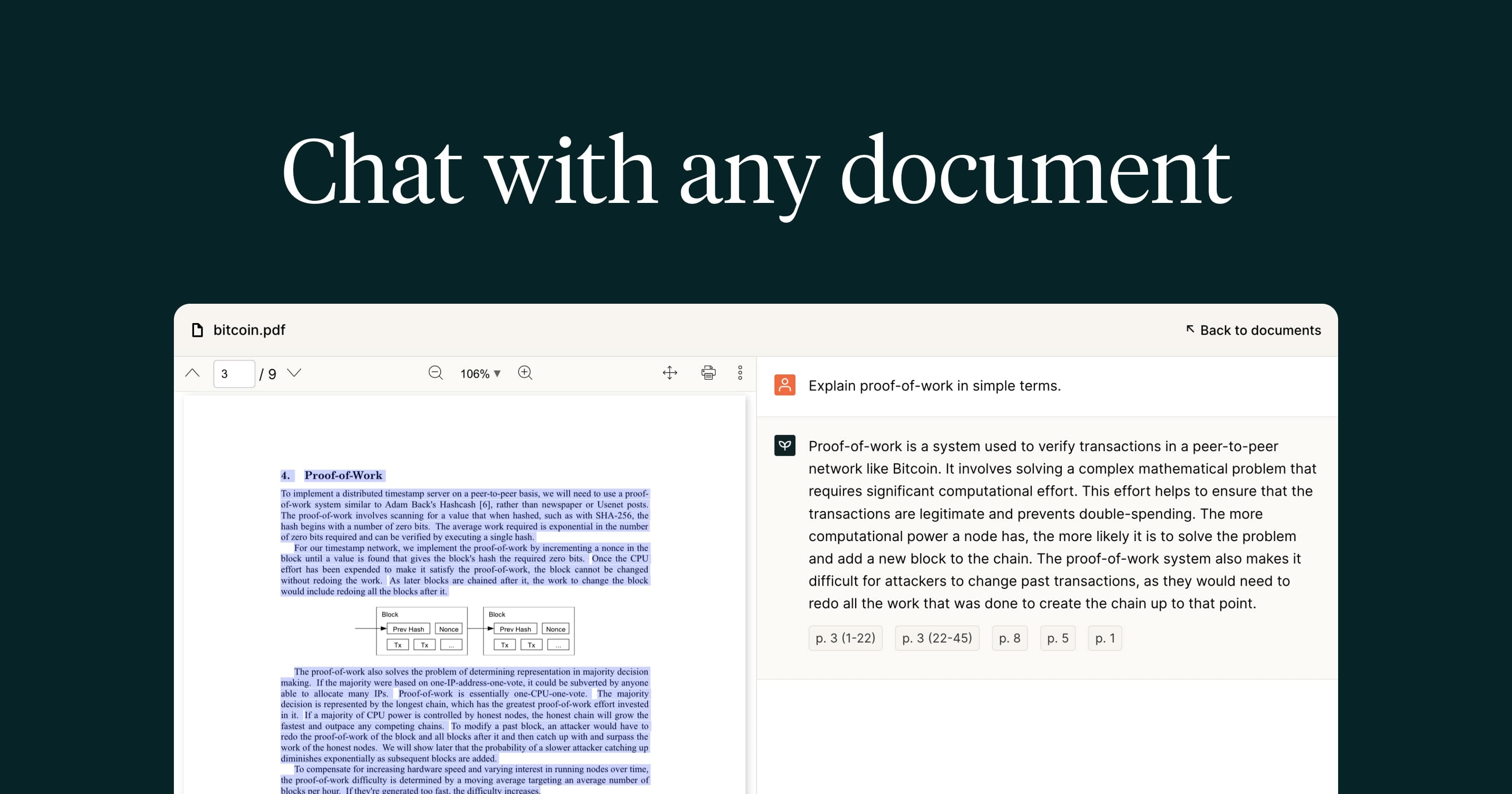
Chat with any PDF to get instant, cited answers and extract structured data.
Data verified Sep 9, 2026
- Price
- $15/mo
- Try it free
- Free plan
- Best for
- Researchers & Students
About PDF.ai
PDF.ai is a cloud tool for chatting with PDF documents conversationally—asking questions, summarizing, and pulling out answers with precise citations back to the source, plus an AI parser that converts PDFs to structured markdown or JSON. It's aimed at researchers, students, and business teams who work through long or multiple documents, as well as developers who need a PDF-parsing API. Its main differentiator is combining ChatGPT-style multi-document chat with source-linked citations and a developer-friendly extraction API in one product.
Screenshots
Commonly Cited Strengths & Limitations
Strengths
- Clean, easy-to-use interface
- Fast responses
- Precise, source-linked citations
- Consistent, well-documented API praised by developers
- No desktop software install required
- SOC 2 Type II security
Limitations
- Inaccurate or vague answers on some documents
- Misses document titles and struggles to summarize certain files
- Poor performance chatting across multiple PDFs
- Citation hallucinations on complex documents
- Billing friction and hard-to-cancel trial
- Limited customer support and contact options
- Mobile app limitations
- Learning curve for advanced features
Common Use Cases
- Extract answers from long PDFs without reading them fully
- Summarize documents and reports
- Research across multiple PDFs with cited sources
- Extract tables and key fields from invoices and financial documents
- Automate PDF data extraction to JSON via API
Details
- Pricing Model
- Freemium
- Starting Price
- $15/mo
- Team Size
- Freelancers, Small Business, Enterprise
- Category
- Data Management
Who is PDF.ai for?
Researchers & Students
Get source-cited answers and summaries from long PDFs without installing desktop software.
Developers
Use the PDF parser API to extract text, tables, and figures into structured JSON/markdown in their own apps.
Finance & Operations Teams
Use the parser to pull tables, fields, and key-value pairs from invoices and financial documents automatically.
Frequently Asked Questions
Is PDF.ai free?
PDF.ai offers a free plan, with paid plans starting at $15/mo.
Does PDF.ai offer a free trial?
Yes, PDF.ai offers a free trial.
Does PDF.ai have an API?
Yes, PDF.ai provides an API for developers.
What does PDF.ai integrate with?
PDF.ai integrates with Chrome extension, API.
Is PDF.ai cloud-based or self-hosted?
PDF.ai is offered as a cloud-based (SaaS) deployment.
What are the downsides of PDF.ai?
Inaccurate or vague answers on some documents Also, Misses document titles and struggles to summarize certain files
Who is PDF.ai best for?
PDF.ai is best suited for Researchers & Students, Developers, Finance & Operations Teams.
What can I use PDF.ai for?
Common uses for PDF.ai include extract answers from long pdfs without reading them fully, summarize documents and reports, research across multiple pdfs with cited sources, extract tables and key fields from invoices and financial documents.
What is the best alternative to PDF.ai?
Our reviewed alternatives to PDF.ai are ChatPDF, AskYourPDF and aiPDF.
How does PDF.ai compare to Parseur?
PDF.ai and Parseur are both used for data management -- specifically document processing tools. See the full side-by-side comparison for pricing and feature differences.
Key Features
- Chat with PDFAsk questions of a PDF conversationally and get instant answers instead of reading manually.
- Precise citationsAnswers link back to the specific source passages in the document.
- Multi-document chatQuery and converse across multiple PDFs at once, similar to ChatGPT.
- SummarizationGenerates summaries of uploaded documents to save reading time.
- PDF ParserExtracts text, tables, and figures into structured markdown or JSON with AI layout detection.
- AI-powered OCRReads scanned and image-based PDFs, with page limits scaling by plan tier.
- API accessDeveloper API to parse, extract, and split PDFs programmatically.
- Chrome extensionInteract with PDFs directly in the browser.
- Team collaborationShare and work with documents alongside other team members.
- Private documentsChat with documents that are kept 100% private.
Integrations
Technical Details
- Deployment
- Cloud
- Target Market
- Both
- API
- Available
- Free Trial
- Yes
- Free Plan
- Available
Security & Compliance
Support
Official Pricing
PDF.ai's published plans · verified Sep 9, 2026
Hobby
$0/mo
- 1 PDF upload/month
- 100 questions/month
- AI OCR 2 pages/file
Pro
$15/mo
- 100 uploads/month
- 1,000 questions/month
- AI OCR 10 pages/file
- $10/mo billed yearly
Ultimate
$25/mo
- Unlimited uploads
- Unlimited questions
- AI OCR 50 pages/file
- Team features
- $20/user/mo billed yearly
Enterprise
$35/mo
- Unlimited uploads
- Unlimited questions
- AI OCR 100 pages/file
- Priority support
- Live chat support
- Advanced security
Pricing shown above is sourced from PDF.ai's own published plans as of Sep 9, 2026 and can change at any time -- confirm current pricing on PDF.ai's own site before purchasing.
Full PDF.ai pricing breakdown, free plan and cheaper alternatives →
Real Pricing from Verified Users
See what people actually pay for PDF.ai
Reviews
0 reviews
No reviews yet. Be the first to share your experience!
Switching Stories
Real migration experiences with PDF.ai
Discussion
Ask questions, share tips, or discuss this tool with other users.
No discussion yet. Start the conversation!
PDF.ai alternatives we reviewed
Reviewed when this listing was published; open-source options are marked.
ChatPDF
Popular chat-with-PDF tool with side-by-side chat and source viewing.
AskYourPDF
Document chat with summarization, knowledge bases, and citation management.
aiPDF
Chat with PDFs, EPUBs, URLs, and YouTube links for source-backed answers.
Similar tools in Data Management
Other listed tools in Data Management, not reviewed as direct alternatives

AI document parser that turns PDFs, emails, and documents into structured, ready-to-use data.
Also Document Processing Tools
- Document capture
- AI data extraction
- Normalization and validation

AI nameplate scanner that turns industrial part label photos into ERP-ready listings.
Also Document Processing Tools
- AI OCR Reader
- Data Enrichment
- Background Remover

All-in-one EMR, practice management, and billing built for PT, OT, SLP, and mental health therapists.
Also Document Processing Tools
- Kiosk
- Scheduling
- Documentation
AI-powered search engine that mines filings and earnings transcripts for investment insights.
Also Document Processing Tools
- Document Search
- Document Alerts & Filing Screener
- Trending Topics & Sentiment Analysis

- AI-powered data extraction
- Website change monitoring
- Scheduled runs
All-in-one AI knowledge workspace for deeper thinking, not just faster answers
Also Document Processing Tools
- Ponder Agent
- Infinite canvas / knowledge mapping
- Multi-source import
Also used for
People Also Viewed


More in Data Management


Customer data platform