
Screens
AI contract review, redlining, and portfolio analysis for legal and procurement teams
Data verified Sep 24, 2026
Editorial Verdict
AI-researched, not hands-on testedScreens (now Agiloft Astra) is built for legal, procurement, finance, and sales teams that review a high volume of contracts and want everyone applying the same standards rather than ad hoc judgment. Its strengths are practical: it runs inside Microsoft Word, uses reusable playbooks and expert-built "Screens" to enforce consistency, and adds a natural-language assistant for querying across a contract portfolio, with a stated commitment not to train AI models on your contracts. It's a better fit for teams with the appetite to invest upfront in configuring playbooks than for anyone wanting a plug-and-play tool, since suggestions still need human review in deal context. Note too that while there's an untimed free tier, the jump to paid (starting around $120/mo) may feel steep for very small operations.
Reviewed by AIToolPundit Editorial Team · last verified September 2026
About Screens
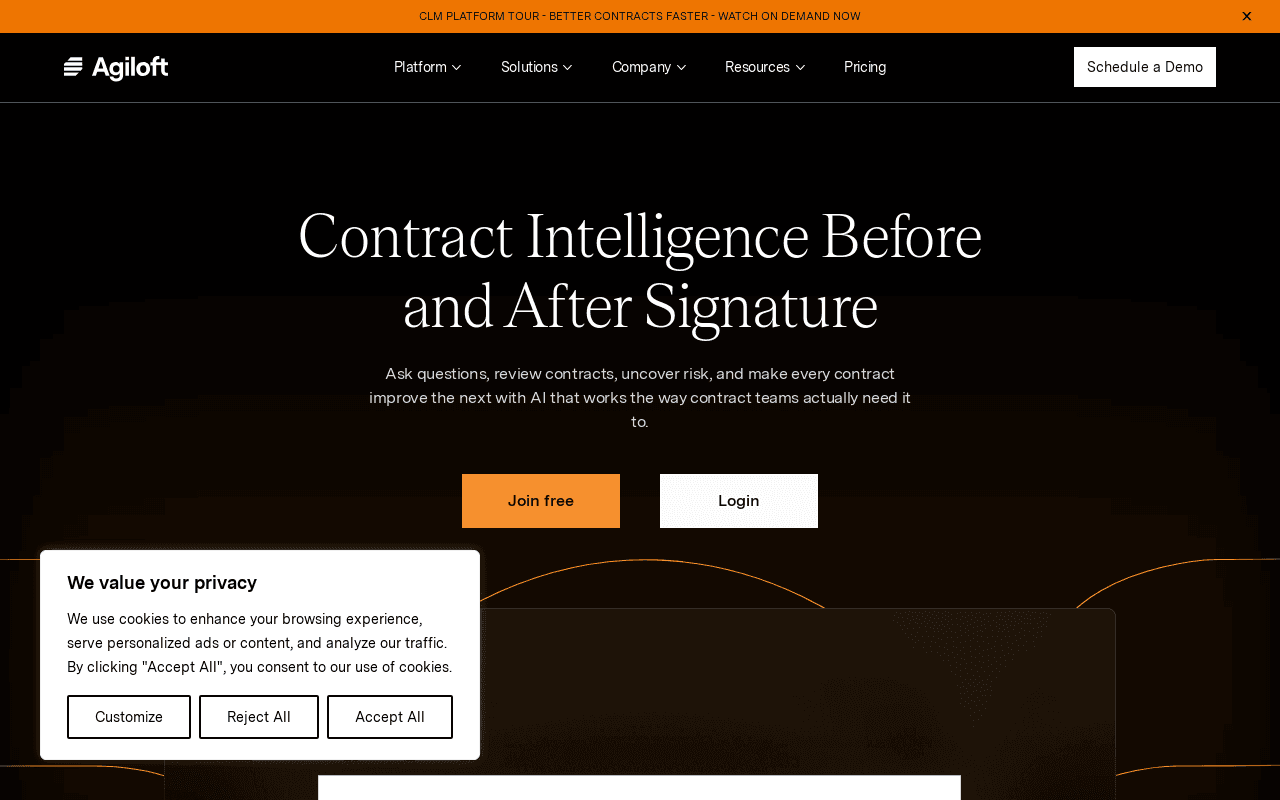
Screens (now Agiloft Astra) is an AI platform for reviewing, redlining, and analyzing contracts before and after signature, built for legal, procurement, finance, and sales teams that need to move faster without adding headcount. It works directly inside Microsoft Word and applies reusable playbooks and expert-built 'Screens' so every reviewer evaluates agreements against the same standards. Its defining differentiator is combining expert-crafted community standards with a natural-language assistant that answers questions across your whole contract portfolio, plus a Clean Data Promise that your contracts are never used to train AI models.
Screenshots
Commonly Cited Strengths & Limitations
Strengths
- Reduces repetitive review time and document review effort
- Enforces consistent standards across every reviewer and agreement
- Pre-built, expert-crafted Community Screens/playbooks for a fast start
- Customizable AI screens tailored to your review priorities
- Natural-language portfolio search via Astra Assistant
- Robust data security and auditability, with contracts never used to train AI models
- Works directly inside Microsoft Word
- Free tier with no time limit
Limitations
- Requires upfront time to build out playbooks; not a plug-and-play magic wand
- Still needs human oversight — suggestions can't be blindly accepted without deal-context review
- Jump from the free tier to the Pro plan may be steep for smaller operations
Common Use Cases
- Reviewing and redlining contracts in Microsoft Word
- Applying consistent standards and playbooks across agreements
- Analyzing contract portfolios to uncover risk and insights
- Answering natural-language questions across contracts
- Auditing AI contract findings for accuracy
- Storing and searching agreements in a contract repository
- Reviewing NDAs, retail leases, and M&A agreements
- Reducing outside counsel dependence for routine contract work
Details
- Pricing Model
- Freemium
- Starting Price
- $120/mo
- Team Size
- Small Business, Enterprise
- Category
- Legal & Compliance
Who is Screens for?
Legal Teams
Review and redline incoming contracts faster against firm standards while keeping people in control of the final review.
Procurement Teams
Assess vendor agreements and make go/no-go decisions by quickly surfacing key risks in incoming contracts.
Finance and Sales Teams
Get faster, self-serve access to trusted contract intelligence instead of waiting on legal for answers buried in agreements.
Frequently Asked Questions
Is Screens free?
Screens offers a free plan, with paid plans starting at $120/mo.
Does Screens have an API?
Screens does not currently offer a public API.
What does Screens integrate with?
Screens integrates with Microsoft Word, SSO.
Is Screens cloud-based or self-hosted?
Screens is offered as a cloud-based (SaaS) deployment.
What are the downsides of Screens?
Requires upfront time to build out playbooks; not a plug-and-play magic wand Also, Still needs human oversight — suggestions can't be blindly accepted without deal-context review
Who is Screens best for?
Screens is best suited for Legal Teams, Procurement Teams, Finance and Sales Teams.
What can I use Screens for?
Common uses for Screens include reviewing and redlining contracts in microsoft word, applying consistent standards and playbooks across agreements, analyzing contract portfolios to uncover risk and insights, answering natural-language questions across contracts.
What is the best alternative to Screens?
Paxton AI is the closest alternative to Screens, followed by TaxGPT and DocuSign.
How does Screens compare to Paxton AI?
Screens and Paxton AI are both used for legal & compliance -- specifically legal tech tools. See the full side-by-side comparison for pricing and feature differences.
Key Features
- Contract review and redliningAI-powered analysis with suggested redlines and expert Screens, all inside Microsoft Word.
- Playbooks and standardsApply your own standards or expert Community Screens to review contracts consistently.
- Projects and portfolio analysisAnalyze contracts individually or at scale to extract structured insights and compare agreements.
- Astra AssistantAsk contracts questions in natural language to surface risk, obligations, trends, and opportunities across a portfolio.
- Screen AnythingExpert-built AI programs called 'Screens' identify crucial elements across many contract types.
- Expert-Crafted Community ScreensUse screens built by legal experts for specific contract review use cases.
- Featured ScreensScreens designed by certified creators covering areas like NDAs, retail leases, and M&A.
- Custom Screen CreationTurn your review priorities into a private, custom AI screen.
- Certified Screen Creator ProgramBecome a certified creator and contribute screens to the community.
- Contract RepositoryStore agreements in one place with repository intelligence for quick insights.
- Data SecurityPrivacy-by-design with enterprise-grade data security.
- Review and AuditAudit AI findings via highlighted sections and accuracy monitoring.
Integrations
Technical Details
- Deployment
- Cloud
- Target Market
- B2B
- Free Plan
- Available
Support
Official Pricing
Screens's published plans · verified Sep 24, 2026
Free
$0/mo
- 1,000 credits per month
- Review and redline contracts in Microsoft Word (no credits used)
- Built-in AI insights across contracts
- Up to 3 custom playbooks
- Team collaboration
Pro
$120/mo
- 2,500 to 40,000 credits/month tiers
- Everything in Free
- Analyze larger sets of contracts
- Unlimited custom playbooks
- Deeper, more frequent portfolio analysis
Advanced
Contact Sales
- Everything in Pro
- Large-scale analyses across teams and departments
- SSO and enterprise-grade controls
- Dedicated onboarding and support
Real Pricing from Verified Users
See what people actually pay for Screens
Reviews
0 reviews
No reviews yet. Be the first to share your experience!
Switching Stories
Real migration experiences with Screens
Discussion
Ask questions, share tips, or discuss this tool with other users.
No discussion yet. Start the conversation!

The all-in-one AI legal assistant for research, drafting, and document analysis.
Also Legal Tech Tools
- Quick-Start Drafting
- Document Analysis
- Contextual Research
AI tax assistant that delivers cited tax research, memos, and document analysis in seconds.
Also Legal Tech Tools
- AI Tax Research
- Tax Writer
- Document Analysis
- Agreement Manager
- eSignature
- Workflow Builder

- Fits into existing workflows
- Fast setup
- Cross-department support

- Incorporation
- Advanced Delay Protection
- Post-Incorporation Setup

- Delaware incorporation
- Company tax ID
- Founder equity issuance
Also used for
People Also Viewed



More in Legal & Compliance
eSignature & agreement cloud

eSignatures made easy by Dropbox