
TypeOut
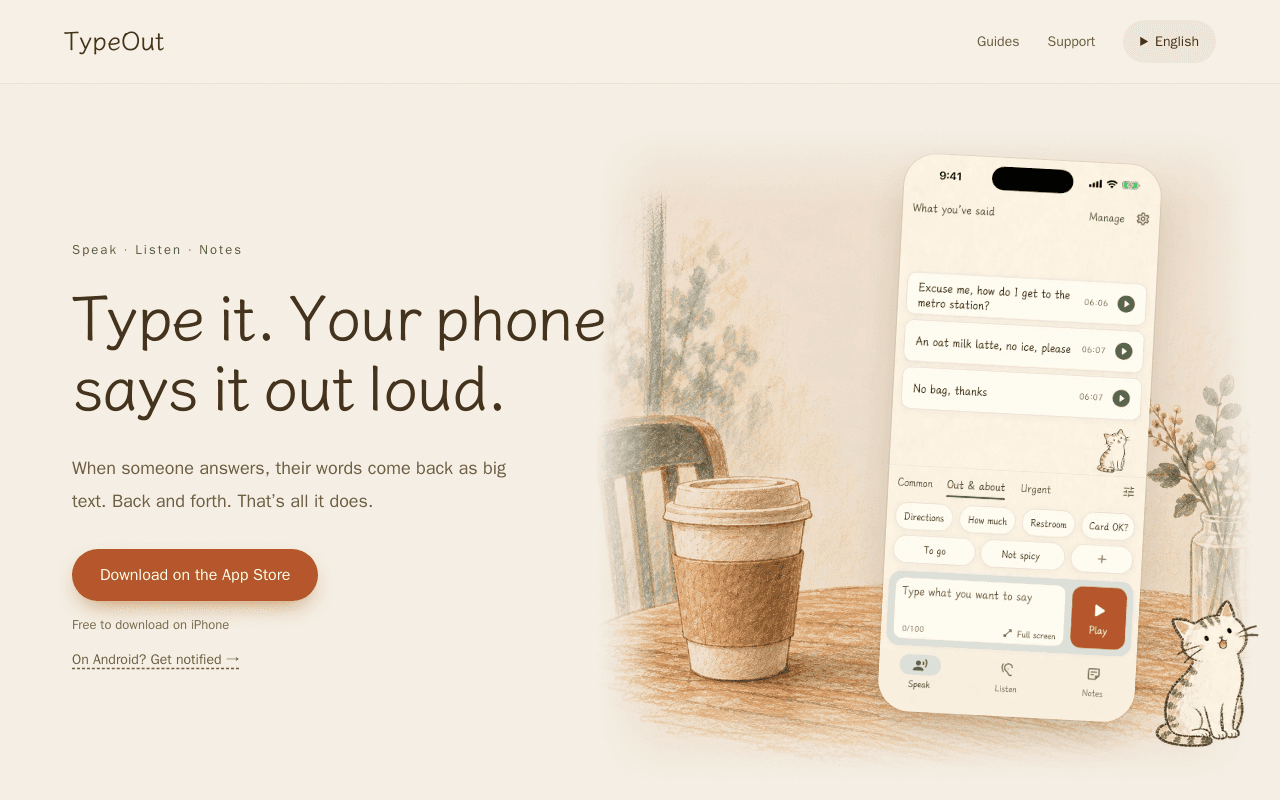
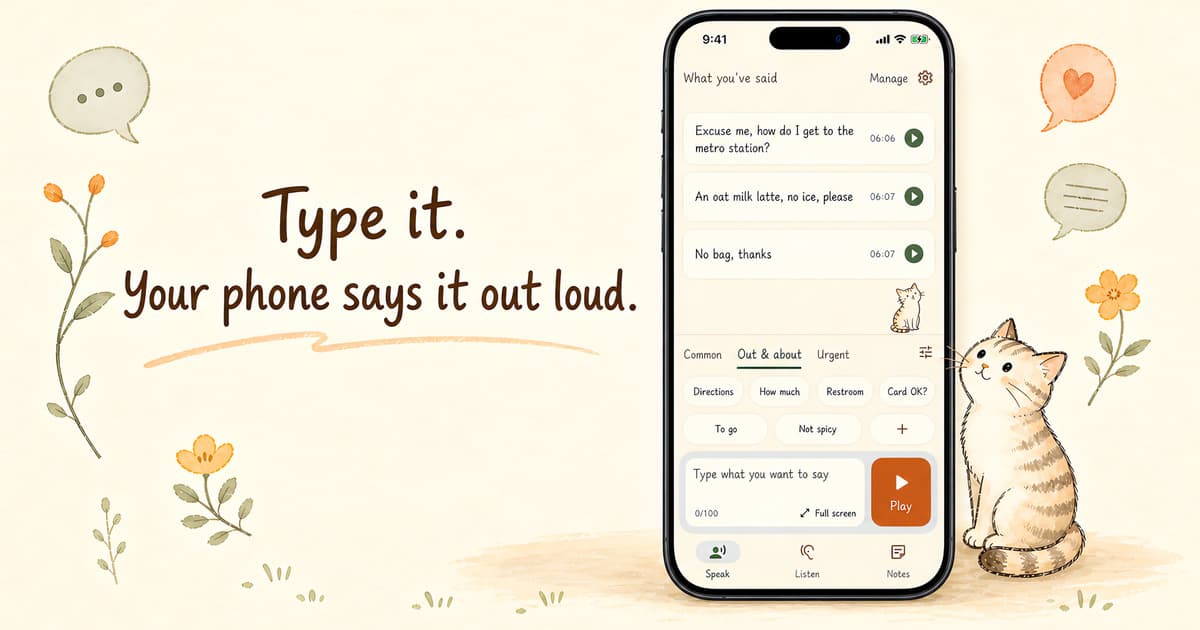
Type it. Your phone says it out loud.
Data verified Oct 3, 2026
About TypeOut
TypeOut is an AAC (augmentative and alternative communication) app that lets people who cannot speak communicate two ways: typed text is enlarged and flipped so a conversation partner can read it right-side up without handing over the phone, and spoken words are automatically transcribed into large, readable text with line breaks after pauses. It includes a private diary mode that auto-locks on exit, 12 visual themes including a high-contrast option, customizable phrase categories, and the ability to use personal photos as avatars -- photo processing stays on-device. It's aimed at people with permanent or temporary speech disabilities, or anyone in a situation where speaking isn't possible; data (phrases, audio, settings) can be exported to move between devices.
Screenshots
Commonly Cited Strengths & Limitations
Strengths
- You never have to hand your phone over
- Photo processing for the custom character happens on-device so the photo never leaves it
- High-contrast theme and up to 50% larger text for low vision
- Settings and phrases transfer between phones via a single export file
Limitations
- Not yet available on Android (notification signup only)
Common Use Cases
- Asking for directions
- Ordering at a restaurant
- Checking in at a clinic
- Communicating after surgery or wisdom teeth removal
- Communicating with a sore throat
Details
- Pricing Model
- Free
- Category
- AI Voice & Audio
Who is TypeOut for?
People who have never been able to speak
Use TypeOut as an everyday AAC tool to communicate without having to explain why they aren't speaking.
People recovering from surgery or a sore throat
Temporarily rely on typing to speak aloud and read replies as large text while their voice is unavailable.
People with low vision
Use the high-contrast theme and up to 50% larger text and line spacing to read and communicate.
Frequently Asked Questions
Is TypeOut free?
Yes, TypeOut is free to use.
Does TypeOut have an API?
TypeOut does not currently offer a public API.
What are the downsides of TypeOut?
Not yet available on Android (notification signup only)
Who is TypeOut best for?
TypeOut is best suited for People who have never been able to speak, People recovering from surgery or a sore throat, People with low vision.
What can I use TypeOut for?
Common uses for TypeOut include asking for directions, ordering at a restaurant, checking in at a clinic, communicating after surgery or wisdom teeth removal.
What is the best alternative to TypeOut?
HappyScribe is the closest alternative to TypeOut, followed by SimplePhones and Uberduck.
How does TypeOut compare to HappyScribe?
TypeOut and HappyScribe are both used for ai voice & audio. See the full side-by-side comparison for pricing and feature differences.
Key Features
- SpeakType text and flip it upside down with one tap so the person across the table can read it, or tap a saved phrase to play it aloud.
- ListenTurns the other person's speech into big text, starting a new line after two seconds of silence with one sentence per block.
- NotesA private diary page with a handwriting font and ruled paper that locks itself the moment you leave the page.
- ThemesTwelve looks you can switch anytime, including six with a handwriting font and animal, and a high-contrast option for low vision.
- Phrase organizationCreate categories, drag phrases to reorder, multi-select to delete, move, or recolor, with a brief undo after deletion.
- Custom characterPick a photo from your library to become the corner animal, with the cutout processed on your phone so the photo never leaves it.
- ExportExport one file carrying your phrases, their synthesized audio, and all your settings when you switch phones.
Technical Details
- Target Market
- B2C
- Free Plan
- Available
Official Pricing
TypeOut's published plans · verified Oct 3, 2026
iPhone app
$0
- Free to download on iPhone
Real Pricing from Verified Users
See what people actually pay for TypeOut
Reviews
0 reviews
No reviews yet. Be the first to share your experience!
Switching Stories
Real migration experiences with TypeOut
Discussion
Ask questions, share tips, or discuss this tool with other users.
No discussion yet. Start the conversation!

AI and human transcription, subtitles, and meeting notes in 120+ languages.
Similar tool in AI Voice & Audio
- AI Transcription
- Human Transcription
- Automatic Subtitles & Captions

AI voice agents that answer and make business phone calls so you never miss a customer.
Similar tool in AI Voice & Audio
- Inbound Calls
- Outbound Calls
- Call Logging & Transcripts

AI text-to-speech, voice cloning, and music generation with 5,000+ voices.
Similar tool in AI Voice & Audio
- Text-to-Speech
- Voice Cloning
- Voice Conversion
Real-time AI voice changer and soundboard for gamers and streamers.
Similar tool in AI Voice & Audio
- Real-Time Voice Changer
- Soundboard
- Voicelab

AI note taker that turns meetings, audio, PDFs, and videos into summaries and action items.
Similar tool in AI Voice & Audio
- Instant summarization
- Meeting transcription
- Multimodal input support

Free 10-in-1 AI voice generator with text-to-speech, voice cloning, and 3,500+ voices.
Similar tool in AI Voice & Audio
- Text to Speech
- AI Voice Cloning
- Speech to Speech
People Also Viewed


More in AI Voice & Audio
AI voice & audio generation


AI voice agents that answer and make business phone calls so you never miss a customer.

AI text-to-speech, voice cloning, and music generation with 5,000+ voices.