
Vectorizer.AI
AI-powered converter that turns bitmap images into clean, scalable vector graphics.
Data verified Oct 30, 2026
Score
- Price
- $9.99/mo
- Best for
- Designers & Brand Managers
Editorial Verdict
AI-researched, not hands-on testedSub-pixel precision and strong symmetry detection make Vectorizer.AI's output genuinely sharper than most browser-based converters. Highly detailed source images can still trip it up, dropping fine detail that needs a manual touch-up afterward, and there's no free web tier to test first.
Reviewed by AIToolPundit Editorial Team · last verified October 2026
About Vectorizer.AI
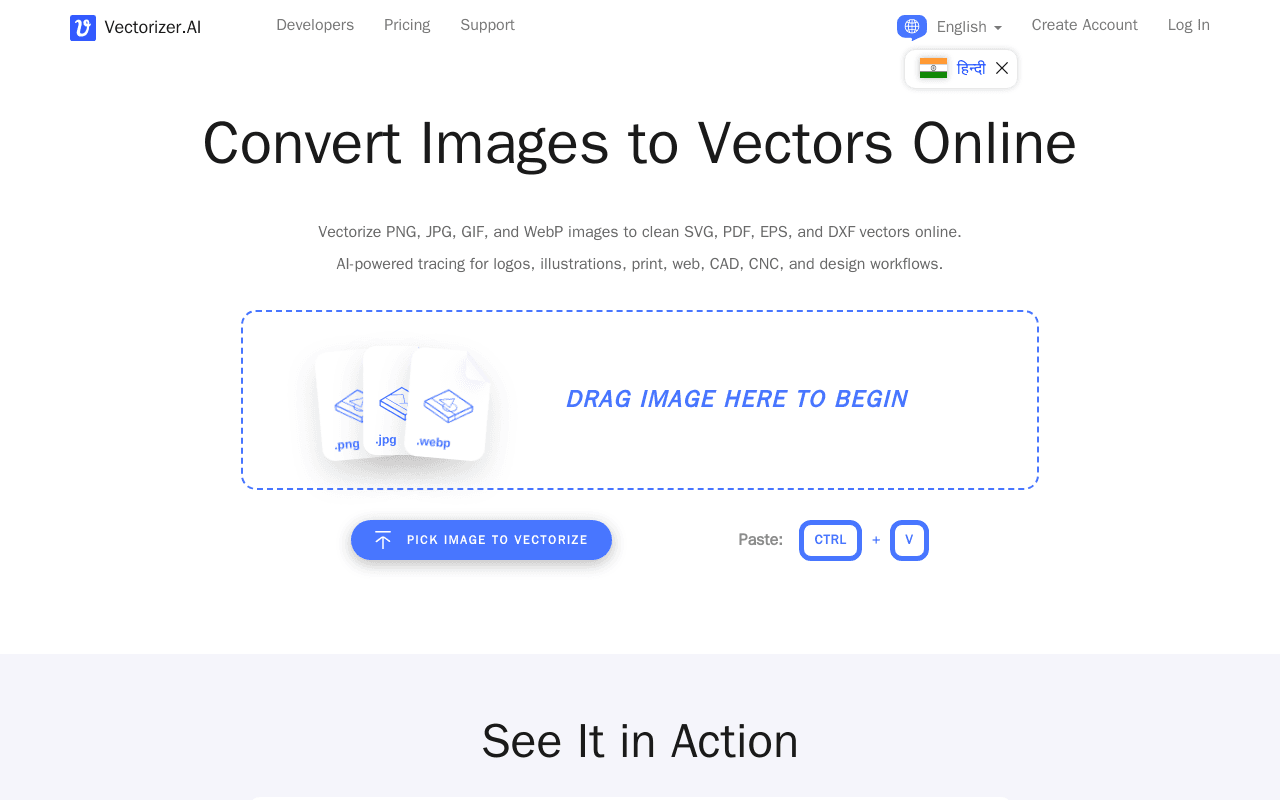
Vectorizer.AI is a browser-based tool that uses a deep-learning-plus-computational-geometry engine to convert raster images (PNG, JPG, GIF, BMP, WebP) into editable vector formats like SVG, EPS, PDF, and DXF. It's aimed at graphic designers, freelancers, print-on-demand sellers, and developers who need to scale up logos, icons, and illustrations without quality loss. What sets it apart is its sub-pixel precision and automatic detection of mirror/rotational symmetries, producing cleaner curves and anchor points than typical auto-tracers.
Screenshots
Commonly Cited Strengths & Limitations
Strengths
- Fits real geometric shapes instead of outlining pixel blocks, avoiding jagged edges
- Produces clean paths with fewer, better anchor points
- Free interactive preview before downloading
- No software installation required - runs in the browser
- High performance using GPUs and multi-core CPUs
Limitations
- Output quality can be inconsistent on highly detailed images, sometimes dropping fine details
- Users often need to manually adjust the vectors afterward
- Limited manual fine-tuning and customization controls
- Interface feels complex/barebones for beginners
- No free version for the web app; accounts can't be shared
- Larger files can take longer to process
Common Use Cases
- Rebuilding pixelated logos and brand archives as scalable master files
- Converting AI-generated art into editable vector illustrations and designs
- Creating multi-color SVG cut files for Cricut, vinyl, and screen printing
- Exporting DXF or SVG for laser, CNC, and engraving software
- Digitizing scanned sketches and line art as clean scalable vectors
- Vectorizing at volume through the REST API for developer pipelines
Details
- Pricing Model
- Freemium
- Starting Price
- $9.99/mo
- Team Size
- Freelancers, Small Business
- Headquarters
- Minneapolis, Minnesota, USA
- Category
- Design & Creative
Who is Vectorizer.AI for?
Designers & Brand Managers
Rebuild pixelated logos, old scans, and email-sized artwork as scalable master files in EPS, PDF, or SVG.
Crafters & Print Makers
Turn low-resolution JPEGs into multi-color SVG cut files with sharp corners, ready for Cricut weeding and pressing.
Laser, CNC & Engraving Operators
Export DXF or SVG with the Cutting & engraving preset for software such as LightBurn.
Developers
Vectorize at volume through the REST API with official SDKs, a command-line client, and an OpenAPI specification.
Frequently Asked Questions
How much does Vectorizer.AI cost?
Vectorizer.AI starts at $9.99/mo (Freemium).
Does Vectorizer.AI have an API?
Yes, Vectorizer.AI provides an API for developers.
What does Vectorizer.AI integrate with?
Vectorizer.AI integrates with LightBurn, Cricut, Midjourney, DALL·E, Stable Diffusion, Flux.
Is Vectorizer.AI cloud-based or self-hosted?
Vectorizer.AI is offered as a cloud-based (SaaS) deployment.
What are the downsides of Vectorizer.AI?
Output quality can be inconsistent on highly detailed images, sometimes dropping fine details Also, Users often need to manually adjust the vectors afterward
Who is Vectorizer.AI best for?
Vectorizer.AI is best suited for Designers & Brand Managers, Crafters & Print Makers, Laser, CNC & Engraving Operators.
What can I use Vectorizer.AI for?
Common uses for Vectorizer.AI include rebuilding pixelated logos and brand archives as scalable master files, converting ai-generated art into editable vector illustrations and designs, creating multi-color svg cut files for cricut, vinyl, and screen printing, exporting dxf or svg for laser, cnc, and engraving software.
What is the best alternative to Vectorizer.AI?
Our reviewed alternatives to Vectorizer.AI are Adobe Illustrator Image Trace, Vectornator / Linearity Curve and Vector Magic.
How does Vectorizer.AI compare to Kittl?
Vectorizer.AI and Kittl are both used for design & creative -- specifically graphic-design-tools. See the full side-by-side comparison for pricing and feature differences.
Key Features
- Deep Vector EngineCombines deep learning networks and classical algorithms, trained from scratch on a proprietary dataset, to power the vectorization.
- Vector GraphA proprietary computational geometry framework that enables automated edits and localized optimizations and makes neighboring shapes share boundaries exactly.
- Full Shape FittingFits fully parameterized circles, ellipses, rounded rectangles, and stars with optional rounded corners and arbitrary rotation.
- Curve SupportBuilds shapes from straight lines, circular and elliptical arcs, and quadratic and cubic Bezier curves rather than just cubic Beziers.
- Clean CornersAnalyzes, models, and optimizes every corner in the Vector Graph for more natural results.
- Corner ControlA workspace to choose which modeled corners are sharp or rounded and adjust rounded corner size, with a live pan-and-zoom preview.
- High PerformanceUses state-of-the-art GPUs for deep learning and massively parallel algorithms on multi-core CPUs for fast results.
- Free interactive previewFit shapes in seconds and inspect the full result for free, zooming, comparing with the original, and adjusting the palette before downloading.
Integrations
Technical Details
- Deployment
- Cloud
- Target Market
- Both
- API
- Available
Support
Official Pricing
Vectorizer.AI's published plans · verified Oct 30, 2026
Web App
$9.99/mo
- Unlimited web images
- Cancel anytime
- For users without API access
API - 50 credits
$9.99/mo
- 50 credits/month
- Unused credits roll over up to 5x monthly credits
- Free integration testing
API - 100 credits
$18.99/mo
- 100 credits/month
- Credit rollover up to 5x
API - 200 credits
$34.99/mo
- 200 credits/month
- Credit rollover up to 5x
API - High volume
$4999.90/mo
- Large credit allotment for high-volume production use
Pricing shown above is sourced from Vectorizer.AI's own published plans as of Oct 30, 2026 and can change at any time -- confirm current pricing on Vectorizer.AI's own site before purchasing.
Full Vectorizer.AI pricing breakdown, free plan and cheaper alternatives →
Real Pricing from Verified Users
See what people actually pay for Vectorizer.AI
Reviews
0 reviews
No reviews yet. Be the first to share your experience!
Switching Stories
Real migration experiences with Vectorizer.AI
Discussion
Ask questions, share tips, or discuss this tool with other users.
No discussion yet. Start the conversation!
Vectorizer.AI alternatives we reviewed
Reviewed when this listing was published; open-source options are marked.
Adobe Illustrator Image Trace
Built-in raster-to-vector tracing within professional vector design software.
Vectornator / Linearity Curve
Vector design app with auto-trace capabilities.
Vector Magic
Another dedicated online/desktop bitmap-to-vector conversion tool.
Similar tools in Design & Creative
Other listed tools in Design & Creative, not reviewed as direct alternatives
AI-first design platform with vector tools, templates, mockups and brand kits
Also graphic-design-tools
- AI generation
- Editing tools
- Infinite canvas

AI creative agents that turn one brief into on-brand images, video, copy, slides, and audio
Also graphic-design-tools
- AI Agent
- Brand consistency
- Smart Model Routing

Turn website heatmaps into AI-generated UI redesigns and code in seconds.
Also graphic-design-tools
- Generative UI from heatmaps
- Improvement goals
- Improvement report

- Templates Library
- Magic Studio (AI)
- Magic Write

- Figma Design
- Figma Make
- AI-native canvas

- Vector editor
- Infinite Canvas
- Stack layouts & nestable frames
People Also Viewed


More in Design & Creative

Collaborative interface design tool

The world's best image editing software