
Wondershare Filmora
AI-powered video editor built to edit faster, smarter, and easier for everyday creators.
Data verified Sep 9, 2026
Score
- Price
- $49.99/yr
- Try it free
- Free plan
- Best for
- Beginner Content Creators
About Wondershare Filmora
Wondershare Filmora is a cross-platform (desktop, mobile, tablet) AI video editor aimed at beginners, hobbyists, content creators, and small marketing teams who want professional-looking results without a steep learning curve. It pairs an intuitive drag-and-drop timeline with AI tools like background/object removal, video enhancement, dynamic captions, and a library of millions of royalty-free templates, effects, and music. Its main differentiator is balancing genuinely approachable editing with a deep, constantly updated creative asset library at a consumer-friendly price.
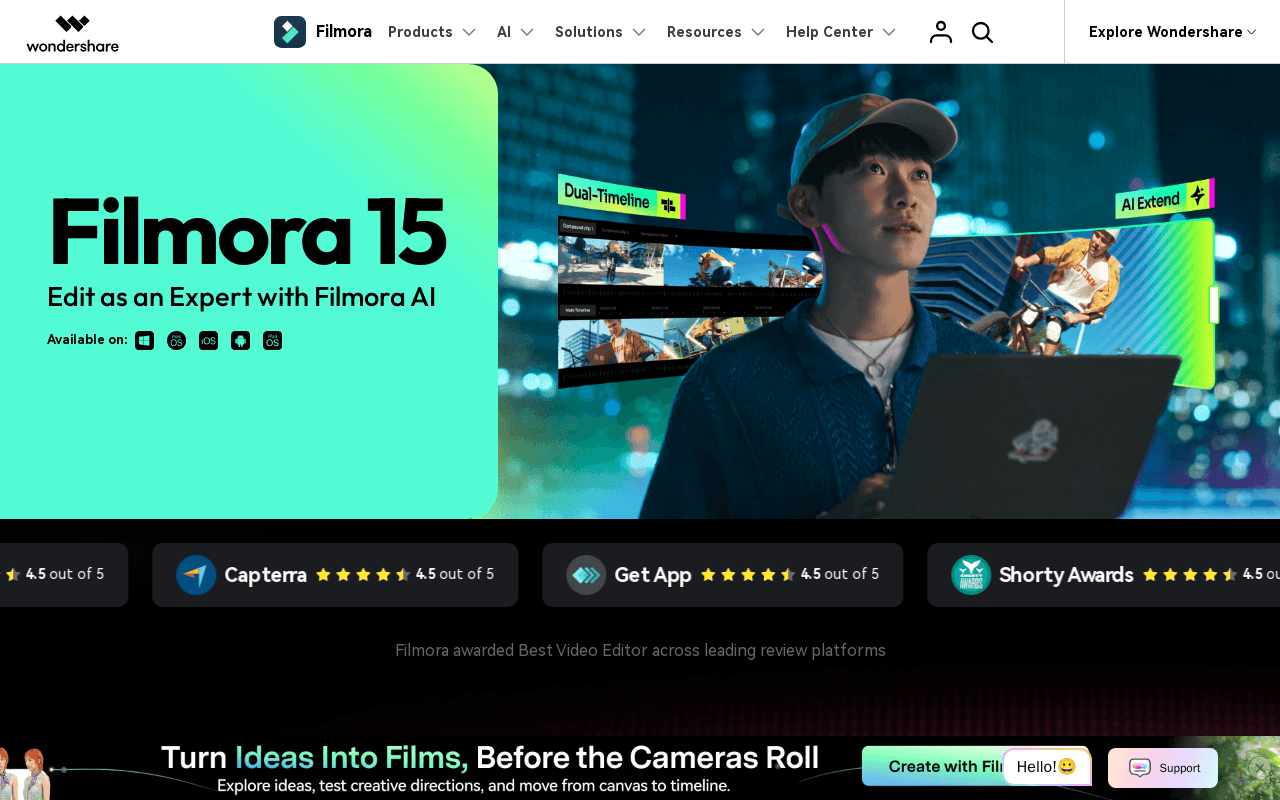
Screenshots
Commonly Cited Strengths & Limitations
Strengths
- Intuitive, beginner-friendly interface
- Large library of templates, effects, transitions, and music
- Drag-and-drop editing and multi-layer timeline
- Useful AI tools like Beautify Face and video enhancement
- Affordable compared to pro studio software like Adobe Creative Cloud
Limitations
- Free version adds a watermark to every export
- Many advanced/AI features require extra purchase or AI credits that run out quickly
- Unclear or confusing credit-usage pricing
- Performance issues such as freezes and lag during exports and effect previews
- Multi-cam and deep color-grading tools are limited versus heavy studio software
- Cannot export SCORM or xAPI packages for e-learning
Common Use Cases
- Editing social media and short-form videos
- Creating marketing and explainer videos
- Adding captions and effects to footage
- Recording and editing screen tutorials
- Enhancing and color-grading multi-camera footage
Details
- Pricing Model
- Freemium
- Starting Price
- $49.99/yr
- Founded
- 2003
- Team Size
- Freelancers, Small Business
- Headquarters
- Shenzhen, China
- Category
- AI Image & Video Generation
Who is Wondershare Filmora for?
Beginner Content Creators
Use the clean, intuitive drag-and-drop interface and templates to produce professional-looking videos without prior editing experience.
Social Media Creators
Add dynamic AI captions, effects, and transitions to keep short-form audiences hooked.
Marketers
Record the screen and build clear marketing and data-driven videos using animated charts.
Frequently Asked Questions
Is Wondershare Filmora free?
Wondershare Filmora offers a free plan, with paid plans starting at $49.99/yr.
Does Wondershare Filmora offer a free trial?
Yes, Wondershare Filmora offers a free trial.
Does Wondershare Filmora have an API?
Wondershare Filmora does not currently offer a public API.
Is Wondershare Filmora cloud-based or self-hosted?
Wondershare Filmora is offered as both cloud and self-hosted (hybrid) deployment.
What are the downsides of Wondershare Filmora?
Free version adds a watermark to every export Also, Many advanced/AI features require extra purchase or AI credits that run out quickly
Who is Wondershare Filmora best for?
Wondershare Filmora is best suited for Beginner Content Creators, Social Media Creators, Marketers.
What can I use Wondershare Filmora for?
Common uses for Wondershare Filmora include editing social media and short-form videos, creating marketing and explainer videos, adding captions and effects to footage, recording and editing screen tutorials.
What is the best alternative to Wondershare Filmora?
Our reviewed alternatives to Wondershare Filmora are Adobe Premiere Pro, InVideo, Lightworks, ScreenFlow and OBS Studio.
How does Wondershare Filmora compare to InfiniteArt.ai?
Wondershare Filmora and InfiniteArt.ai are both used for ai image & video generation -- specifically video editing tools. See the full side-by-side comparison for pricing and feature differences.
Key Features
- Pen ToolDraws motion paths and shapes curves with speed control to create smooth, naturally timed transitions.
- Animated ChartsTurns data into animated on-screen charts for clear, visual storytelling.
- Dynamic CaptionsAdds styled, AI-enhanced captions that follow your voice to keep viewers engaged.
- Dual-Timeline EditingLets you preview source and sequence together to compare, cut, and sync scenes precisely.
- Anchor & KeyframesSets anchors and keyframes to control movement, timing, and motion depth on screen.
- Import SubprojectsImports subprojects and AI color-matches shots from different cameras for a consistent look.
- AI ExtendUses AI to fill and extend scenes beyond the original footage.
- AI Background & Object RemovalCuts out backgrounds and erases unwanted objects from video.
- Video EnhancementEnhances footage to improve clarity and overall quality.
- Beautify FaceApplies a polished, natural facial retouch in a few clicks.
- Screen RecordingRecords the screen to create tutorials and marketing videos.
- Creative Asset LibraryProvides 2.9M+ royalty-free templates, stock media, effects, music, plugins, filters/LUTs, stickers, titles, and transitions.
Technical Details
- Deployment
- Hybrid
- Target Market
- Both
- Free Trial
- Yes
- Free Plan
- Available
Support
Official Pricing
Wondershare Filmora's published plans · verified Sep 9, 2026
Free
$0
- Full editor access
- Watermark on exported videos
- No AI credits
Basic (Annual)
$49.99/yr
- Cross-platform
- No AI credits
Advanced (Annual)
$59.99/yr
- Cross-platform
- 1,000 AI credits/month
Perpetual
$79.99/one-time
- One platform
- One major version
- 1,000 AI credits one-time
Pricing shown above is sourced from Wondershare Filmora's own published plans as of Sep 9, 2026 and can change at any time -- confirm current pricing on Wondershare Filmora's own site before purchasing.
Full Wondershare Filmora pricing breakdown, free plan and cheaper alternatives →
Real Pricing from Verified Users
See what people actually pay for Wondershare Filmora
Reviews
0 reviews
No reviews yet. Be the first to share your experience!
Switching Stories
Real migration experiences with Wondershare Filmora
Discussion
Ask questions, share tips, or discuss this tool with other users.
No discussion yet. Start the conversation!
Wondershare Filmora alternatives we reviewed
Reviewed when this listing was published; open-source options are marked.
Adobe Premiere Pro
Professional-grade video editor with deeper multi-cam and color-grading control.
InVideo
Template- and AI-driven online video creation tool.
Lightworks
Cross-platform editor with a free tier and professional features.
ScreenFlow
Mac screen recording and video editing software.
OBS Studio
Free, open-source screen recording and live streaming tool.
Similar tools in AI Image & Video Generation
Other listed tools in AI Image & Video Generation, not reviewed as direct alternatives

AI creative studio for iOS and Mac that turns text into images and animates them into video.
Also Video Editing Tools
- Text-to-image generation
- Generate videos
- Multiple image models
AI dubbing and localization with a full editor to transcribe, translate, caption, and dub in 50+ languages.
Also Video Editing Tools
- Automated dubbing
- Transcription
- Translation

- Seedance 2.5
- Nano Banana Pro
- Higgsfield Genjutsu

AI creative agents that turn one brief into on-brand images, video, copy, slides, and audio
Also Video Editing Tools
- AI Agent
- Brand consistency
- Smart Model Routing

- Video translation and dubbing
- Voice cloning
- Lip-sync

- ClipAnything
- ReframeAnything
- AI captioning
More from filmora.wondershare.com

People Also Viewed


More in AI Image & Video Generation

All-in-one audio & video editing


Open-source image generation AI