Clideo
Browser-based video editor to cut, merge, resize, and add music with no downloads
Data verified Oct 4, 2026
Score
About Clideo
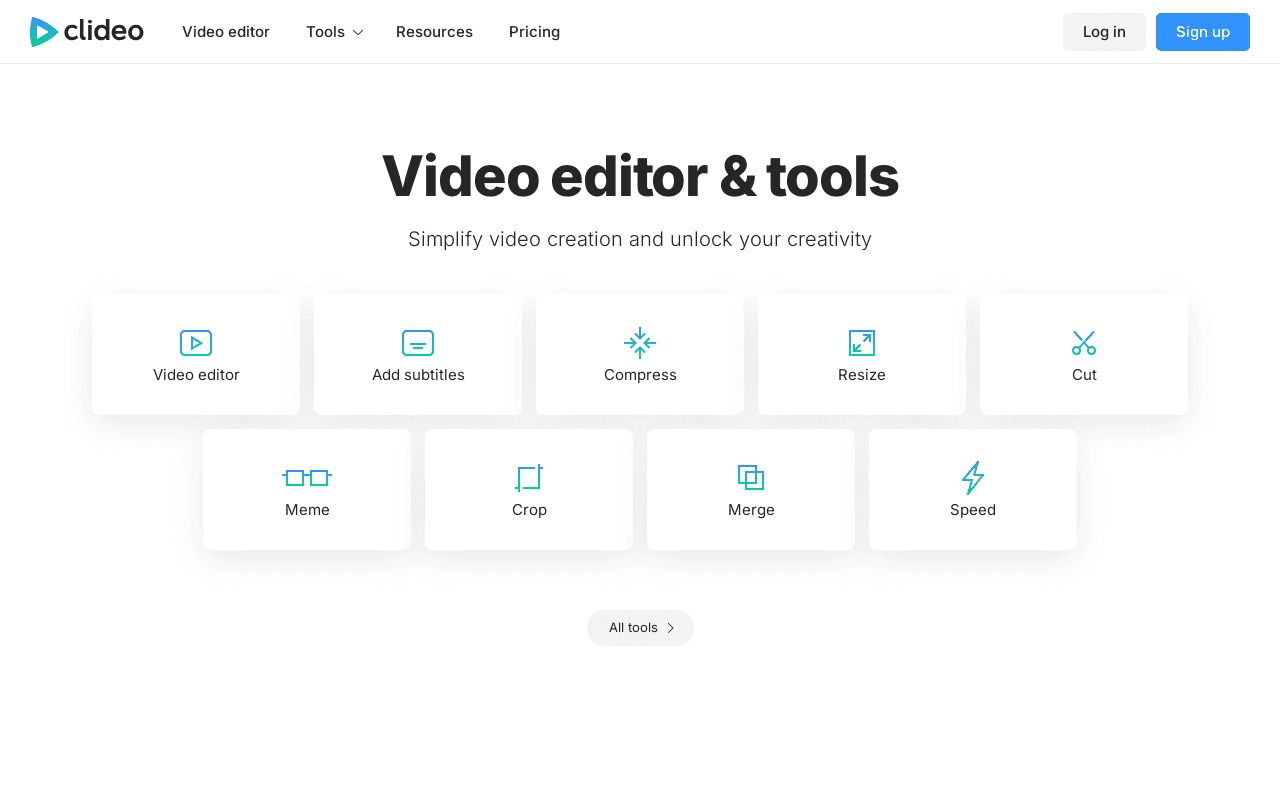
Clideo is a web-based suite of 30+ online video tools that lets users cut, trim, merge, resize, and edit videos directly in the browser without installing software. It supports HD and 4K editing across common formats like MP4, MOV, and AVI, plus audio tools for adding music, adjusting levels, and extracting sound, along with captions, filters, and split-screen layouts. It targets content creators, marketers, and educators of all skill levels and works on Mac, Windows, Linux, Android, and iPhone.
Screenshots
Commonly Cited Strengths & Limitations
Strengths
- User-friendly interface accessible to all skill levels
- Works entirely in the browser with no software download
- Cross-platform compatibility across desktop and mobile
- Wide range of tools and format support in one place
Limitations
- Free tier applies a watermark to exported videos
- Free plan limited to 500MB uploads and 720p export
- Processing can be slow and depends on server load and internet speed
- Lacks advanced editing tools like multi-track timeline, keyframe animation, and professional color correction
- Reported billing issues, denied refunds, and difficult cancellation
- Users report vertical videos being forced into landscape format
Common Use Cases
- Editing videos online
- Compressing and resizing videos
- Adding subtitles and translating videos
- Creating memes, GIFs and slideshows
- Recording screen, camera and audio
- Converting video, audio and image files
Details
- Pricing Model
- Unknown
- Starting Price
- $6/mo
- Category
- AI Image & Video Generation
Who is Clideo for?
Social Media Creators
Creators quickly trim, resize, and caption clips in the browser to post across social platforms.
Marketers
Marketers merge clips, add music, and resize promotional videos to fit different channels without editing software.
Educators
Educators assemble and edit instructional videos online without needing professional editing skills.
Frequently Asked Questions
Is Clideo free?
Clideo offers a free plan, with paid plans starting at $6/mo.
Does Clideo have an API?
Clideo does not currently offer a public API.
Is Clideo cloud-based or self-hosted?
Clideo is offered as a cloud-based (SaaS) deployment.
What are the downsides of Clideo?
Free tier applies a watermark to exported videos Also, Free plan limited to 500MB uploads and 720p export
Who is Clideo best for?
Clideo is best suited for Social Media Creators, Marketers, Educators.
What can I use Clideo for?
Common uses for Clideo include editing videos online, compressing and resizing videos, adding subtitles and translating videos, creating memes, gifs and slideshows.
How does Clideo compare to InfiniteArt.ai?
Clideo and InfiniteArt.ai are both used for ai image & video generation -- specifically video editing tools. See the full side-by-side comparison for pricing and feature differences.
Key Features
- Video editor
- Add subtitles
- Compress video
- Resize video
- Crop video
- Meme maker
- Trim video edges
- Merge video
- Fast video
- Video maker
- Slideshow maker
- GIF maker
- Rotate video
- Add music to video
- Loop video
- Split video
- Reverse video
- Flip video
- Mute video
- Stop motion
- Filter video
- Adjust video
- GIF editor
- Audio recorder
- Screen recorder
- Presentation recorder
- Camera recorder
- Automatic subtitle maker
- DPI converter
- Cut audio
- Merge audio
- Video converter
- Audio converter
- Image converter
- Video translator
- Audio translator
- Add text to video
- Add stickers to video
- Add emoji to video
- Add shapes to video
- Add photos to video
- Add images to video
- Text to speech
Technical Details
- Deployment
- Cloud
- Target Market
- Both
- Free Plan
- Available
Official Pricing
Clideo's published plans · verified Oct 4, 2026
Free
$0
- Access to all 30+ tools
- 500MB file size limit
- Standard processing speed
- Clideo watermark on exports
- 720p max export
Pro
$9/mo
- No watermark
- Uploads up to 100GB
- Faster processing
- Unlimited downloads
Pro (Annual)
$6/mo
- Billed annually ($72/year)
- No watermark
- Uploads up to 100GB
- Faster processing
- Unlimited downloads
Pricing shown above is sourced from Clideo's own published plans as of Oct 4, 2026 and can change at any time -- confirm current pricing on Clideo's own site before purchasing.
Full Clideo pricing breakdown, free plan and cheaper alternatives →
Real Pricing from Verified Users
See what people actually pay for Clideo
Reviews
0 reviews
No reviews yet. Be the first to share your experience!
Switching Stories
Real migration experiences with Clideo
Discussion
Ask questions, share tips, or discuss this tool with other users.
No discussion yet. Start the conversation!
Similar tools in AI Image & Video Generation
Other listed tools in AI Image & Video Generation, not reviewed as direct alternatives

AI creative studio for iOS and Mac that turns text into images and animates them into video.
Also Video Editing Tools
- Text-to-image generation
- Generate videos
- Multiple image models
AI dubbing and localization with a full editor to transcribe, translate, caption, and dub in 50+ languages.
Also Video Editing Tools
- Automated dubbing
- Transcription
- Translation

- Seedance 2.5
- Nano Banana Pro
- Higgsfield Genjutsu

AI creative agents that turn one brief into on-brand images, video, copy, slides, and audio
Also Video Editing Tools
- AI Agent
- Brand consistency
- Smart Model Routing

- ClipAnything
- ReframeAnything
- AI captioning

- Templates Library
- Magic Studio (AI)
- Magic Write
Also used for
People Also Viewed



More in AI Image & Video Generation

All-in-one audio & video editing


Open-source image generation AI