
Viggle AI
Spatial GenAI platform for swapping characters, capturing motion, and animating 3D characters.
Data verified Sep 8, 2026
Score
- Try it free
- Free plan
- Best for
- Social Content Creators
Editorial Verdict
AI-researched, not hands-on testedTurning ordinary phone video into character motion without a studio or motion-capture suit, with a user base over 50M, is a genuinely novel trick. Temporal consistency issues cause limb distortion across frames, output caps at 1080p, and the free plan is restrictive with watermarks and 7-day storage.
Reviewed by AIToolPundit Editorial Team · last verified October 2026
About Viggle AI
Viggle AI is a spatial generative-AI platform that lets creators swap any character into video clips, capture motion from a plain phone video, and produce game-ready 3D character animation without a traditional mocap studio, suit, or markers. It's aimed at social creators making memes and shareable videos as well as professional teams, studios, and developers building interactive games and creative tools. What sets it apart is its proprietary Joint Space-Time (JST) model, which generates characters, motion, and scenes together in a shared 4D space rather than treating them as separate steps.
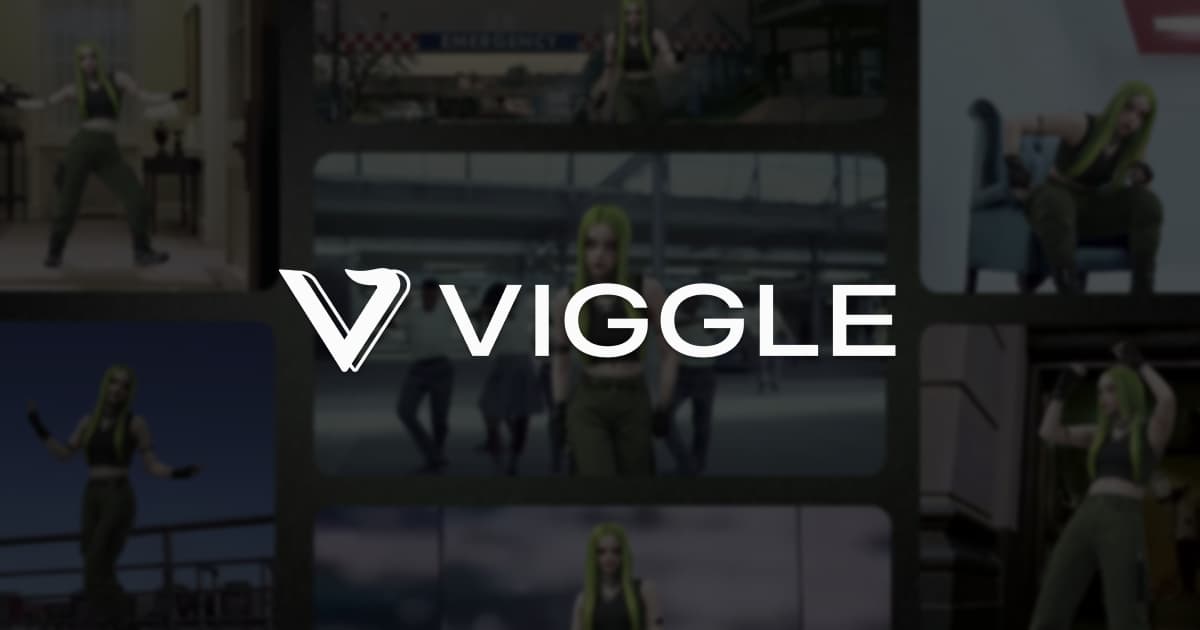
Screenshots
Commonly Cited Strengths & Limitations
Strengths
- Fun, easy way to make memes and character-swap videos
- Turns phone video into motion without a studio, suit, or markers
- Exports motion to common game engines
- Large user base of 50M+ people
Limitations
- Temporal consistency issues causing limb distortion and texture flickering across frames
- Struggles to interpret reference videos with complex scenes or fast-moving characters
- Subpar graphics and animation quality for some use cases
- Output limited to 1080p resolution
- Cannot change a character's overall look or style within the app
- Limited control over complex movements, camera angles, and timing
- Short output length unsuitable for long-form or storytelling content
- Long generation times and video upload/storage problems
- Free plan is restrictive (limited daily generations, watermarks, 7-day storage, longer queues)
- Privacy concerns as uploaded photos/media may be used for model training
Common Use Cases
- Creating memes and shareable social videos by swapping characters
- Remixing trending clips with your own characters
- Capturing motion from phone video for 3D character animation
- Exporting production-ready motion to game engines
- Building character swap and motion capture into games and apps via API
- Powering interactive brand experiences and games
Details
- Pricing Model
- Freemium
- Team Size
- Small Business, Enterprise
- Category
- AI Image & Video Generation
Who is Viggle AI for?
Social Content Creators
Use the Meme Maker to remix trending clips and swap characters into any moment to make timely, shareable videos and memes.
Game & Animation Studios
Capture movement from a phone clip and export production-ready motion directly into the game engines they already use, skipping the traditional mocap pipeline.
Developers
Integrate Viggle's character swapping, motion capture, and interactive experiences into their own products through the API.
Brands
Power memorable interactive experiences such as fighting games, personalized music videos, and fan activations using Viggle's motion capture.
Frequently Asked Questions
Is Viggle AI free?
Viggle AI offers a free plan.
Does Viggle AI have an API?
Yes, Viggle AI provides an API for developers.
What does Viggle AI integrate with?
Viggle AI integrates with Game engines, ZEPETO.
Is Viggle AI cloud-based or self-hosted?
Viggle AI is offered as a cloud-based (SaaS) deployment.
What are the downsides of Viggle AI?
Temporal consistency issues causing limb distortion and texture flickering across frames Also, Struggles to interpret reference videos with complex scenes or fast-moving characters
Who is Viggle AI best for?
Viggle AI is best suited for Social Content Creators, Game & Animation Studios, Developers.
What can I use Viggle AI for?
Common uses for Viggle AI include creating memes and shareable social videos by swapping characters, remixing trending clips with your own characters, capturing motion from phone video for 3d character animation, exporting production-ready motion to game engines.
What is the best alternative to Viggle AI?
Our reviewed alternatives to Viggle AI are DomoAI and Vmake AI.
How does Viggle AI compare to InfiniteArt.ai?
Viggle AI and InfiniteArt.ai are both used for ai image & video generation -- specifically video editing tools. See the full side-by-side comparison for pricing and feature differences.
Key Features
- Meme MakerSwap any character into trending clips and moments to create shareable videos, memes, and social content.
- Single character swapReplace one character in a clip with a character of your choice.
- Multiple character swapSwap several characters within the same video.
- Real-time character swapSwap characters live rather than only in pre-rendered clips.
- Add motion to characterApply movement to a static character to animate it.
- Motion CaptureTurn a phone video clip into production-ready motion in minutes and export to common game engines, with no studio, suit, or markers.
- PINOCA Viggle product for character creation and animation.
- GamesPlay and remix games built from popular templates using your own characters.
- APIBuild character swapping, motion capture, and interactive experiences into games, tools, and apps via Viggle's API.
- Multi-EditorEditing tools for composing and refining Viggle content.
- Joint Space-Time (JST) modelProprietary model that generates characters, motion, and scenes together in a shared 4D space.
Integrations
Technical Details
- Deployment
- Cloud
- Target Market
- Both
- API
- Available
- Free Plan
- Available
Support
Official Pricing
Viggle AI's published plans · verified Sep 8, 2026
Free
Contact Sales
- Three video generations per day
- Limited access to editor and live sessions
- Storage lasts seven days
- Longer queue times
- Watermarks on exported videos
Pricing shown above is sourced from Viggle AI's own published plans as of Sep 8, 2026 and can change at any time -- confirm current pricing on Viggle AI's own site before purchasing.
Real Pricing from Verified Users
See what people actually pay for Viggle AI
Reviews
0 reviews
No reviews yet. Be the first to share your experience!
Switching Stories
Real migration experiences with Viggle AI
Discussion
Ask questions, share tips, or discuss this tool with other users.
No discussion yet. Start the conversation!
Viggle AI alternatives we reviewed
Reviewed when this listing was published; open-source options are marked.
DomoAI
AI video and animation generator positioned as a Viggle alternative.
Vmake AI
AI video generator offered as an alternative to Viggle.
Similar tools in AI Image & Video Generation
Other listed tools in AI Image & Video Generation, not reviewed as direct alternatives

AI creative studio for iOS and Mac that turns text into images and animates them into video.
Also Video Editing Tools
- Text-to-image generation
- Generate videos
- Multiple image models
AI dubbing and localization with a full editor to transcribe, translate, caption, and dub in 50+ languages.
Also Video Editing Tools
- Automated dubbing
- Transcription
- Translation

- Seedance 2.5
- Nano Banana Pro
- Higgsfield Genjutsu
- Raya AI agent
- Competitor strategy extraction
- Customer review mining

AI creative agents that turn one brief into on-brand images, video, copy, slides, and audio
Also Video Editing Tools
- AI Agent
- Brand consistency
- Smart Model Routing

- Video translation and dubbing
- Voice cloning
- Lip-sync
Also used for
People Also Viewed


More in AI Image & Video Generation

All-in-one audio & video editing


Open-source image generation AI