AutoCut
AI video editing plugin that automates repetitive tasks in Premiere Pro and DaVinci Resolve.
Data verified Nov 11, 2026
Score
- Price
- $6.60/mo
- Try it free
- Free trial (14 days)
- Best for
- Podcast Editors
About AutoCut
AutoCut is an AI-powered plugin for Adobe Premiere Pro and DaVinci Resolve that automates time-consuming editing tasks like removing silences, generating animated captions, cutting repeated takes, adding zooms and B-rolls, filtering profanity, and reframing clips for social media. It's built for solo content creators, YouTubers, podcasters, and professional editing teams who want to spend less time on repetitive work and more on creativity. Unlike standalone editors, it lives inside your existing NLE and works with both paid Premiere Pro and the free tier of DaVinci Resolve.
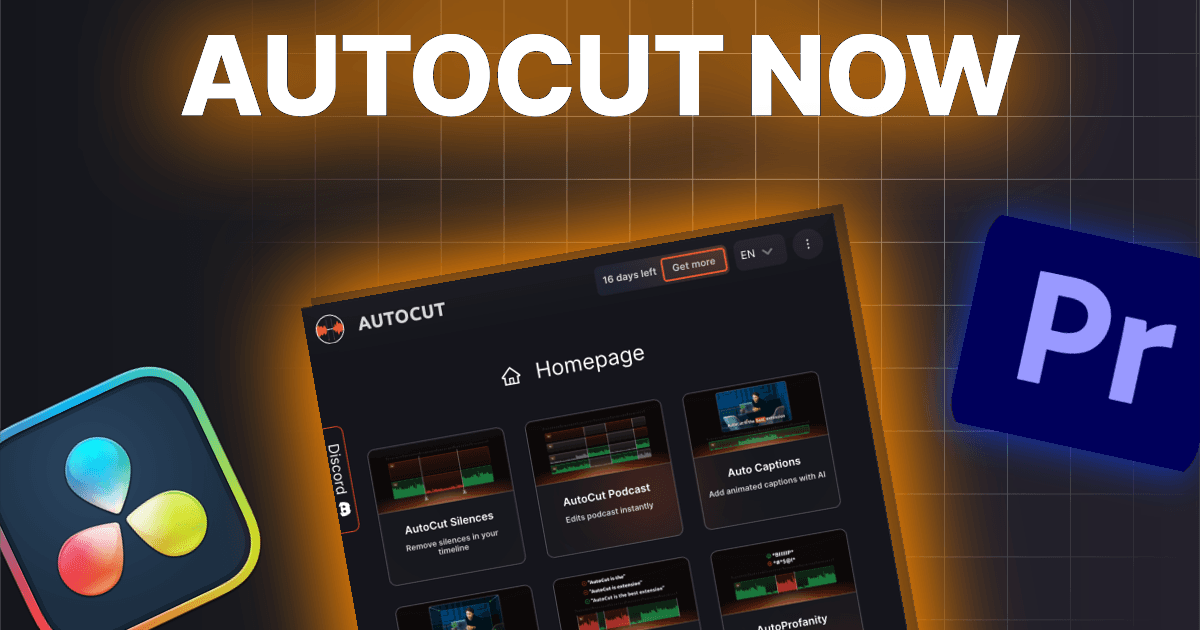
Screenshots
Commonly Cited Strengths & Limitations
Strengths
- Saves significant editing time
- Easy to install and get started
- Intuitive interface
- Accurate silence removal
- Seamless Premiere Pro and DaVinci Resolve integration
- Good value for money
Limitations
- No filler-word ('um'/'uh') removal feature
- No built-in music add-on
- Limited customization for the viral clip finder and caption presets
- Podcast editing gaps, such as no single-camera/single-audio-track auto-cut option
Common Use Cases
- Removing silences from videos
- Adding captions to videos
- Podcast editing
- Editing Instagram Reels and TikTok videos
Details
- Pricing Model
- Free Trial
- Starting Price
- $6.60/mo
- Team Size
- Freelancers, Small Business, Enterprise
- Headquarters
- France
- Category
- AI Image & Video Generation
Who is AutoCut for?
Podcast Editors
Use AutoCut Podcast to automate repetitive editing of long podcast recordings and save hours.
Short-form Content Creators
Use Advanced AutoCaptions with 120+ editable presets to caption Instagram Reels and TikTok videos.
Video Editors
Use silence removal, captions, and automatic cuts inside Premiere Pro or DaVinci Resolve to speed up workflows.
Frequently Asked Questions
How much does AutoCut cost?
AutoCut starts at $6.60/mo (Free Trial).
Does AutoCut offer a free trial?
Yes, AutoCut offers a free trial of 14 days.
Does AutoCut have an API?
AutoCut does not currently offer a public API.
What does AutoCut integrate with?
AutoCut integrates with Adobe Premiere Pro, DaVinci Resolve.
What are the downsides of AutoCut?
No filler-word ('um'/'uh') removal feature Also, No built-in music add-on
Who is AutoCut best for?
AutoCut is best suited for Podcast Editors, Short-form Content Creators, Video Editors.
What can I use AutoCut for?
Common uses for AutoCut include removing silences from videos, adding captions to videos, podcast editing, editing instagram reels and tiktok videos.
What is the best alternative to AutoCut?
Our reviewed alternatives to AutoCut are AutoTrim.
How does AutoCut compare to InfiniteArt.ai?
AutoCut and InfiniteArt.ai are both used for ai image & video generation -- specifically video editing tools. See the full side-by-side comparison for pricing and feature differences.
Key Features
- Advanced AutoCaptionsAutomatic transcription with 120+ fully editable presets for Instagram Reels & TikTok.
- Standard AutoCaptionsClean and simple automatic captions.
- AutoCut SilencesAutomatically removes silences from videos.
- AutoCut Podcast
- AutoCut Angles
- AutoZoom
- AutoViral
- AutoB-Rolls
- AutoCut Repeat
- AutoProfanity Filter
- AutoChapters
- AutoResize
Integrations
Technical Details
- Target Market
- Both
- Free Trial
- 14 days
Support
Official Pricing
AutoCut's published plans · verified Nov 11, 2026
Basic
$6.60/mo
- AutoCut Silences only
- Billed annually ($79/year)
AI
$14.90/mo
- All features included
- Billed annually ($178.80/year)
Enterprise
$19.90/mo
- Per seat, minimum 3 seats
- Priority support
- On-demand demo calls
- Team licensing
- Centralized billing
Pricing shown above is sourced from AutoCut's own published plans as of Nov 11, 2026 and can change at any time -- confirm current pricing on AutoCut's own site before purchasing.
Full AutoCut pricing breakdown, free plan and cheaper alternatives →
Real Pricing from Verified Users
See what people actually pay for AutoCut
Reviews
0 reviews
No reviews yet. Be the first to share your experience!
Switching Stories
Real migration experiences with AutoCut
Discussion
Ask questions, share tips, or discuss this tool with other users.
No discussion yet. Start the conversation!
AutoCut alternatives we reviewed
Reviewed when this listing was published; open-source options are marked.
AutoTrim
Positioned as an AutoCut alternative for automated video trimming.
Similar tools in AI Image & Video Generation
Other listed tools in AI Image & Video Generation, not reviewed as direct alternatives

AI creative studio for iOS and Mac that turns text into images and animates them into video.
Also Video Editing Tools
- Text-to-image generation
- Generate videos
- Multiple image models
AI dubbing and localization with a full editor to transcribe, translate, caption, and dub in 50+ languages.
Also Video Editing Tools
- Automated dubbing
- Transcription
- Translation

- Seedance 2.5
- Nano Banana Pro
- Higgsfield Genjutsu
- Raya AI agent
- Competitor strategy extraction
- Customer review mining

AI creative agents that turn one brief into on-brand images, video, copy, slides, and audio
Also Video Editing Tools
- AI Agent
- Brand consistency
- Smart Model Routing

- Video translation and dubbing
- Voice cloning
- Lip-sync
Also used for
People Also Viewed



More in AI Image & Video Generation

All-in-one audio & video editing


Open-source image generation AI