
Doxel
AI-powered construction progress tracking that measures work-in-place from 360° site video.
Data verified Sep 14, 2026
Score
- Best for
- Superintendents & Project Managers
Editorial Verdict
AI-researched, not hands-on testedObjective, camera-captured progress data beats manual estimation for construction tracking, and setup on the customer's end is minimal. Pricing is hard to justify below large-scale projects, there's no free trial, and smaller jobs won't see much return.
Reviewed by AIToolPundit Editorial Team · last verified October 2026
About Doxel
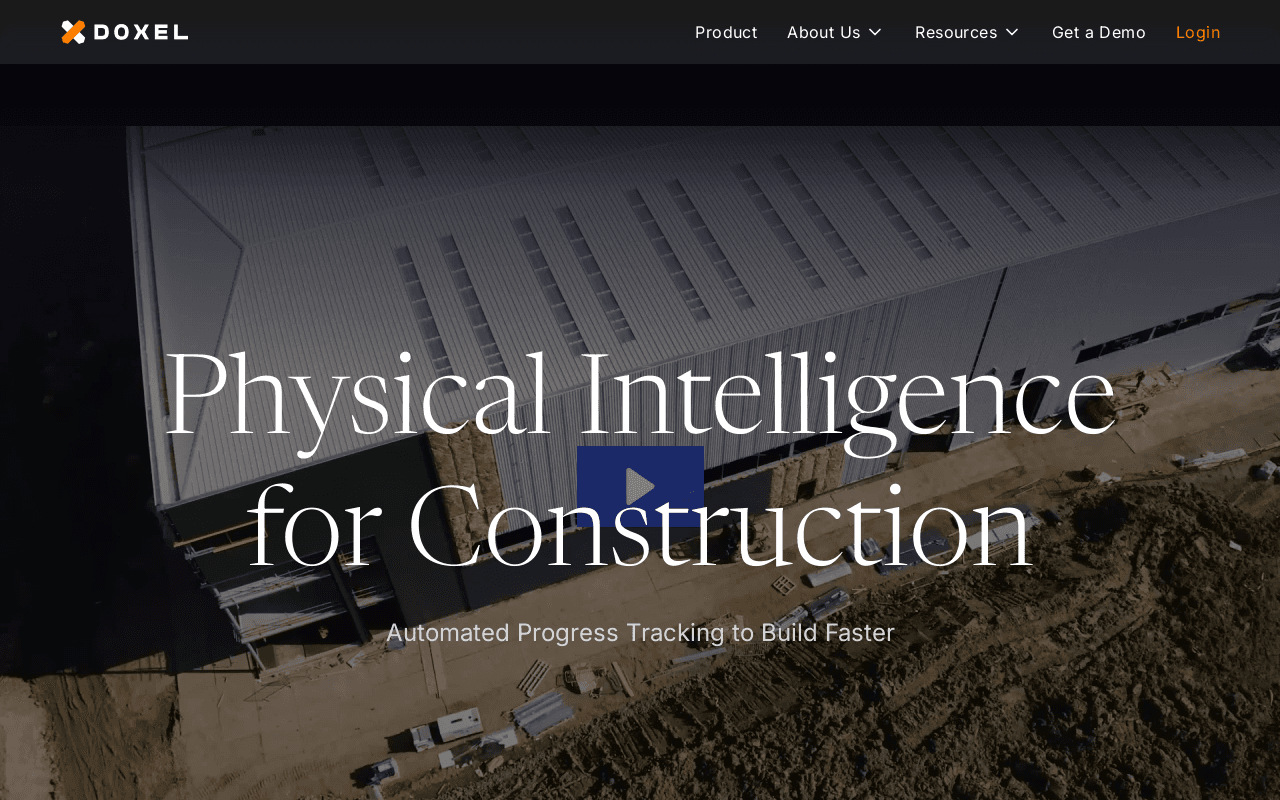
Doxel is a construction progress-tracking platform that uses computer vision to analyze 360° video captured during routine site walks and automatically measure installed work for every trade, system, and stage. Built for general contractors, superintendents, project managers, and owners on large-scale projects, it compares the BIM plan against actual progress, forecasts schedule delays from historical production rates, and flags out-of-sequence work before it causes rework. Its differentiator is turning ordinary hard-hat-mounted camera footage into objective, component-level progress data with no VDC work required from the customer's team.
Screenshots
Commonly Cited Strengths & Limitations
Strengths
- Objective, fact-based progress data instead of manual estimates
- Saves significant time on tracking and communicating progress
- Simple site capture with a 360 camera and little setup from the customer's team
- Component- and trade-level production data for better decisions
Limitations
- Pricing can be hard to justify for small to mid-sized firms
- Features are geared toward large-scale projects and less useful on smaller jobs
- No free trial offered
- Learning curve that may require staff training
Common Use Cases
- Tracking construction project progress against plan
- Forecasting schedule delays and cost risk
- Measuring installed work-in-place on construction sites
- Weekly production tracking and manpower scheduling
- Detecting out-of-sequence work to avoid rework
- Reporting objective project status to owners and executives
Details
- Pricing Model
- Contact Sales
- Team Size
- Enterprise
- Category
- Analytics & BI
Who is Doxel for?
Superintendents & Project Managers
Use Doxel for weekly production tracking, manpower scheduling, and trade/component-level production data to build faster and make better decisions.
Project Owners & Executives
Rely on Doxel's visual progress reports to instantly see project status and assess schedule risk with objective, fact-based data.
Schedule Coordinators
Use Doxel's objective measurements to gain confidence in on-time delivery instead of manually poring over Gantt charts.
Frequently Asked Questions
Does Doxel have an API?
Doxel does not currently offer a public API.
Is Doxel cloud-based or self-hosted?
Doxel is offered as a cloud-based (SaaS) deployment.
What are the downsides of Doxel?
Pricing can be hard to justify for small to mid-sized firms Also, Features are geared toward large-scale projects and less useful on smaller jobs
Who is Doxel best for?
Doxel is best suited for Superintendents & Project Managers, Project Owners & Executives, Schedule Coordinators.
What can I use Doxel for?
Common uses for Doxel include tracking construction project progress against plan, forecasting schedule delays and cost risk, measuring installed work-in-place on construction sites, weekly production tracking and manpower scheduling.
How does Doxel compare to Tweek Calendar?
Doxel and Tweek Calendar are both used for analytics & bi -- specifically project management tools. See the full side-by-side comparison for pricing and feature differences.
Key Features
- Automatic progress trackingComputer vision analyzes site video to measure work-in-place for every trade, system, and stage.
- Plan vs. actual comparisonCompares the BIM plan against actual progress broken down by component, system, and schedule.
- Delay forecastingForecasts delays from historical production rates so teams can adjust the plan to recover.
- Rework avoidanceCatches incomplete or out-of-sequence work before it leads to large delays.
- 3D Progress ViewVisualizes construction progress in a 3D view of the project.
- Reality CaptureCaptures the site via a 360 camera mounted to a hard hat during normal site walks.
- Production RatesMeasures how fast work is being built at the trade and component level.
- ScheduleTracks progress against the project schedule to assess risk.
- BudgetTracks project cost alongside progress and schedule.
- Portfolio managementManages an entire project portfolio from a single unified view.
Technical Details
- Deployment
- Cloud
- Target Market
- B2B
Real Pricing from Verified Users
See what people actually pay for Doxel
Reviews
0 reviews
No reviews yet. Be the first to share your experience!
Switching Stories
Real migration experiences with Doxel
Discussion
Ask questions, share tips, or discuss this tool with other users.
No discussion yet. Start the conversation!
Similar tools in Analytics & BI
Other listed tools in Analytics & BI, not reviewed as direct alternatives

A minimal weekly planner and to-do app with a paper-like design for individuals and small teams.
Also Project Management Tools
- Weekly view planner
- Cross-device sync
- Recurring task management
Link management with branded links, QR codes, UTM tools and deep linking
Also Analytics & BI Tools
- Branded links
- Branded QR codes
- Conversion tracking

AI workspace for docs, notes, wikis and selling subscriptions
Also Project Management Tools
- Docs, notes and wikis
- AI credits
- Sell subscriptions on pages
- Branded short links
- Access controls
- Targeting

- Capture knowledge
- Find answers
- Automate busywork

- Mixpanel AI
- AI Data Governance
- Analytics
People Also Viewed




More in Analytics & BI
Cloud monitoring & security platform

Digital experience analytics & session replay


Powerful business intelligence platform